


the print button with Win8.1 in any pages don't work, only empty papers

Many web pages contain a print button to print content. Since the upgrade to win 8.1 these buttons no longer work. in other browsers work the same pages properly.
Ñemoĩporã poravopyre
I just noticed you wrote "only empty papers" in your question. Did you see this support article: Fix printing problems in Firefox?
Opaite Mbohovái (3)
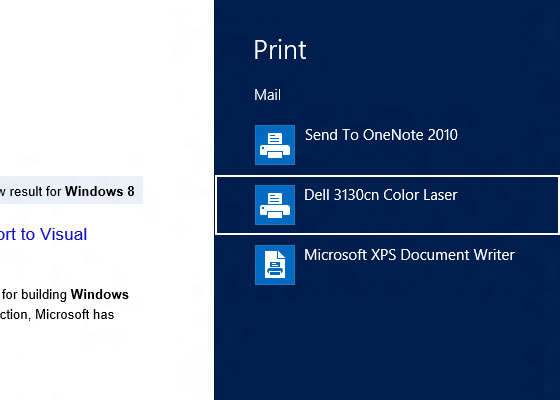
Maybe use the Windows Print feature instead of Firefox Print. Open the Charms Bar and click devices. Click on a printer and then put the settings. Press print.
Many print buttons launch a new window with a reformatted page more suitable for printing. If the problem is with the new windows, it could be the Firefox pop-up blocker, or a pop-up blocker in an extension or external security software.
To manage the built-in popup blocker, see: Pop-up blocker settings, exceptions and troubleshooting.
To determine whether an extension is a likely culprit, you could test one of the problem sites in Firefox's Safe Mode. That's a standard diagnostic tool to bypass interference by extensions (and some custom settings). More info: Use Troubleshoot Mode in Firefox.
You can restart Firefox in Safe Mode using
Help > Restart with Add-ons Disabled
In the dialog, click "Start in Safe Mode" (not Reset)
Any difference?
Ñemoĩporã poravopyre
I just noticed you wrote "only empty papers" in your question. Did you see this support article: Fix printing problems in Firefox?