


Need to back out of screen

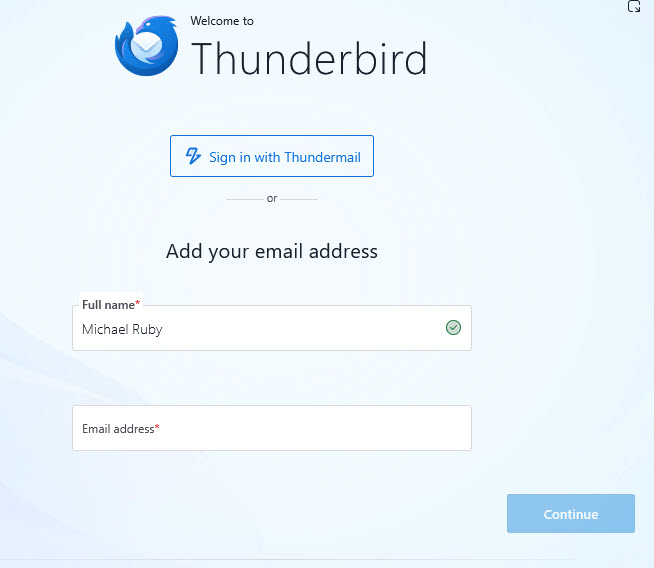
My Thunderbird is frozen on this screen. I need to back out of it and start all over
Opaite Mbohovái (2)
Is Thunderbird really frozen on this screen so that you have to force-quit the app? This screen is displayed either on first start after Thunderbird installation or in very rare cases when a new profile has been created for unknown reasons. So is this a new Thunderbird installation? Or did you already use Thunderbird before this account hub page appeared on startup?
This screen popped up when I was following instructions to recover a profile after an update screwed up my Thunderbird. When I hit Continue the following screens look like they are taking me someplace I don't want to go. All I want to do is kill this screen so I can go back to a normal Thunderbird screen and re-evaluate the instructions and what I need to do. Anytime I try to get out of the following screens they take me back to this one. My only out is Task Manager and killing the Thunderbird instance. I just want the normal Thunderbird email screen.