


Second charachter on address bar stops autocomplete

Hi all, I'm using Firefox 140.0.4 (64-bit) on Debian Trixie and I'm getting a weird behavior with the auto-complete functionality of the address bar.
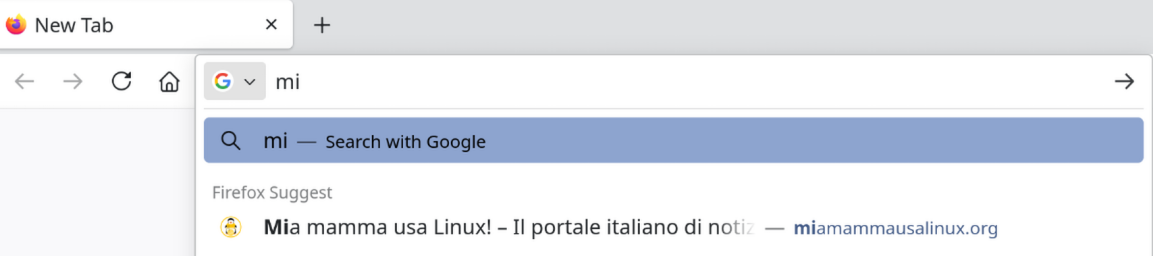
If I type the first character the address gets auto filled (see 20250711_First-character-auto-fill-working.png attachment), then if I type the second character the auto filled result disappears (see 20250711_Second-character-auto-fill-NOT-working.png).
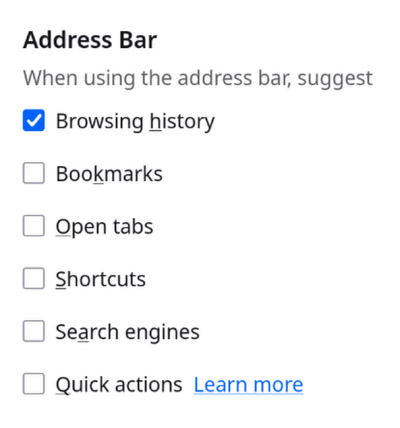
I've tried any search option combination, but results doesn't change. At the moment I'm using for the address bar just "Browsing history" (see 20250711_Address-bar-settings.png).
The correct behavior would be, as in the past, that new characters confirming the address would leave things as they are. Do you have any suggestion on how to restore the original behavior?
Many thanks,
Raoul

Opaite Mbohovái (3)
Have you tried using Firefox in troubleshooting mode to see if the issue is gone? Or, you can restore the browser to its original default state by refreshing it. By doing this, you will lose your add-ons and other customization, but bookmarks and passwords will remain untouched.
https://support.mozilla.org/en-US/kb/refresh-firefox-reset-add-ons-and-settings
I started in troubleshoot mode and the behavior was exactly the same, then I ended up in refreshing firefox and nothing changed: the first character present the correct search result, the second deletes everything.
To me this feels like a clear bug, what do you think?
Many thanks for your support!
Since there seems to be no solution to this, I've opened this bug: https://bugzilla.mozilla.org/show_bug.cgi?id=1979864, hopefully someone will give some advice.