


Appearance of Firefox

Hi, In the version of Firefox that I had on my previous computer, there was a panel to the left, which showed all the different web-sites that I visited frequently, and which I therefore could store in the column on that panel so that they were immediately accessible. I cannot find this feature in the version that I have now, but only a rather complicated way of storing bookmarks that I can then only find my way to after several clicks through some menus. Is there any way I can have it the 'old' way? Kind regards Ole
Opaite Mbohovái (6)

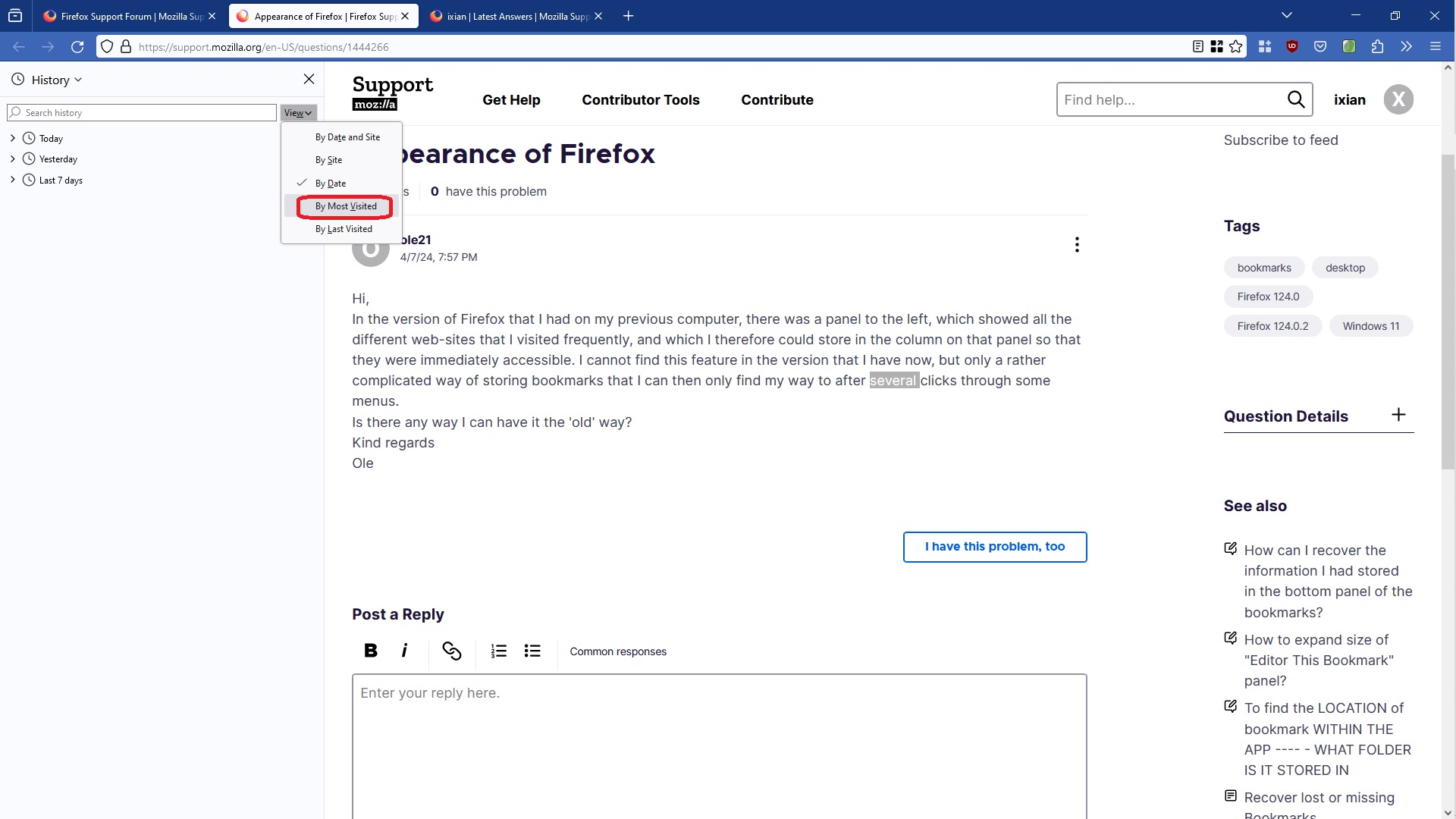
Are you referring to the Firefox Sidebar as shown in the attachment? The Sidebar has a feature in the History where you can sort by the most visited site. Please see the attached screenshot, the option is circled in red. Hope this helps.
I am not sure what you were using previously, i.e. the 'old' way so cannot comment on that.
Hi Ixian
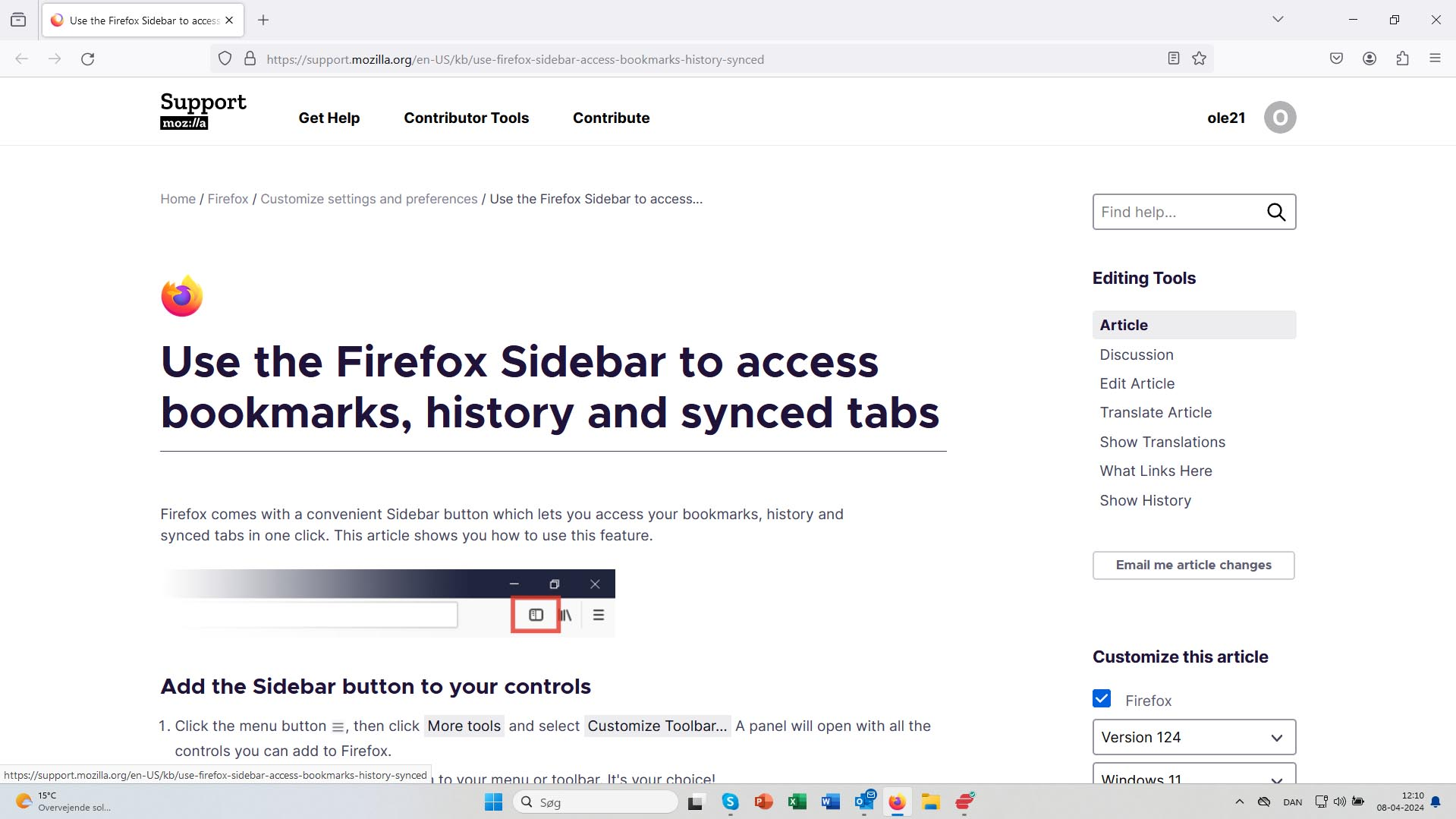
Thanks for your response. However, we are not quite there yet. My problem is that in this newest version of Firefox I don't find a sidebar, nor a button that leads to what I used to have in earlier versions. I took a screenshot of how things look on the new version that I have now. And I just don't find the option button you mention. Besides, the so-called sidebar looked different in my previous version compared to what you send me. Mine was just a list of all the different web-sites, that could be sorted in categories and each be given names that made them more readily recognizable.
Is this of any help?
Kind regards and thanks in advance Ole
Hi
This support article should help:
https://support.mozilla.org/en-US/kb/bookmarks-firefox#w_firefox-sidebar-and-menu
Thank you for your answer. It still does not change the situation, and I think the feature that used to be there, and which I liked, has been replaced by something else, which is less functional in my opinion. Alas, this is not unusual when it comes to soft-ware development, but there is nothing that you and I can do about it.
Kind regards Ole
You can press Ctrl+B to toggle the bookmarks sidebar and add the "Sidebars" toggle button to the toolbar in Customize mode.
ole21 said
Hi Ixian Thanks for your response. However, we are not quite there yet. My problem is that in this newest version of Firefox I don't find a sidebar, nor a button that leads to what I used to have in earlier versions. I took a screenshot of how things look on the new version that I have now. And I just don't find the option button you mention. Besides, the so-called sidebar looked different in my previous version compared to what you send me. Mine was just a list of all the different web-sites, that could be sorted in categories and each be given names that made them more readily recognizable. Is this of any help? Kind regards and thanks in advance Ole
If you look at the article that i had shared earlier, i.e. Firefox Sidebar there is a section in that, i.e. Add the Sidebar button to your controls, which talks about how to get the icon of Sidebar next to the address bar. From the image that you had uploaded it seems that the icon is missing. If getting to that is an issue then follow the following instructions
- Open Firefox browser
- Click either on the function key F10 on your keyboard or use the keyboard combination ALT+F.
- Navigate to menu option View > Sidebar > History.
Once this is done then please do follow the instructions given earlier by me.
About the appearance of the Sidebar yes it might be different than what was previously but that was so long ago I do not recall if I even used that. You also mentioned that websites could be sorted based on categories. Were you using a Firefox extension/add on and not the standard feature of Firefox?