


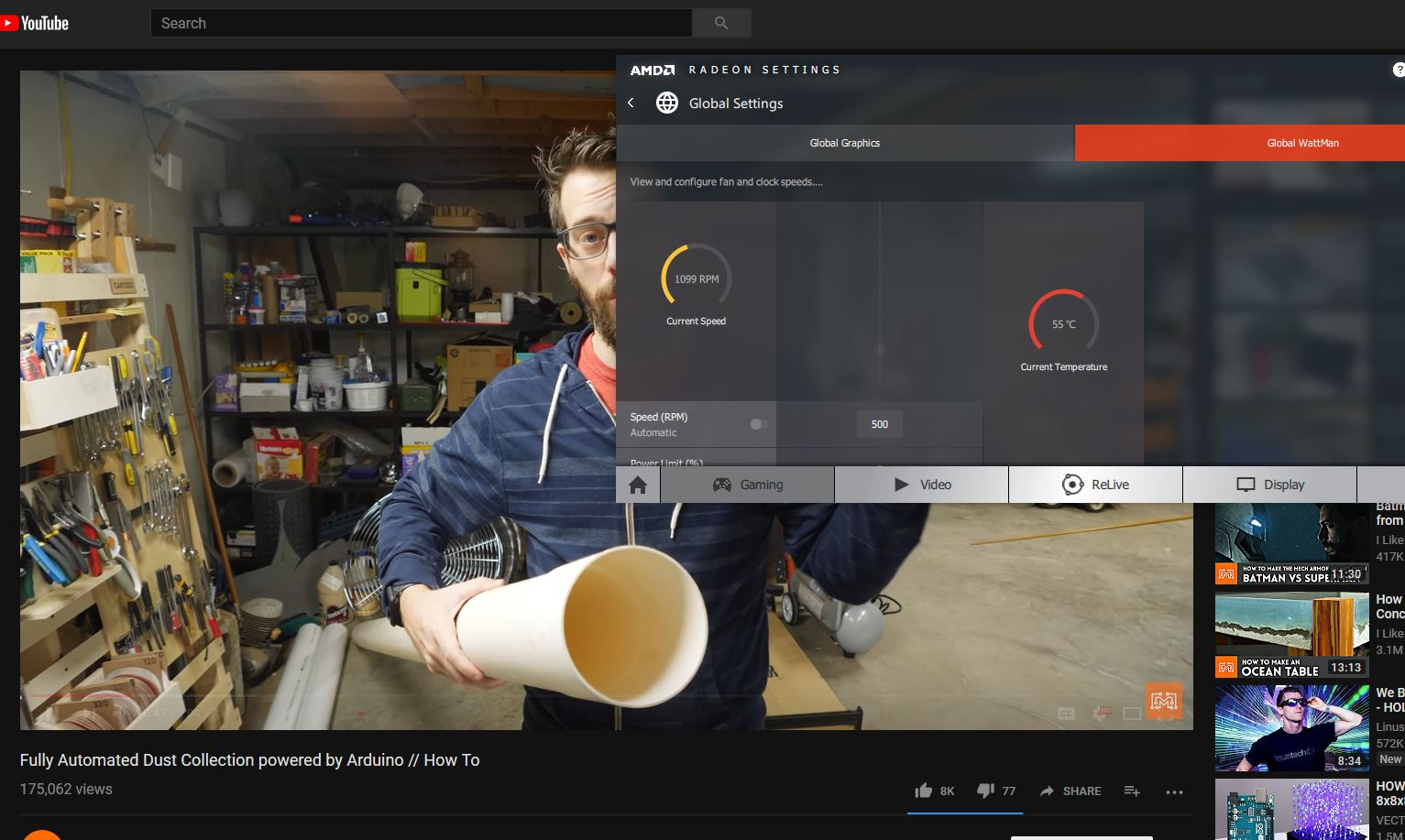
My GPU fan starts spinning(around 1000-1200 - yes I can hear it) when I'm watching a YouTube video only after i close a video game. This only happens in Firefox

My GPU fan starts spinning(around 1000-1200RPM - yes I can hear it) when I'm watching a YouTube video only after i close a video game. This only happens in Firefox. Chrome, Edge and Opera stay at around 800RPM. I've tried everything: fresh install, deleted everything; went as far as deleting my Firefox Sync account.
Opaite Mbohovái (5)
Maybe that video game is very graphic-intensive and you need to wait a little bit for enough RAM to get released.
mattcamp said
Maybe that video game is very graphic-intensive and you need to wait a little bit for enough RAM to get released.
nope 2 hours after I closed Metal Gear Solid and this still happens in Firefox Chrome? not so much EDIT: these screen captures where taken immediately one after another

Moambuepyre marius96 rupive
Check : Go to the Firefox 3 Bar Menu --> Help ? --> Troubleshooting Information Page and take a look in the Accessibility section if accessibility is set to "true" there. if yes, go to the Firefox 3 Bar Menu --> Options --> Privacy & Security panel and under Permissions check the setting to Prevent Accessibility Services from accessing your browser. Restart Firefox
Please : https://support.mozilla.org/en-US/kb/export-firefox-bookmarks-to-backup-or-transfer and https://support.mozilla.org/en-US/kb/back-and-restore-information-firefox-profiles then https://support.mozilla.org/en-US/kb/refresh-firefox-reset-add-ons-and-settings TEST....... If no issues then Extensions which need to be added back in 1 at a time and tested ..... Or it is your Profile : Make a new one and test ...: https://support.mozilla.org/en-US/kb/profile-manager-create-and-remove-firefox-profiles
Please let us know if this solved your issue or if need further assistance.
Pkshadow said
Check : Go to the Firefox 3 Bar Menu --> Help ? --> Troubleshooting Information Page and take a look in the Accessibility section if accessibility is set to "true" there. if yes, go to the Firefox 3 Bar Menu --> Options --> Privacy & Security panel and under Permissions check the setting to Prevent Accessibility Services from accessing your browser. Restart Firefox Please : https://support.mozilla.org/en-US/kb/export-firefox-bookmarks-to-backup-or-transfer and https://support.mozilla.org/en-US/kb/back-and-restore-information-firefox-profiles then https://support.mozilla.org/en-US/kb/refresh-firefox-reset-add-ons-and-settings TEST....... If no issues then Extensions which need to be added back in 1 at a time and tested ..... Or it is your Profile : Make a new one and test ...: https://support.mozilla.org/en-US/kb/profile-manager-create-and-remove-firefox-profiles Please let us know if this solved your issue or if need further assistance.
Yes, this was very helpful. UblockOrigin is causing my GPU's weird behavior. Thanks.
I am glad to hear that your problem has been resolved. If you haven't already, ***please select the answer that solves the problem***. This will help other users with similar problems find the solution more easily. Thank you for contacting Mozilla Support.