Este fío arquivouse.
Faga unha nova pregunta se precisa axuda.

Solved
Arquivado
I just got an update today, and now I have a "Welcome" screen that is not welcome! How do I get rid of it?

It says Firefox release 9.0.1, bright orange page.
It says Firefox release 9.0.1, bright orange page.
All Replies (3)
Chosen Solution
Hi welligog,
You should look at this article about that specific issue and the article Preferences not saved. These should give you all the information you need!
If that doesn't work:
- Type about:config in the address bar
- Click I'll be careful, I promise if prompted
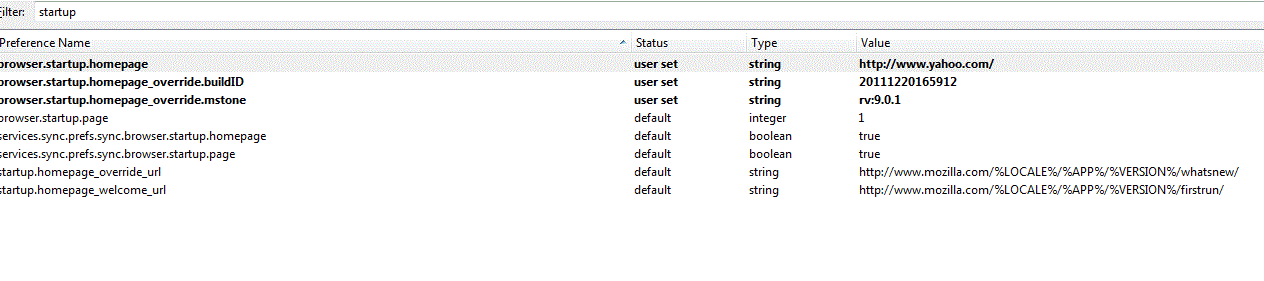
- In the Filter input field type startup
- Double click on startup.homepage_override_url
- Delete the text string and click OK
- Close Firefox and reopen the window to verify that it has worked.
Hopefully this helps!
Thanks, Matt_G. Option 3 did the trick.
Welligog
Nothing is working. I tried to delete as suggested but the delete doesn't save, it just reverts to the original line and that WELCOME SCREEN is back. This is SO annoying! The attached image was taken from my startup file. Please HELP...