


Lost Bookmarks toolbar in recent update

It is Wed., Oct. 28 at 6:15 p.m. Eastern time (New York time). My bookmarks and bookmarks toolbar are gone following the most recent Firefox update. I understand it's because Firefox has launched with a new default profile - I've have tried to launch the alternative profile that Firefox has for me in "about:profiles" and it's not showing my toolbar either. This is REALLY a drag - and figuring this out is a bit beyond my tech capacities, or the available time I have to get things back in place. Can someone please clue me in on the easiest way to get my toolbar and bookmarks back?
All Replies (8)
Hi, could you check both Bookmarks Sidebars? You can open those using Command+B. One of them probably has all your bookmarks, and that is the profile to use. You can close the window on the other one.
The Bookmarks Toolbar has 3 display options: Always showing, Always closed, and Showing only on the new tab page. The following article describes how to switch between these options:
Bookmarks Toolbar - Display your favorite websites at the top of the Firefox window
If you are showing the bar and it is empty, there are number of possible reasons for that, but let us know what has happened so far.
Hi. I tried that command and there is nothing nested under the Bookmarks Toolbar header in the sidebar. See the attached image for the sum total of what shows right now.
I'm on the East Coast and it's time to start shutting down the computer brain now. I'll be back at this tomorrow. I appreciate any feedback. I've never had an issue like this with Firefox before and it's frustrating. The new update is also filling my homepage with news tiles and I'm totally uninterested in that - I don't need another ADD-inducing screen to jump into my face when I open a new window. Ugh!
Appreciate your help.
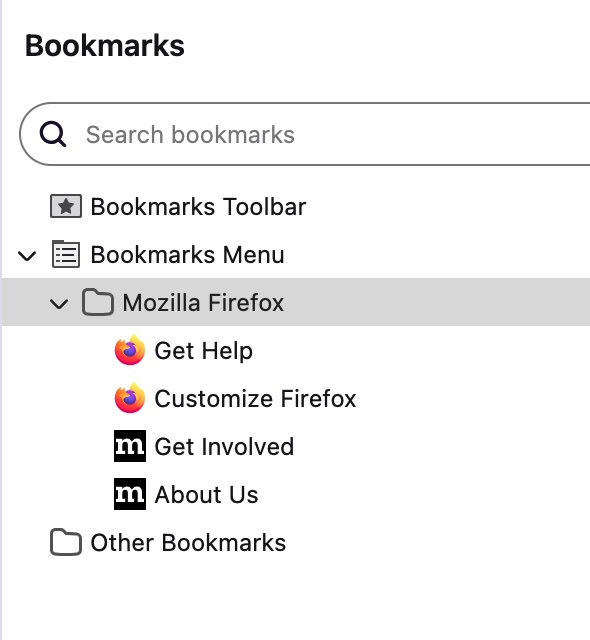
Thanks. Those look like the default bookmarks for a new profile.
Tomorrow, please check for any available bookmark backups as described in the following article. These are profile-specific, so if they aren't in one profile, it would be worth checking the other.
Restore bookmarks from backup or move them to another computer
Just opened Firefox again for the third time this AM to try to slip in this bookmarks recovery amidst work meetings, and my original profile is restored - thank the gods and goddesses! It wasn't restored yet when I opened this AM, and as much as the bookmarks being lost was an issue, I HATED opening to a wall of tiles on current events / politics / culture that gives me severe anxiety and distraction in a nanosecond. I hated that! I'm so glad to be back on my blank homepage with my bookmarks and toolbar in place. Really appreciate you jumping in to try to help with this. Are you hearing others having a similar experience of lagging "original profile" uploads from this update?
Actually, I spoke too soon. The bookmarks and toolbar on my original profile have been restored when I log in from my work computer, but not on my personal computer yet. And I did shut down and restart. Is this just a matter of time?
Hi, that is good news so far.
Work Computer
I suggest making an extra bookmark backup. See the manual backup section of this article: Restore bookmarks from backup or move them to another computer.
Personal Computer
It depends:
If your personal Firefox and work Firefox are signed in to the same Mozilla account, Sync should merge the bookmarks. Sync can take some time after signing in.
If you keep your personal and work data separate, then please check for automatic backups to restore. This is covered in the above article.
OK, all is back to normal now. Thank you very much for your help.
Cool! Thank you for reporting back.