


Open
Thunderbird mobile email accounts are confusing!

Hi, the android Thunderbird mobile app shows all email accounts in one folder and is very confusing!
is it possible to view each email account in a separate folder? thank you
Hi, the android Thunderbird mobile app shows all email accounts in one folder and is very confusing!
is it possible to view each email account in a separate folder? thank you
All Replies (2)

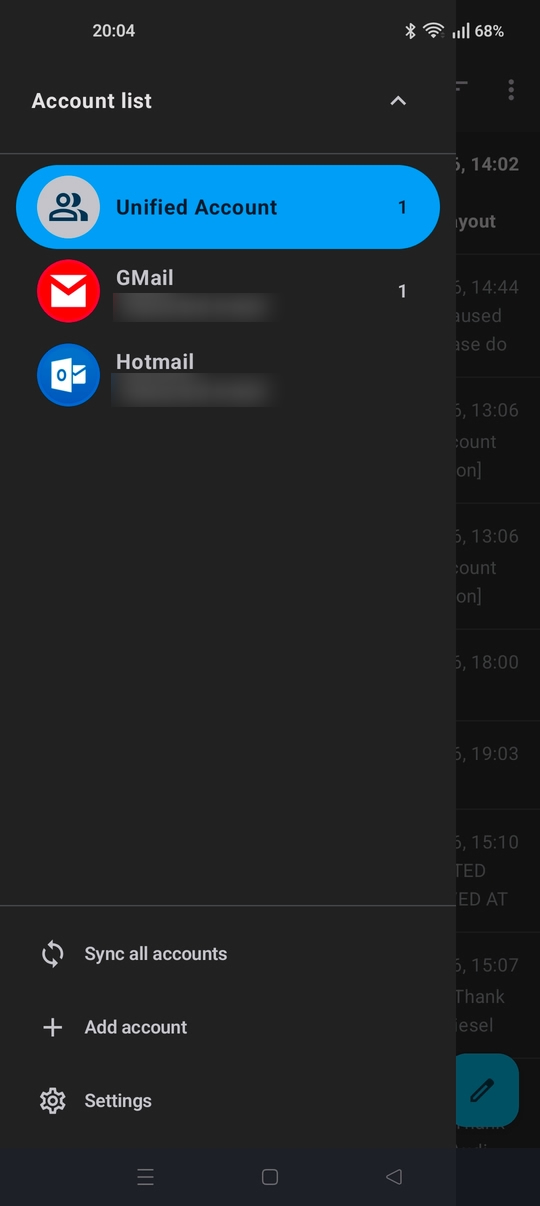
Yes, you can switch between the Unified Inbox and each individual account from the side menu. Press the ≡ menu button at the top left of screen, then the down arrow to select individual accounts. See screen shot.
If you prefer not to use the Unified inbox, you can turn it off. Navigate to settings > general settings > display: Show Unified Inbox
That did it, Thank you