


Restore bookmarks, passwords and data from an old Firefox profile simply doesn´t work

I am at a complete loss on this. A recent firefox update has shifted all my site logins and passwords elsewhere in mystery and impossible to recover nor find them. I tried "Restore bookmarks, passwords and data from an old Firefox profile" but the profile is simply not there and the instructions completely haywire. I have nothing on the profile page. What have you lot done to make this completely unusable for the small person ? I thought I was computer savvy but now firefox is making things unnecessarily invisible and over-complex.
All Replies (4)
What OS and versions etc.
"I have nothing on the profile page."
Is that using 'about:profiles' in the URL/address bar
Yes.........using 'about:profiles' in the URL/address bar. I suspect the information is there but there are so many files..which one to extract data ? Mighty confusing.
WIndows 11 pro & vers 10.0.26200 Build 26200. The windows pro was very badly setup from new purchase and with time I debugged it.
I am very apphrensive about Firefox auto update install settings. I have changed this as I want to inspect what relevant is being downloaded to be installed. Mozilla has done too many back door changes that has ruined decent reliable operation from the setup when I was content with. rj
In the Profiles folder there is a Bookmarks Backup folder
This is a Linux/ Debian / RaspberryPi OS but you could find the same in Windows etc,
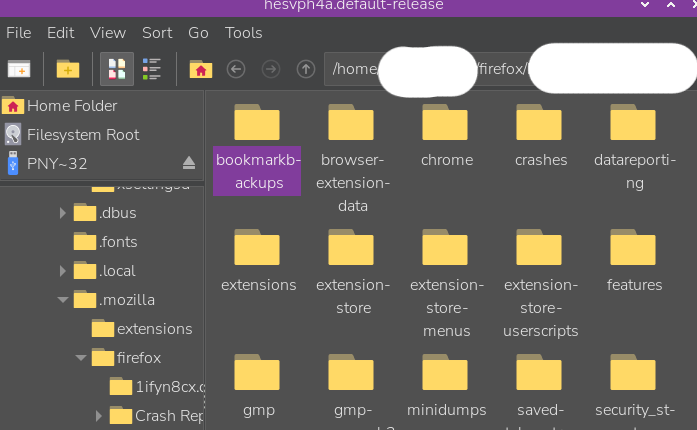
amoun modificouno o
I´ll give it a crack.