


I receive a weather notification on my phone that I didn't set up.

Hello. I started receiving weather notifications. I didn't install anything, I didn't visit this site. The site is - weathernews.com. Из-за чего мне стали приходить уведомления на телефон о погоде? Эти уведомления связаны с браузером Firfox. Why did they start coming to me and how can I turn them off?
Chosen Solution
I think I solved the problem. It was an app that came with the system update. Firefox had nothing to do with it.
All Replies (4)
Hello! It sounds like you've been "subscribed" to a weather notification service
Open Firefox on your phone.
Go to Settings, Scroll down and tap on Site permissions Tap on Notifications.
Here you will see a list of websites that have permission to send you notifications. Look for weathernews.com in this list.
Tap on weathernews.com and then select "Block" or "Remove" to revoke its permission.
The same steps apply to the desktop version of Firefox if you use Sync
I attached a screenshot, I have only one site mentioned in the settings. There is nothing about the weather.
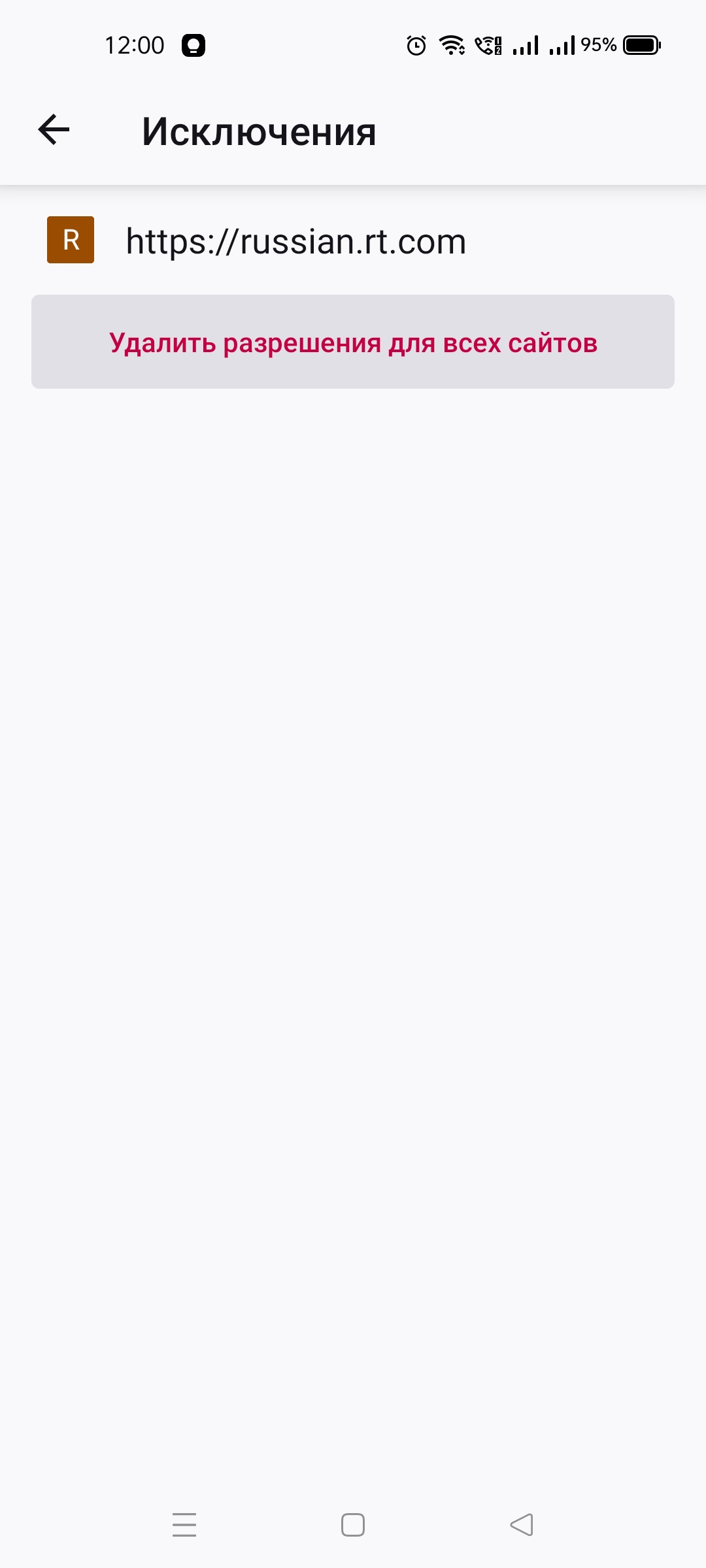
You've checked your Firefox settings on both your phone and computer?
Chosen Solution
I think I solved the problem. It was an app that came with the system update. Firefox had nothing to do with it.