Windows 10 reached EOS (end of support) on October 14, 2025. For more information, see this article.

Search Support

Avoid support scams. We will never ask you to call or text a phone number or share personal information. Please report suspicious activity using the “Report Abuse” option.

Learn More

Firefox has a dark background on "simple" html pages.

  • No replies
  • 0 have this problem
  • 25 views
more options

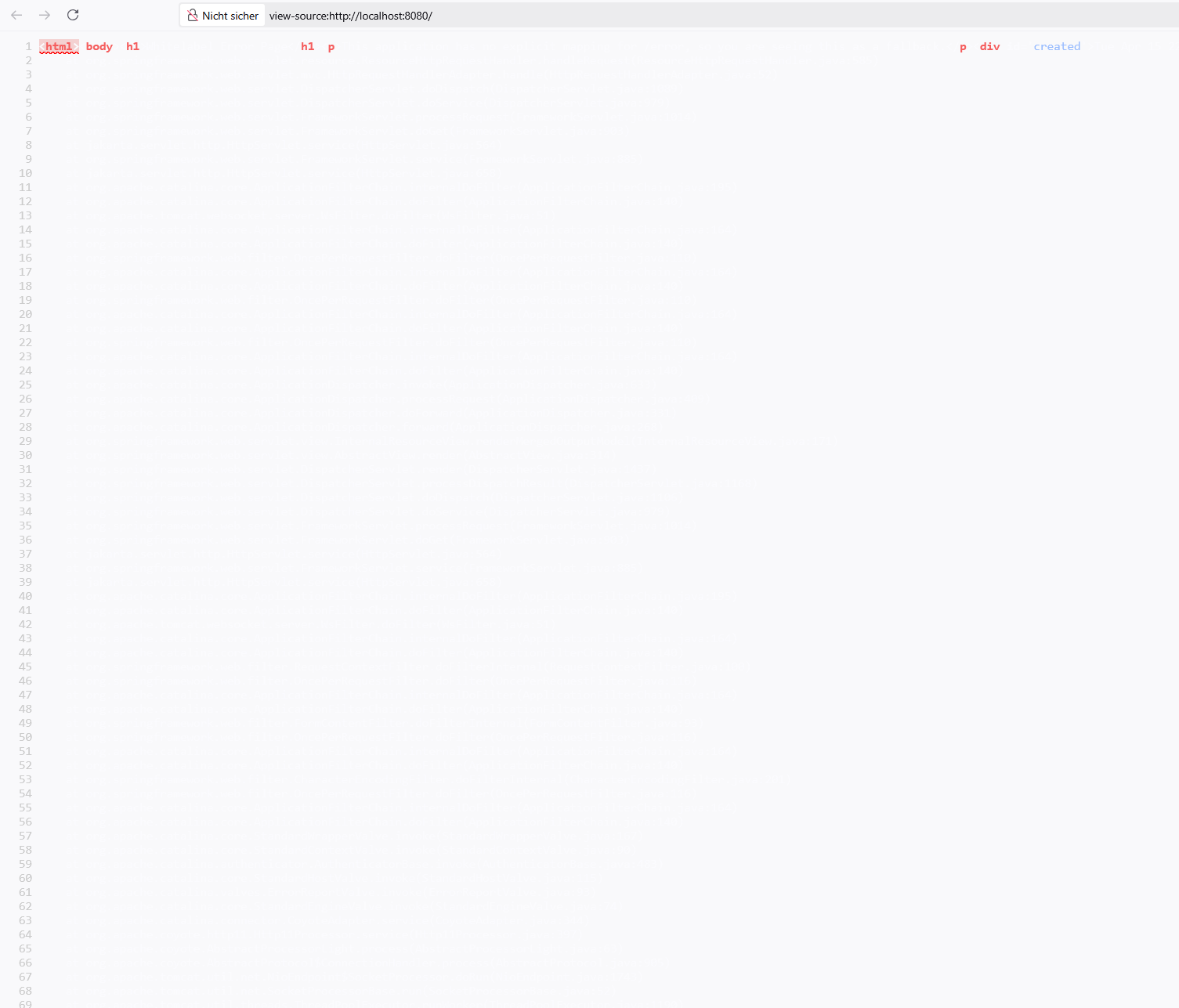
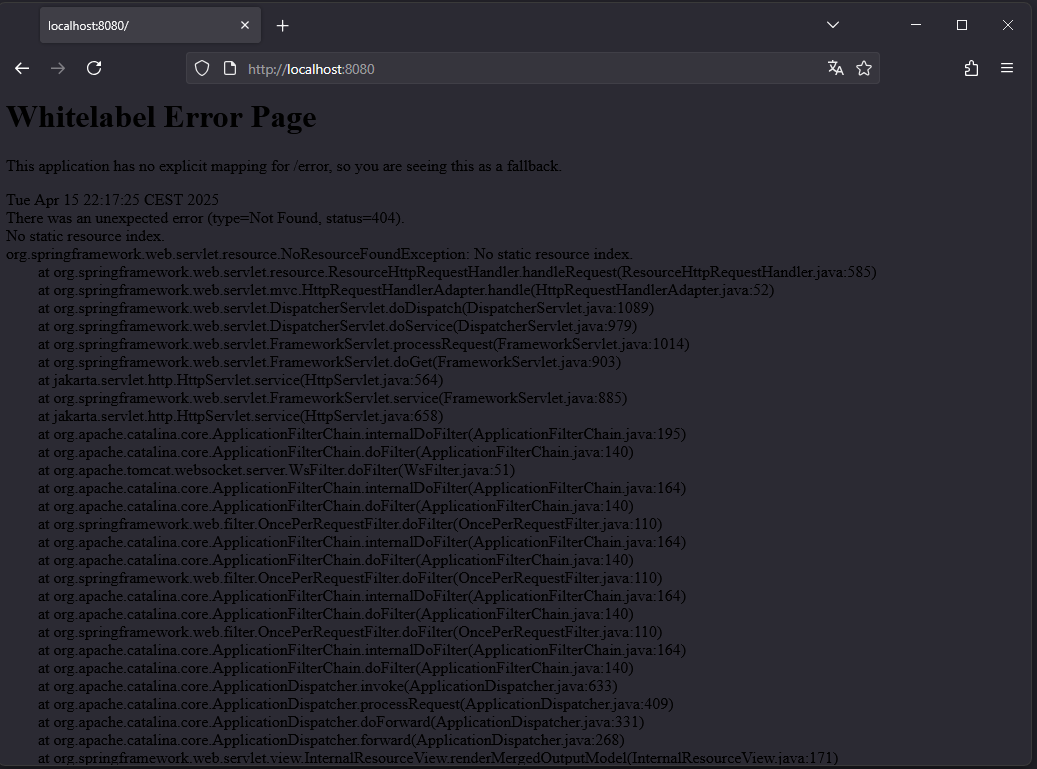
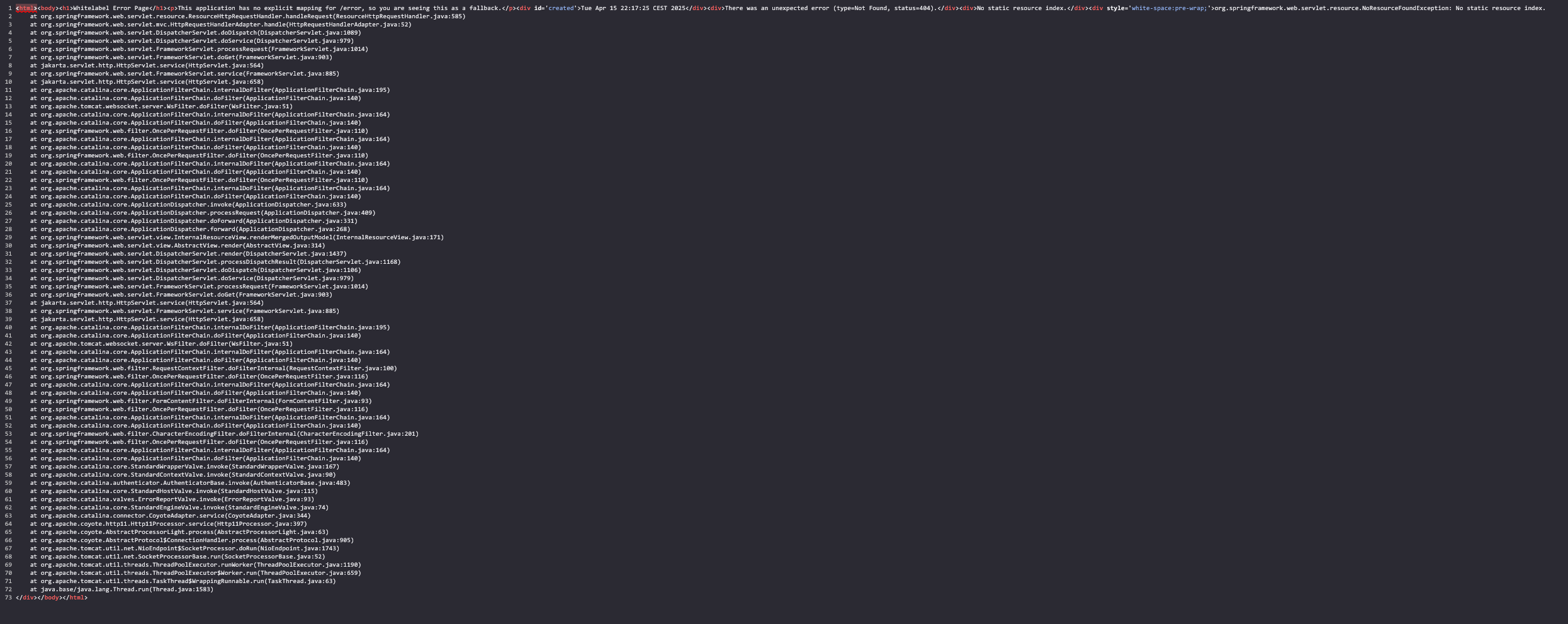
Firefox now has a dark background on a "simple" html page without css styling (see screenshot #1). You may reproduce this issue by browsing to a local page like http://localhost:8080 with something like a 404-page (see screenshot #2)

That far - dark mode is cool, isn't it? Yep, it would be. If the text would not be black, on a dark background.

Happens to me without any plugins, or any userChrome etc. (Screenshot was taken with plugins on, but disabling them (and restarting) had no effect)

Workarounds discovered: - set `layout.css.prefers-color-scheme.content-override` to 1 (This changes nearly everything to white, which is not what I want.

- Setting theme to the builtin white/light works, but:

    - View Source has white text on white background (see screenshot #3)
    - Everything is in light mode, and thats simply not what I want

What I would expect: - Viewing a page without shitty modifications - Viewing a white page (suprise suprise) white

(please excuse spelling/grammar errors made, I am not a native speaker)
Firefox now has a dark background on a "simple" html page without css styling (see screenshot #1). You may reproduce this issue by browsing to a local page like http://localhost:8080 with something like a 404-page (see screenshot #2) That far - dark mode is cool, isn't it? Yep, it would be. If the text would not be black, on a dark background. Happens to me without any plugins, or any userChrome etc. (Screenshot was taken with plugins on, but disabling them (and restarting) had no effect) Workarounds discovered: - set `layout.css.prefers-color-scheme.content-override` to 1 (This changes nearly everything to white, which is not what I want. - Setting theme to the builtin white/light works, but: - View Source has white text on white background (see screenshot #3) - Everything is in light mode, and thats simply not what I want What I would expect: - Viewing a page without shitty modifications - Viewing a white page (suprise suprise) white (please excuse spelling/grammar errors made, I am not a native speaker)
Capturas de pantalla anexas