


Email from Gmail glitches

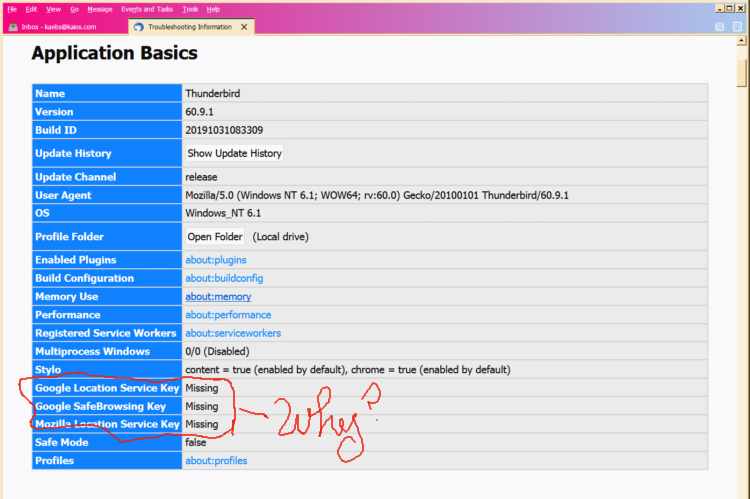
I have 5 Thunderbird accounts. Four are through Google mail, but every time I update the Thunderbird service, Thunderbird doesn't accept the existing Gmail passwords. I have checked the Account settings. All is as it should be. Took a pic of the "trouble shooting" page and noticed that key Google items are missing. No Google Location Service Key, no Google SafeBrowsing key, no Mozilla Location Service key. Probably the problem. How to get them back?
Chosen solution
I solved it. Needed OAUTh2.0 Have sucessfully changed in all accounts and accounts are working in Thunderbird. Thanks for your input. Kae
Ler a resposta no contexto 👍 0All Replies (3)
kaebs said
Took a pic of the "trouble shooting" page and noticed that key Google items are missing. No Google Location Service Key, no Google SafeBrowsing key, no Mozilla Location Service key. Probably the problem. How to get them back?
Totally unrelated.
More relevant is your version number. Is 60 correct? If it is, then you must update. This will not be solved on version 60.
Wayne, I updated to Thunderbird version 102.2.1 Still, Thunderbird doesn't accept the existing Gmail passwords. Now what?
Chosen Solution
I solved it. Needed OAUTh2.0 Have sucessfully changed in all accounts and accounts are working in Thunderbird. Thanks for your input. Kae