


Delete Home Page When Opening Program
When I open Thunderbird the Home page will appear for a split second and then goes to the Inbox screen. How can I delete the Home page from appearing when I start the program? I am using Thunderbird 60.2.1
All Replies (7)

Hi there
we have received your message. yes you have unwanted promotional activities with your Firefox Thunderbird software.
Greatings Firefox volunteer.
first try to remove the software in a normal way. Switch off all your tools temporarily. If this does not help you can try a light system recovery.
try removing your software with the option programs and components in your windows menu options.
try to find a good uninstall program where you can remove unwanted programs that you do not know about. This could also have become a cause.
try to see if you have a good antivirus on your computer or if there is not an unknown installed or several. Antivirus programs are also system resource eaters.
Try chkdsk
go to local disk.
use the properties option.
click on tools use the check scan disc option.
День сумо modificouno o
If none of these help mail back safely. we are here to help you.
regards
Firefox volunteer.
This problem occurred after I did a clean install of Windows 10 V1809. I reinstalled Thunderbird software and my previous Thunderbird Profiles (the profiles were made while using Windows 7). When the Home Page problem occurred I deleted Thunderbird Software using Revo Uninstaller Pro. I did this three times and still have the same problem
The Start Page and Home Page are two differ screens. See attachment for a picture of the Home Page.
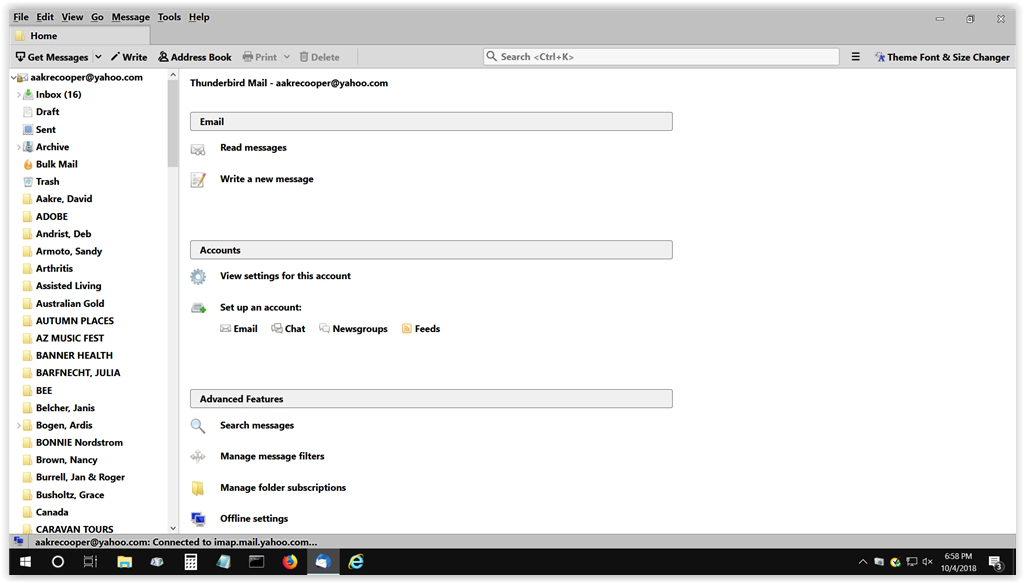
I tried your above suggestion but it did not correct the Home Page problem. Thank for the suggestion.