


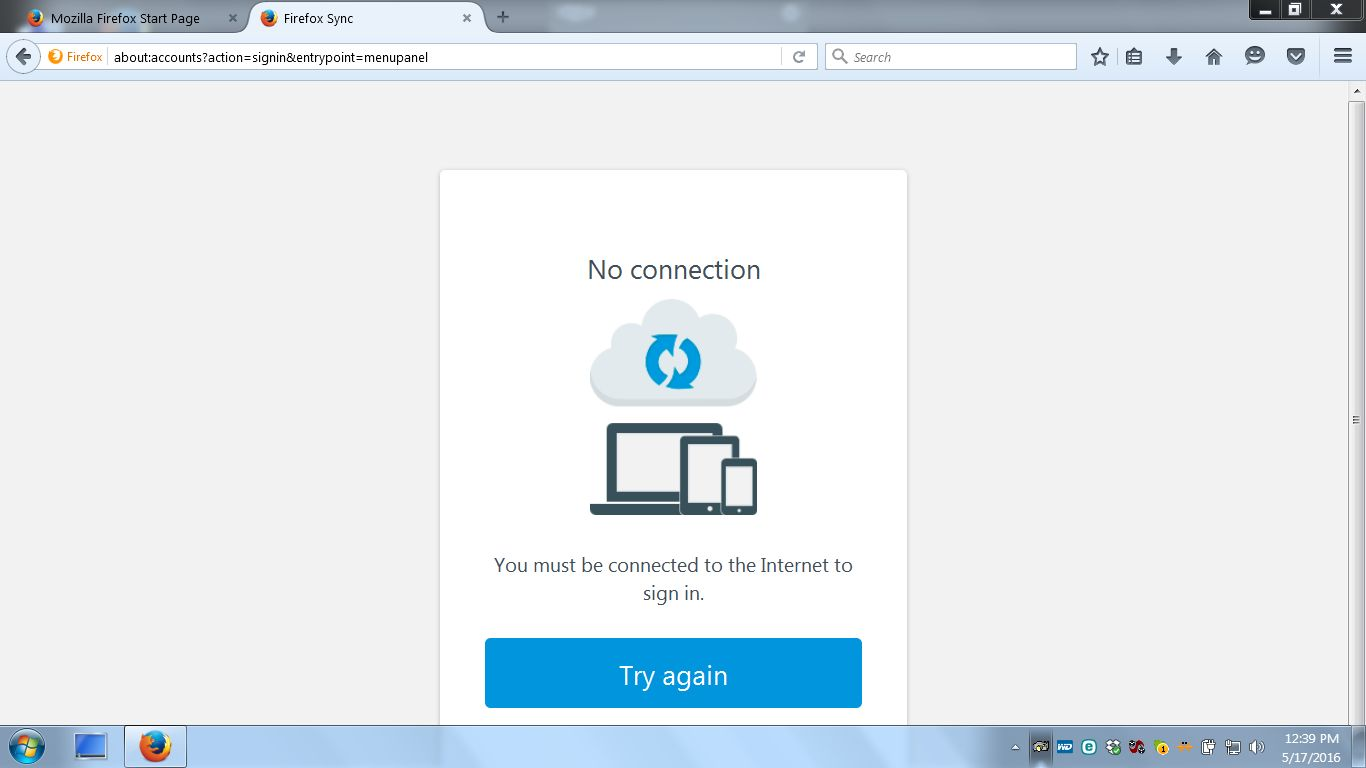
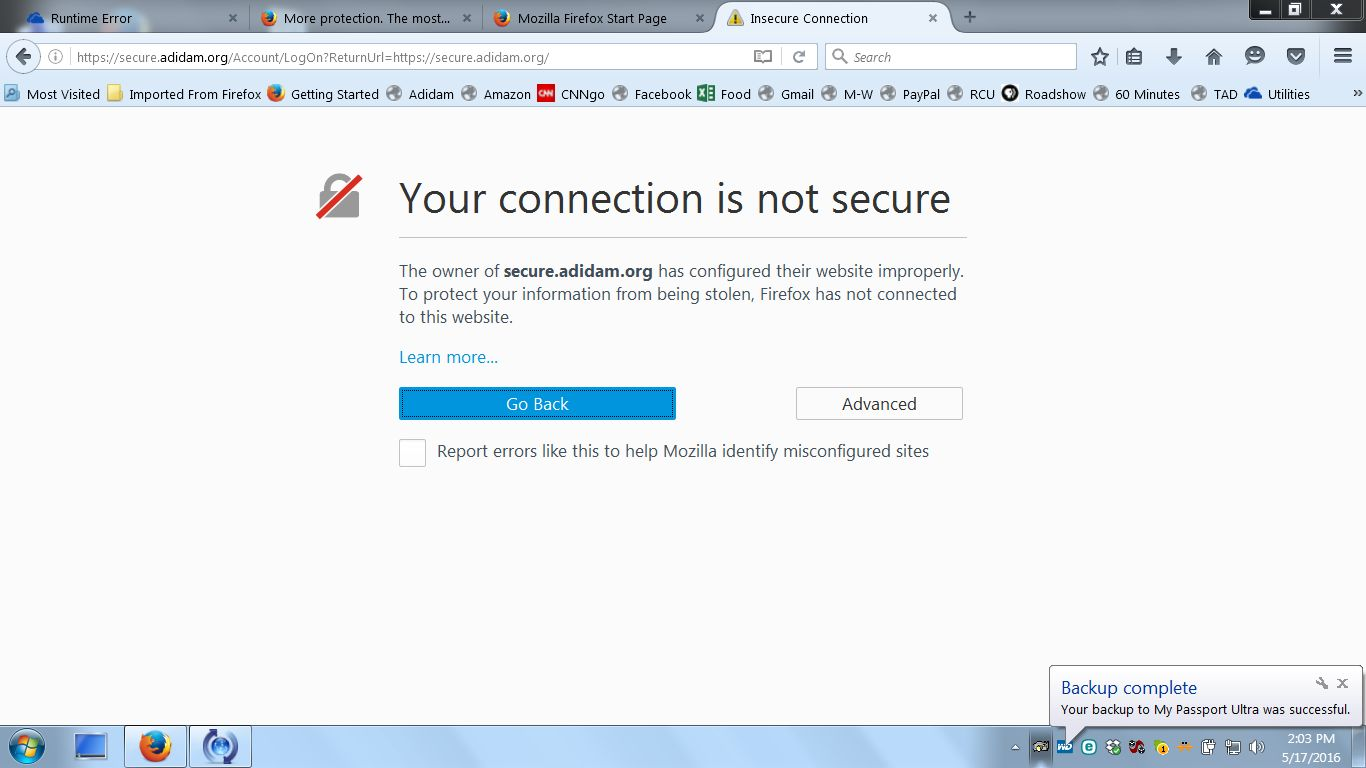
Firefox says I am not online but I am. It is also saying my connection is not secure.
I have been having ongoing issues with my Firefox. I get error messages from time to time saying the script has stopped working. This morning I decided to uninstall the current version and install version 35. When I tried to synch, I got an error message saying I needed to be online in order to synch. I was obviously online, so I figured it did not want to synch version 35. So I uninstalled it and reinstalled version 46. But I am getting the same error message when I try to synch the new version. I am also getting messages saying my connection is not secure. Any ideas as to what is going on? Thanks, Jack
PS I am using Chrome to send this message.
And just so you know, I tried uninstalling and reinstalling several times. I also tried restoring Windows to a time when Firefox was working fine - all to no avail.
jackharmell modificouno o
Chosen solution
All Replies (4)
What security software do you have?
There is security software like Avast and Kaspersky and BitDefender and ESET that intercepts secure connections and sends their own certificate or that incorporates special web shielding features that can block content. You can check who is the issuer of the certificate.
If you can't inspect the certificate via Advanced (I Understand the Risks) then try this:
Open the "Add Security Exception" window by pasting this chrome URL in the Firefox location/address bar and check the certificate:
- chrome://pippki/content/exceptionDialog.xul
In the location field of this window type or paste the URL of the website with the https:// protocol prefix (https://xxx.xxx).
- retrieve the certificate via the "Get certificate" button
- click the "View..." button to inspect the certificate in the Certificate Viewer
You can inspect details like the issuer and the certificate chain in the Details tab of the Certificate Viewer. Check who is the issuer of the certificate. If necessary then please attach a screenshot that shows the Certificate Viewer with the issuer.
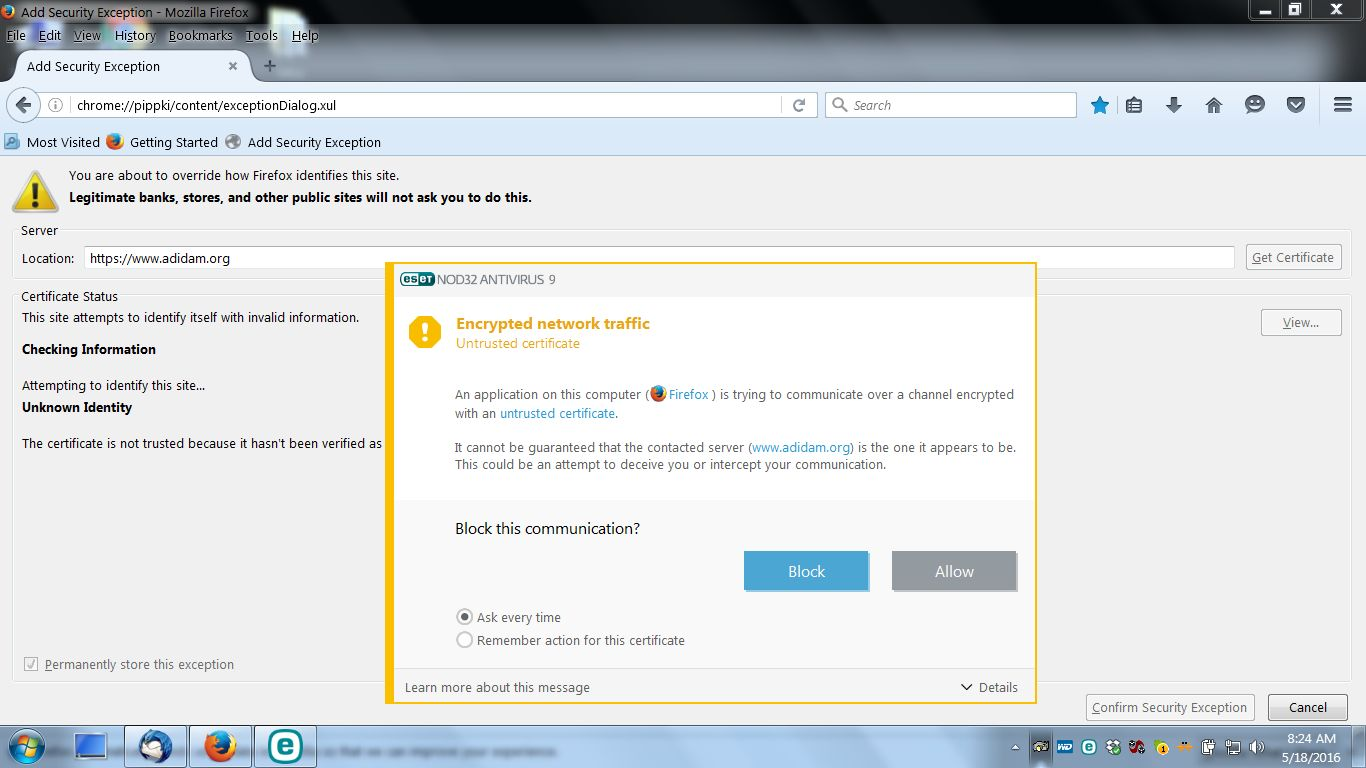
Thanks for your response. I use ESET and it definitely looks like it is the culpril. When I followed your suggestion and typed in www.adidam.org - a website that I use all the time and has never been a problem before - I got an error message from ESET. (Please see that attached file.) What next? Thanks very much, Jack
Chosen Solution
You were right. I uninstalled ESET, then uninstalled Firefox, then I reinstalled Firefox, was able to synch Firefox and then reinstalled ESET. Everything seems to be working fine now. ' Thanks very much, Jack