


Cannot update Flash Player plugin

PICTURE of problem, in case you don't feel like reading the step-by-step
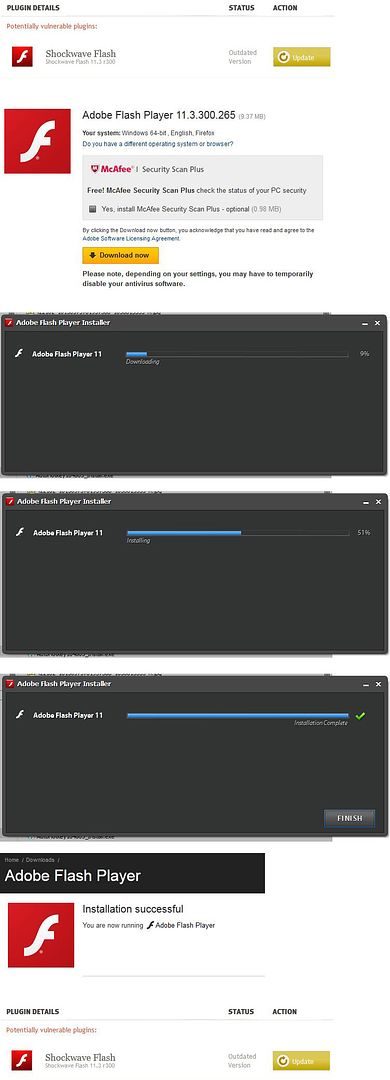
- I have the latest Firefox 13.0.1. I just updated it 10 minutes ago.
- I go to Add-ons Manager > Plugins > Check to see if your plugins are up to date.
- It tells me I have Shockwave Flash 11.3 r300, an outdated version. I click the yellow Update button.
- This takes me to http://get.adobe.com/flashplayer/. It says, "Your system: Windows 64-bit , English, Firefox." This is correct.
- I download the Flash Player exe.
- I close Firefox.
- I run the Flash Player exe.
- In the dialog box that pops up, I select "Let Adobe automatically install updates."
- The Flash Player exe then downloads and installs Adobe Flash Player 11.
- I receive a notice at the end of installation, "Installation Complete" with a little green check mark.
- I restart Firefox.
- That Adobe page at http://get.adobe.com/flashplayer/completion/aih/?exitcode=0 automatically opens. It says, "Installation Successful. You are now running Adobe Flash Player"
- I go to Add-ons Manager > Plugins > Check to see if your plugins are up to date.
- It tells me I have Shockwave Flash 11.3 r300, an outdated version.
Bewurke troch pumkin54 op
Alle antwurden (6)
I tried the update and it worked for me, but of course that doesn't help you...
If you go back to the "About" page for Flash, does it show that you're running the .265 update?
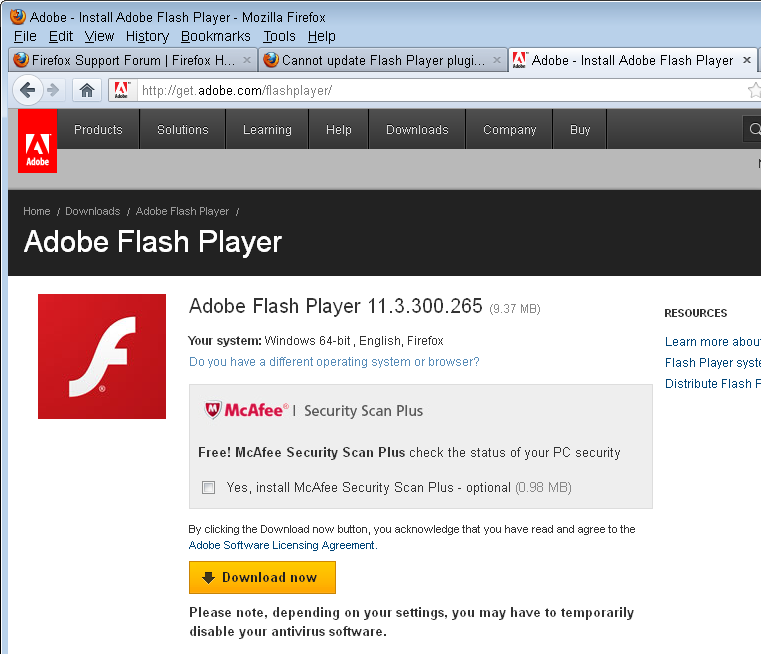
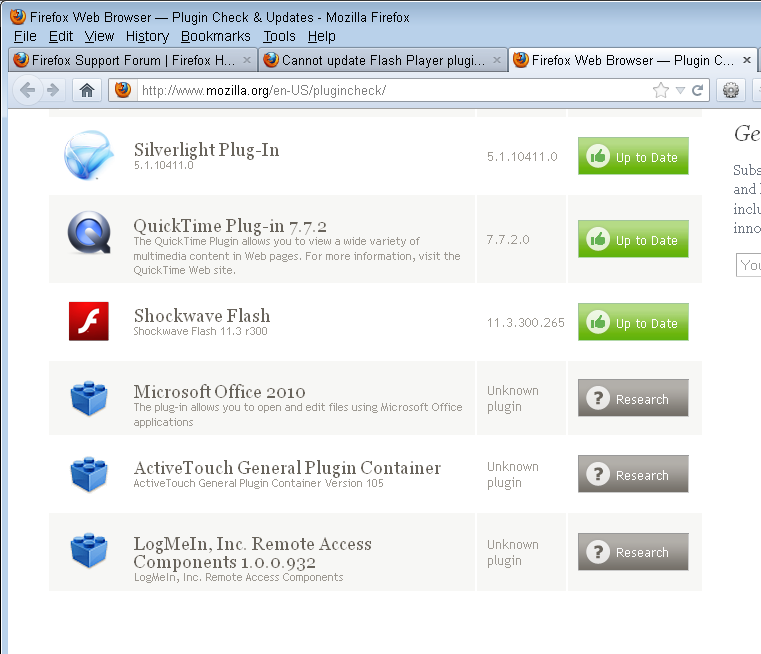
Hm, no, it's saying "You have version 11,3,300,262 installed." I'm confused because on the page where I download the Flash Player exe, it says I'm downloading "Adobe Flash Player 11.3.300.265 (9.37 MB)." But apparently that's not what's actually getting downloaded and installed.
Do you know where I could find this mysterious .265, without relying on the Adobe installer to download it?
Thanks.
Keazen oplossing
Sometimes files are locked and updates get deferred. You might try restarting Windows to make sure that the previous update was completed.
I went to the link cor-el posted and found a Flash Player uninstaller. I completely uninstalled Flash and then reinstalled it. Ta da, version 11.3.300.265!
Thanks a lot, guys, for your help! :)
I rebooted and YES it now indicates the latest version of Flash. Thanks!