


Password autofill background *(WHITE) does not follow system settings / Dark mode
With the most recent update, the autofill password background color is now white instead of black, as it had been forever, with my system settings on Dark Mode / system.
I cant see any place to change the autofill background color, other than follow system settings or set to dark mode. Which I have done both, restarted firefox and my PC - still showing white background. again, this just started with a recent firefox update, about a week or so ago, maybe there is a glitch in there?
Please advise. Thank you~ SG
Alle antwurden (3)
It's actually yellow:
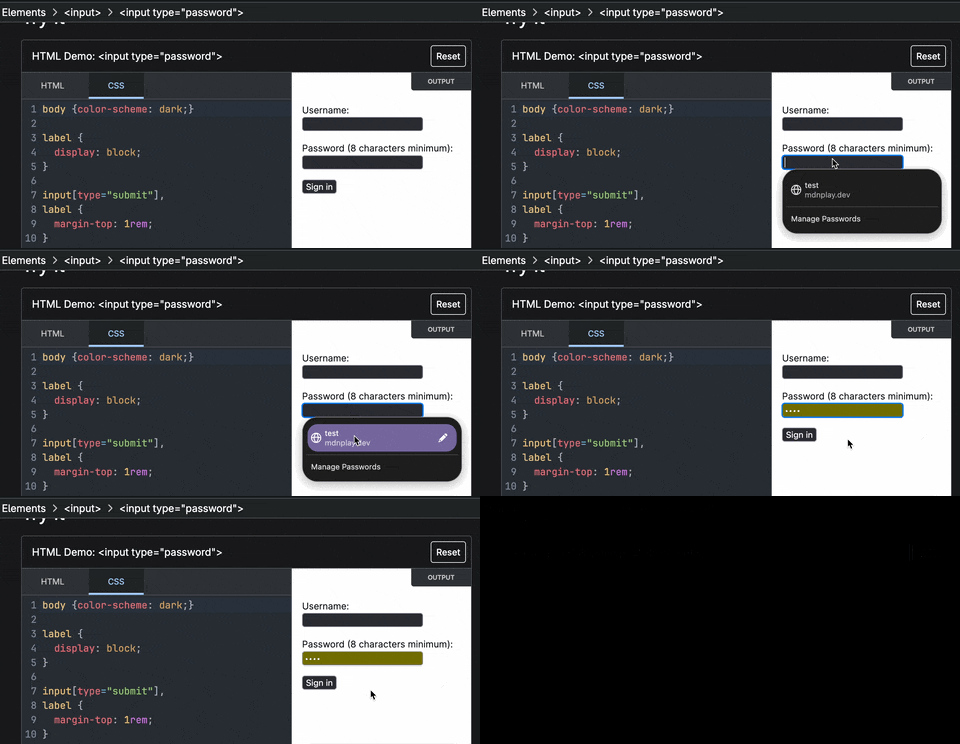
(If you're describing a different surface, could you perhaps upload a screenshot what it looks like for you? Thanks!)
I am talking about the pop up box where you see the saved pw account to click the saved password ["test" and Manage Passwords], yours shows w black coloring, and so did mine until a recent firefix update, now that pop up is with glaring white background, so that's what I am trying to change back to be black, not the actual password box of the sites.