


I never requested your vpn but apparently it's on my computer anyway. I already have a vpn that I use.
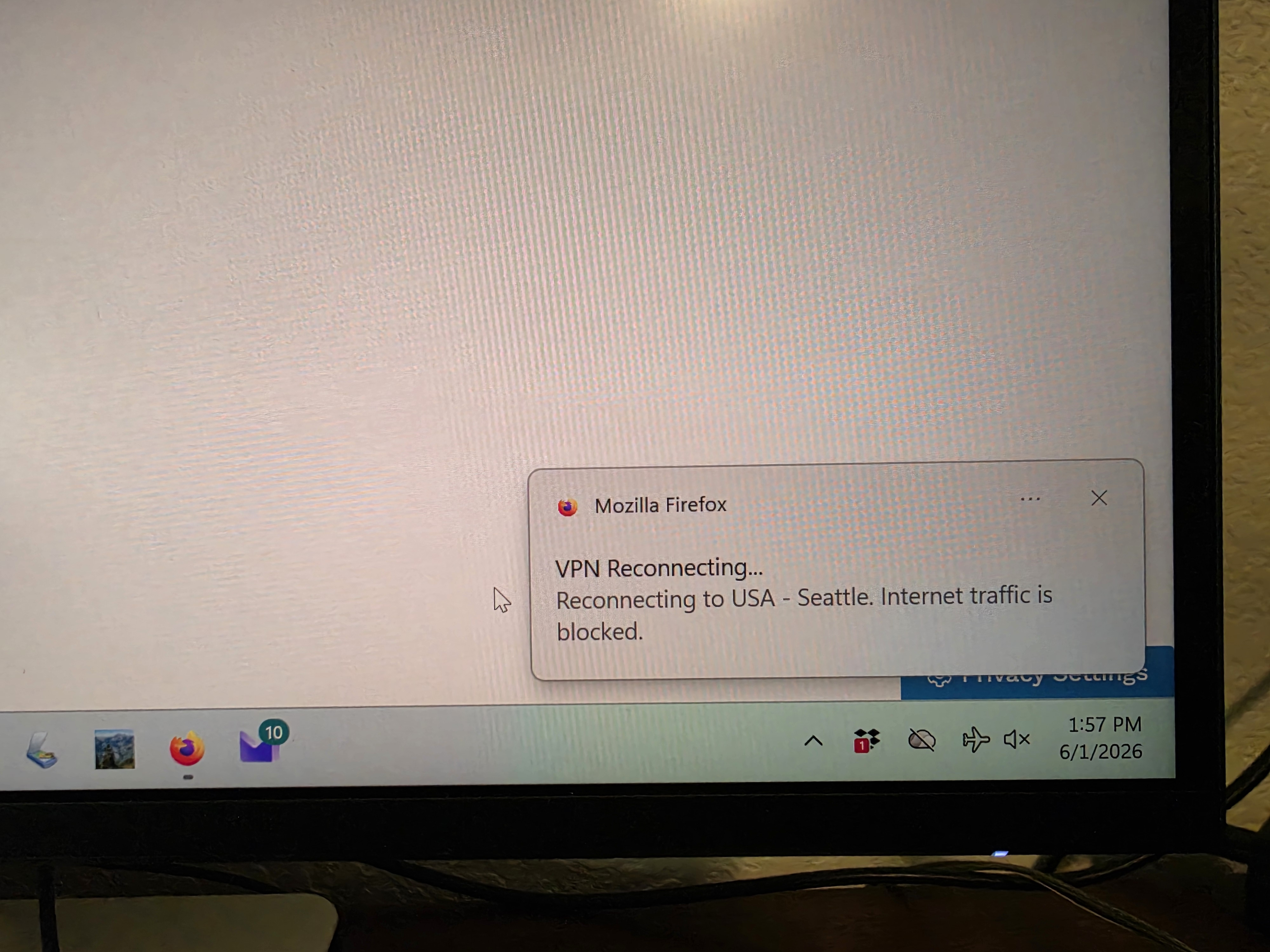
I don't know how or why but apparently Mozilla VPN has been installed on my computer. I don't think I ever requested it as I have Express VPN and I never subscribed to it. I've attached a screenshot and I don't know what else this could mean (note: I am technologically challenged). I didn't have my Express VPN turned on at the time I took this picture.
Alle antwurden (2)
Hi,
The Firefox built-in VPN is being introduced gradually. It’s available to some users in the US, UK, Germany, and France (starting with Firefox version 149), and in Canada starting with Firefox version 150.
If you wish, you can post your feedback about the Firefox built-in VPN to the Mozilla Connect thread.
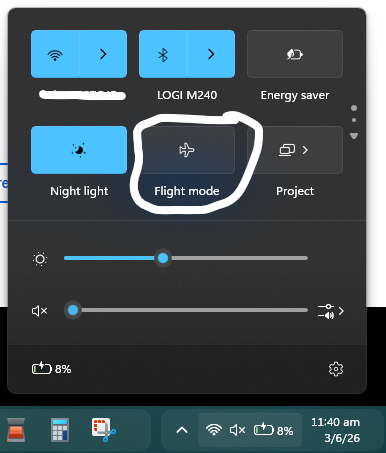
Additionally, your computer is currently using "Flight Mode". This disables your Wifi/Bluetooth connection. You can enable it by clicking on the airplane lane Icon, then clicking on the "Flight Mode" toggle to turn this off.
Bewurke troch winui64 op
Keazen oplossing
I don't know how or why but apparently Mozilla VPN has been installed on my computer. I don't think I ever requested it
"Mozilla VPN" refers to the standalone subscription based Mozilla VPN app https://www.mozilla.org/products/vpn/
The VPN in Firefox is built-in desktop Firefox and is turned off by default. You have to do a few steps to even turn it on to start with.
https://support.mozilla.org/en-US/kb/built-in-vpn https://www.firefox.com/en-US/features/browser-with-built-in-vpn-secure-browsing/