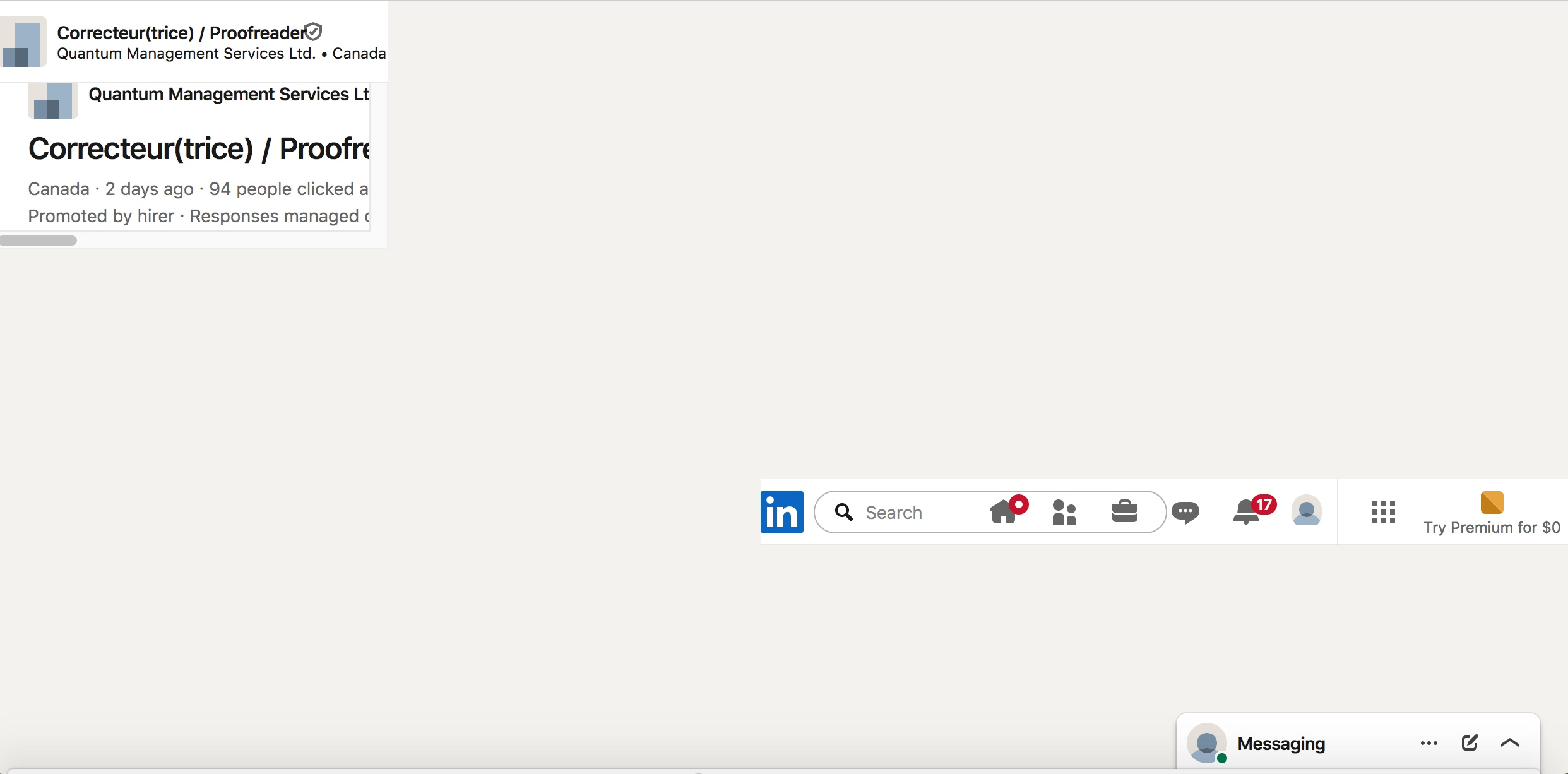
Linkedin pages open in a tiny frame, like it's 1998.

Hi,
Using the most recent version of Firefox that will run on my old Mac's 10.12.6. All of a sudden, when I follow a link to a Linkedin job opening announcement, the contents of the entire page opens in a 3"X3" frame in the upper lefthand corner of the page, with the old bottom and right side scrollbars and everything. To lower right of the empty white page there's a Linkedin toolbar about 5" long. (See attached screen cap.)
Impossible to read or use the page as-is, and it can't be dragged larger. At a loss to explain; to the best of my knowledge I haven't changed any Firefox or Linkedin preferences.
Haven't seen frames in about 20 years. I'm remembering why I hated them.
Anyone?
Hi,
Using the most recent version of Firefox that will run on my old Mac's 10.12.6. All of a sudden, when I follow a link to a Linkedin job opening announcement, the contents of the entire page opens in a 3"X3" frame in the upper lefthand corner of the page, with the old bottom and right side scrollbars and everything. To lower right of the empty white page there's a Linkedin toolbar about 5" long. (See attached screen cap.)
Impossible to read or use the page as-is, and it can't be dragged larger. At a loss to explain; to the best of my knowledge I haven't changed any Firefox or Linkedin preferences.
Haven't seen frames in about 20 years. I'm remembering why I hated them.
Anyone?