


Have not been able to send email for the past 3 days

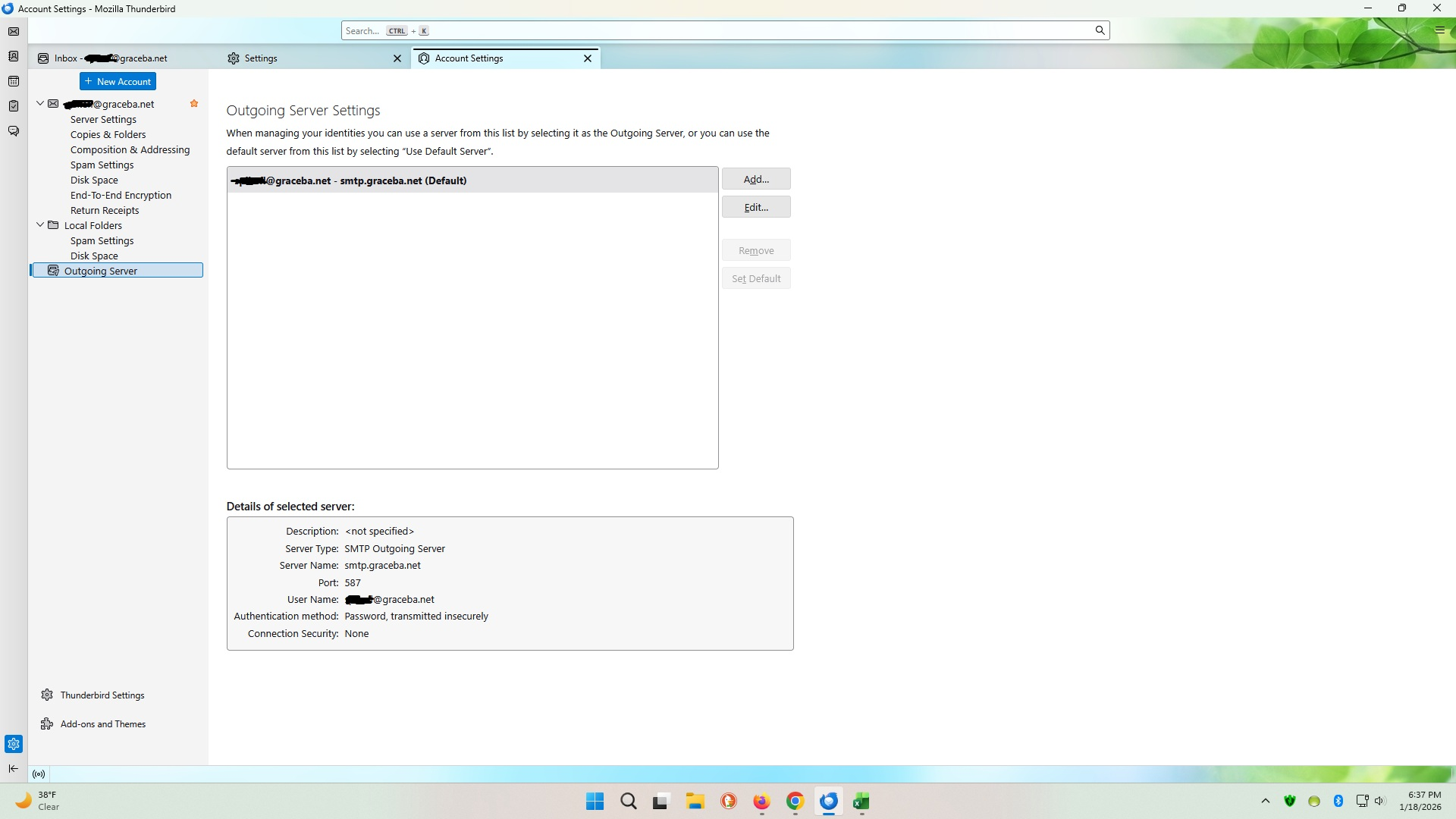
We have Thunderbird installed on 2 computers and, for the last 3 days, we have been to receive, but not send email. We can log in to our email provider online and send from there with no problem, so it's strictly a Thunderbird issue. We use Graceba/WoW for our email/internet, windows firewall, PC Matic AntiVirus, Windows 11, and Thunderbird version 147.0 (this information is the same for both computers). When we try to send an email with Thunderbird, the following error message pops up: "Sending of the message failed. The message could not be sent because connecting to Outgoing server (SMTP) smtp.graceba.net failed. The server may be unavailable or is refusing SMTP connections. Please verify that your Outgoing server (SMTP) settings are correct and try again." Our outgoing server settings are correct; nothing has changed and no updates have been done. Something happened over the course of a day 3 days ago (it was fine in the morning and not fine in the afternoon) that caused us to not be able to send email. Please help!
Alle antwurden (2)
Image looks like you use a Pop account Looks like you are using some old server settings as graceba is WOW WOW uses the following:
The Incoming Mail Server for POP3 is
- Server name: pop3.mail.wowway.com
- Port: 110
- Connection Security: None
- Authentication Method: Normal Password
- Username = full email address
- Password - same as used to access webmail account.
The Outgoing SMTP
- server name: smtp.mail.wowway.com
OR If the email application will be accessed outside of the WOW! network, the Outgoing Mail Server should be set to
- server name :smtpauh.mail.wowway.com
- Port: 587
- Connection Security: None
- Authentication Method: Normal Password
- Username = full email address
- Password - same as used to access webmail account.
We are mysteriously able to send email again this morning, after making no changes to anything. I realize that Graceba is now WoW and has been for years. Before that, they were Knology. But we still use the same server settings and have since they were actually Graceba. Thank you for your response and for trying to help, though, I greatly appreciate it!