


It is impossible to edit the standard search engine
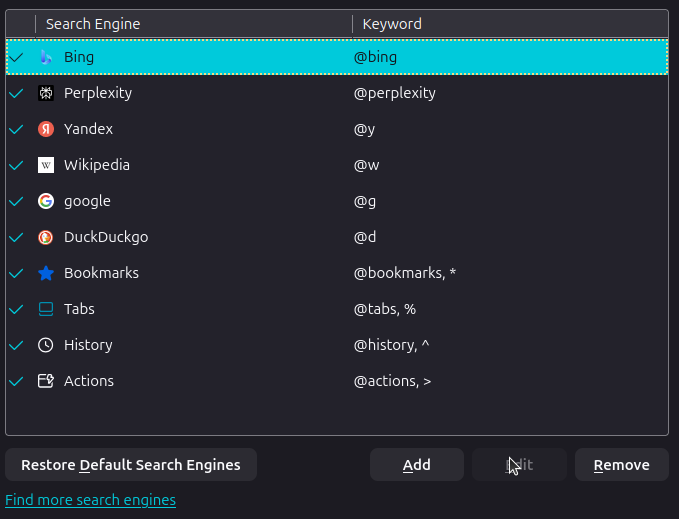
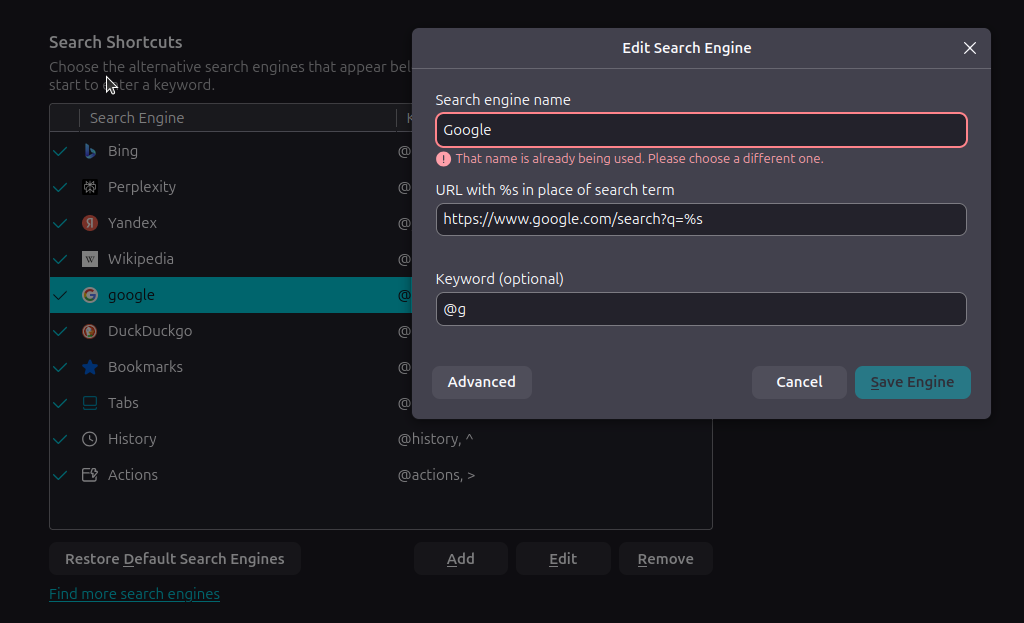
I wanted to set keywords for search engines (in order to quickly change them for a single query). This cannot be done for search engines by default (why?), so I had to delete them and create a new one with the same link and my own keywords. But now I can't give them the same name back, firefox says that such a search engine already exists. In general, it doesn't matter to me which letter is there. The main purpose of my appeal is to draw attention to the fact that search engines cannot be edited by default, because it is quite inconvenient. Thanks for the answer (I apologize in advance if I made a grammatical mistake somewhere, I used a translator) My OS: Ubuntu 24.04 LTS; firefox version: 145.0.2 (64-bit)
Keazen oplossing
You don't have to edit the standard search engine or create another one just to set a different keyword. Just double click in the Keyword column, where you have @google, then type in @g and press Enter. Then @g will be added to your list of keywords.
Dit antwurd yn kontekst lêze 👍 1Alle antwurden (1)
Keazen oplossing
You don't have to edit the standard search engine or create another one just to set a different keyword. Just double click in the Keyword column, where you have @google, then type in @g and press Enter. Then @g will be added to your list of keywords.