Updated Firefox, add-ons lost

Hello,
Today I updated to Firefox 143.0.3. When done (most of?) my add-ons were gone, in particular all my add blockers, facebook container, etc. Also, my search engine defaulted to Google (yikes!)from Duck Duck etc. I am very specific about trying to block all ads, trackers, etc and avoiding all Google products. Other things stayed the same like cookies preferences.
Is this done by design? Is there a file somewhere that still has all my add-on info, that I can restore.
I really would give up on browsing if I am forced to see ads all the time.
Thank you! Petrus Martens
Keazen oplossing
Hi Petrus, it sounds like Firefox may have run a Refresh/Reset/Tune-up. Does the scenario in the following article look familiar -- and do you have an Old Firefox Data folder on your desktop?
Refresh Firefox - reset add-ons and settings
I have steps for Windows users to restore the profile by copying the folder inside Old Firefox Data to the relevant location in the Firefox Profiles folder. I think it would be similar on Mac, but I'm not sure anyone has confirmed that yet. See:
https://support.mozilla.org/en-US/questions/1474421#answer-1687884
Dit antwurd yn kontekst lêze 👍 0Alle antwurden (2)
Keazen oplossing
Hi Petrus, it sounds like Firefox may have run a Refresh/Reset/Tune-up. Does the scenario in the following article look familiar -- and do you have an Old Firefox Data folder on your desktop?
Refresh Firefox - reset add-ons and settings
I have steps for Windows users to restore the profile by copying the folder inside Old Firefox Data to the relevant location in the Firefox Profiles folder. I think it would be similar on Mac, but I'm not sure anyone has confirmed that yet. See:
https://support.mozilla.org/en-US/questions/1474421#answer-1687884
Hello jscher,
Yes, your advice was very helpful. First I tried moving files around but that ended up in a mess. Everything was backed up, so no problem.
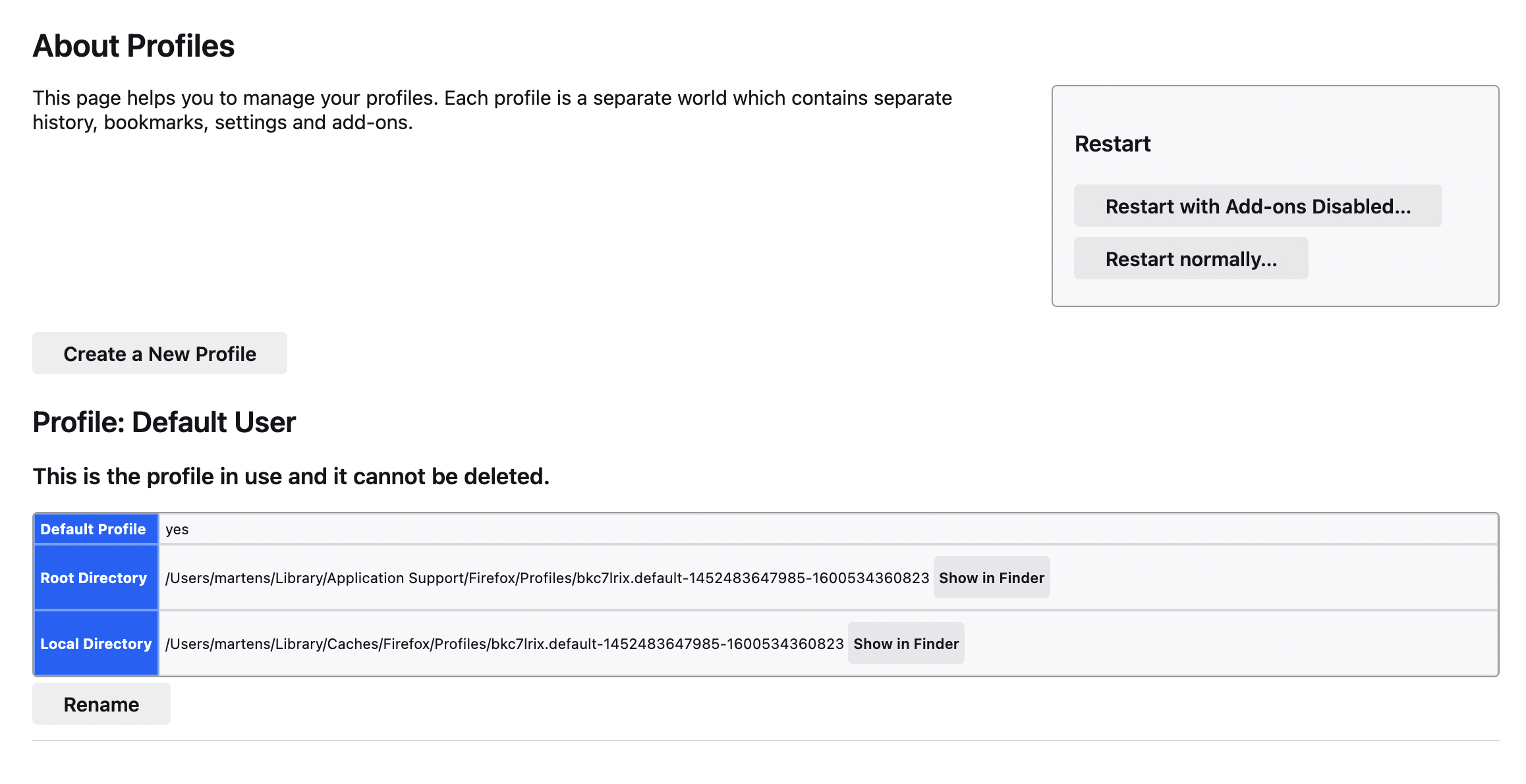
Then I again entered about:profiles and the window that showed on my Mac was totally self-explanatory, see attached, including the helpful "Show in Finder" buttons. I moved the profile from "Old FireFox" to the Profile folder, and set it as default.
Thank you!!