


Windows 10 reached EOS (end of support) on October 14, 2025. If you are on Windows 10, see this article.

Sykje yn Support

Mij stipescams. Wy sille jo nea freegje in telefoannûmer te beljen, der in sms nei ta te stjoeren of persoanlike gegevens te dielen. Meld fertochte aktiviteit mei de opsje ‘Misbrûk melde’.

Mear ynfo

Dizze konversaasje is argivearre. Stel in nije fraach as jo help nedich hawwe.

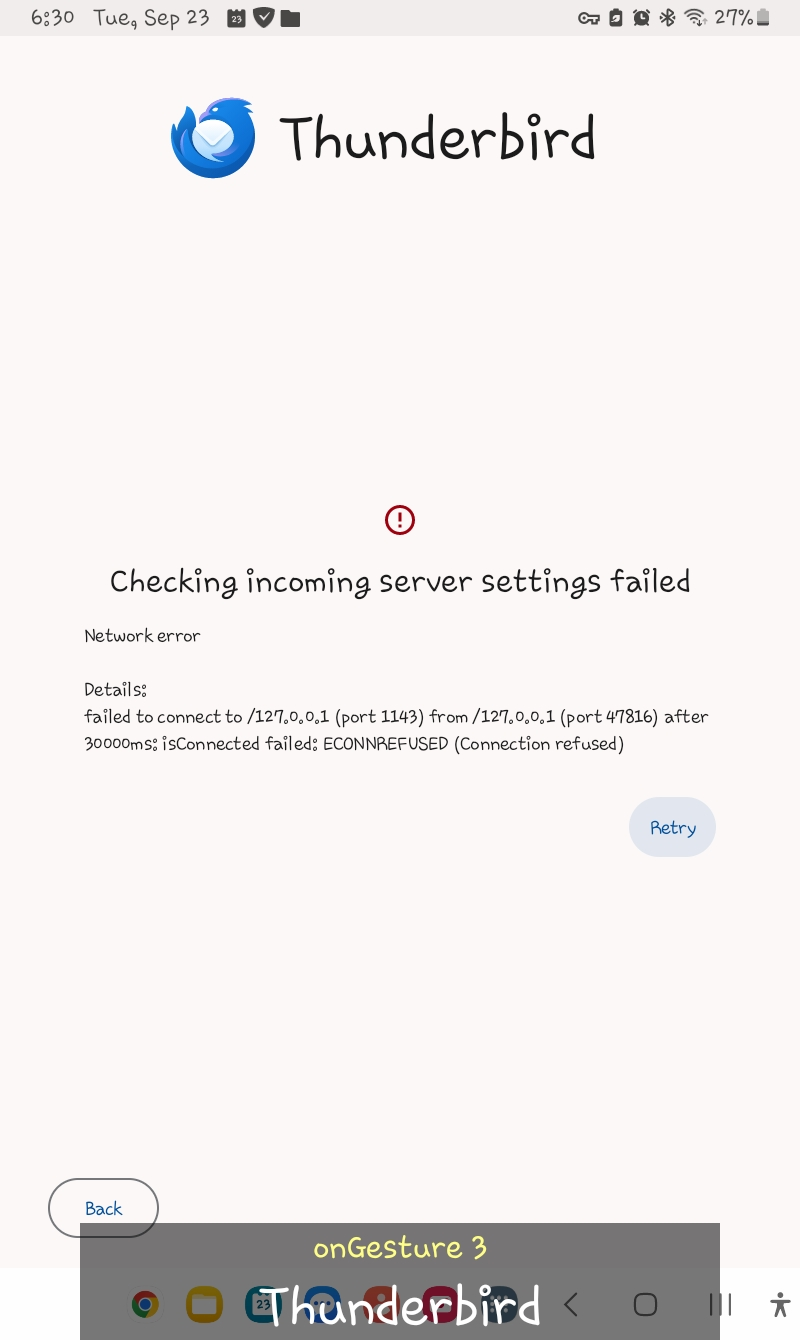
I can't sign into my Proton mail account via Thunderbird for Android - "Checking incoming server settings failed"

  • 2 antwurd
  • 1 hat dit probleem
  • 325 werjeftes
  • Lêste antwurd fan Wayne Mery
  • Argivearre

I am trying to sign into my Proton mail account. On the Thunderbird app, I tap the Menu and select Settings. Then, I select Add account, type my Proton email address, and tap Next. The "Configuration found" screen is displayed. I proceed to type my Proton password correctly and tap Next. Then, there is an error that says "Checking incoming server settings failed". Does this mean Thunderbird does not fully support Proton mail?
I am trying to sign into my Proton mail account. On the Thunderbird app, I tap the Menu and select Settings. Then, I select Add account, type my Proton email address, and tap Next. The "Configuration found" screen is displayed. I proceed to type my Proton password correctly and tap Next. Then, there is an error that says "Checking incoming server settings failed". Does this mean Thunderbird does not fully support Proton mail?
Keppele skermôfbyldingen

Bewurke troch Wayne Mery op

Alle antwurden (2)

Hello, Proton mail doesn't support direct IMAP. You need to use the proton bridge: https://proton.me/support/protonmail-bridge-clients-windows-thunderbird

Bewurke troch Bogomil Shopov - Бого op

The bridge does not exist for Android afaict. You will need to convince the proton folks to provide one.