


how to stop the location window from repeatably popping up

All of a sudden the allow location permission window is popping up repeatably. I have the option turned off and every time I go to Amazon or Home Depot or any such place the window ops up requesting that location location tracing for the sites. I tried toggling the on/off for the option but it didn't stop it. Help!
Alle antwurden (4)

Screenshot of the site issue and what links are you using?
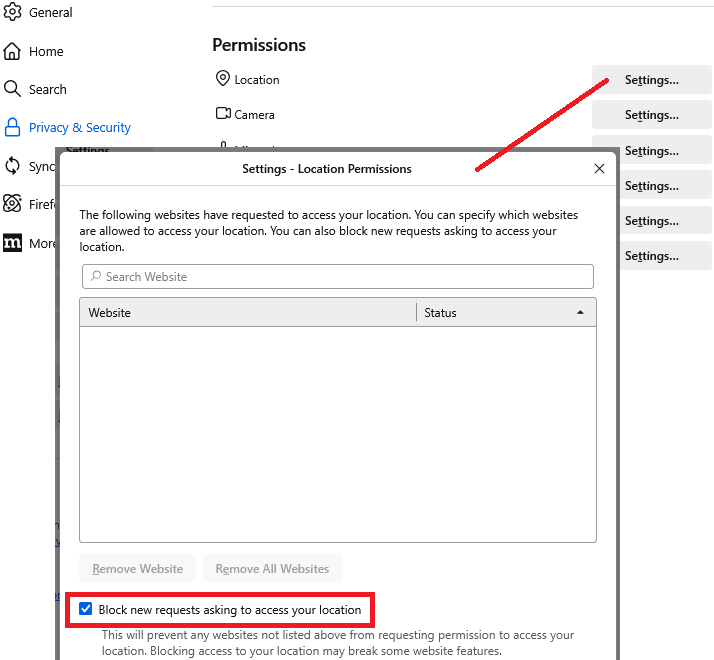
Hi John, could you check the setting here:
Settings page, Privacy & Security panel, Permissions section
To the right of Location, click the Settings... button
Look for the checkbox to block new requests, toward the bottom. Screenshot attached.
If you don't want to block all sites, just selected sites, this usually is possible if you let Firefox remember history and avoid clearing "site settings."

Not working. Please help me.
lynnmayersmith said
Not working. Please help me.
Can you start a new question explaining what you're seeing in more detail: