


When I click a link to a self-hosted XPI file, Firefox no longer prompts to install it.
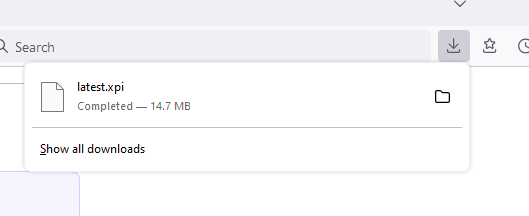
I'm not sure exactly when this behavior started, but I've noticed that when I click a link to an XPI file on a third-party web-site, Firefox no longer prompts to install the extension.
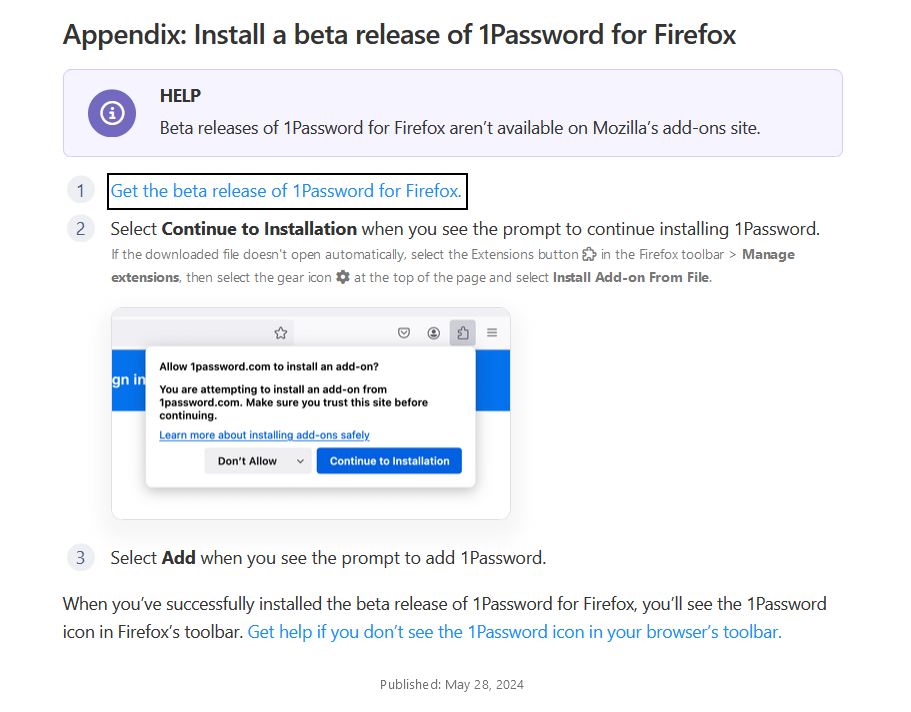
For instance, when I click the outlined link in the first screenshot, the second screenshot shows what happens.
Keazen oplossing
The latest beta XPI file is send as type binary/octet-stream. Firefox always downloads such a file.
You will have to install the extension via the about:addons page or drag the file in a Firefox window to trigger installation.
Dit antwurd yn kontekst lêze 👍 0Alle antwurden (1)
Keazen oplossing
The latest beta XPI file is send as type binary/octet-stream. Firefox always downloads such a file.
You will have to install the extension via the about:addons page or drag the file in a Firefox window to trigger installation.