


Outlook signature keeps disappearing.

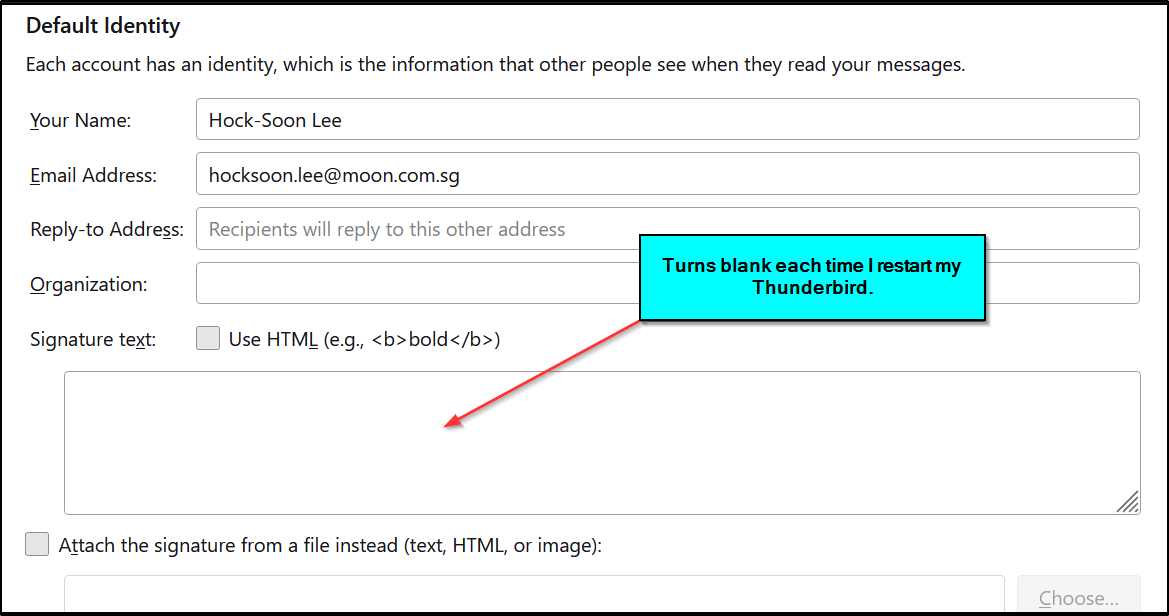
I have successfully created my signatures for my Ymail, Gmail & Outlook.com accounts. For my Ymail & Gmail, they are working fine. But for my Outlook.com, Thunderbird keeps forgetting the signature each time I exited the app. The next time I use the Thunderbird, the Outlook.com signature is blank. Can you please help?
Alle antwurden (4)
Is the signature an html, jpg or text file, or entered directly in Account Settings?
The signature is entered directly in Account Settings. It works perfectly fine for my Gmail & Yahoo! Mail as Thunderbird can retain the signatures that I had created. Only the signature created for Outlook.com keeps disappearing.

In Composition & Addressing in Account Settings for that account, is 'Compose messages in HTML format' checked?
Yes - it is checked. When the Outlook.com signature is first entered directly, it worked fine. Only problem is that when I exit Thunderbird and then reopen the app, the signature is gone. Both my Gmail and Ymail signatures are still retained.
