Windows 10 reached EOS (end of support) on October 14, 2025. If you are on Windows 10, see this article.

Sykje yn Support

Mij stipescams. Wy sille jo nea freegje in telefoannûmer te beljen, der in sms nei ta te stjoeren of persoanlike gegevens te dielen. Meld fertochte aktiviteit mei de opsje ‘Misbrûk melde’.

Mear ynfo
Dizze konversaasje is argivearre. Stel in nije fraach as jo help nedich hawwe.
Argivearre

Cookie blocking

pck24

Since last upgrade Firefox seems unable to access any wordpress sites.

Always says to enable cookies. I've done that but still not possible access.

Is Firefox now becoming so "secure" it is useless?

There are more and more web sites where Firefox just is no longer a viable browser.

There is no clear "ENABLE" cookies option to resolve this just pages on explanations about safety yada yada yada.

I just want a button that says ENABLE COOKIES so I don't have to constantly seek answers to use this browser on a particular web site.

As much as I hate Chrome I am finding it more useful now than FireFox

Since last upgrade Firefox seems unable to access any wordpress sites. Always says to enable cookies. I've done that but still not possible access. Is Firefox now becoming so "'''secure'''" it is useless? There are more and more web sites where Firefox just is no longer a viable browser. There is no clear "ENABLE" cookies option to resolve this just pages on explanations about safety yada yada yada. I just want a button that says ENABLE COOKIES so I don't have to constantly seek answers to use this browser on a particular web site. As much as I hate Chrome I am finding it more useful now than FireFox

Alle antwurden (3)

Wordpress sites work for me (eg TechCrunch).

Firefox 112 is no longer supported, you should update to Firefox 115 ESR or the latest 117.

Does it still happen in Troubleshoot Mode?

Link examples and screenshots showing the issue would be helpful.

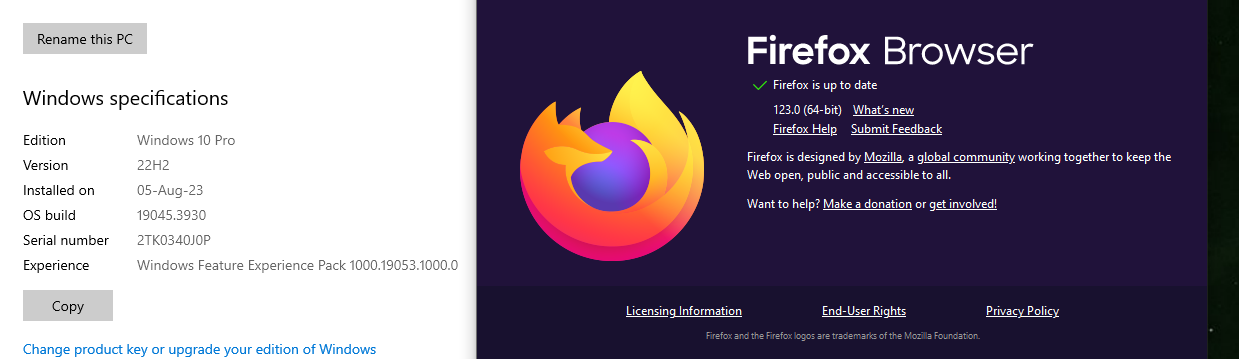
You should update to the current version 123.0. see screenshot