


Windows 10 reached EOS (end of support) on October 14, 2025. If you are on Windows 10, see this article.

Sykje yn Support

Mij stipescams. Wy sille jo nea freegje in telefoannûmer te beljen, der in sms nei ta te stjoeren of persoanlike gegevens te dielen. Meld fertochte aktiviteit mei de opsje ‘Misbrûk melde’.

Mear ynfo

Dizze konversaasje is argivearre. Stel in nije fraach as jo help nedich hawwe.

NewTab Shortcut edit - image

  • 1 antwurd
  • 3 hawwe dit probleem
  • 189 werjeftes
  • Lêste antwurd fan aiphoto155
  • Argivearre

Win7 x64P , FF110.0 (64-bit) I am trying to change the image for a 'new tab' shortcut so I can recognize it visually , the only option I see is to select a URL for the image. (local image would be handy)

I uploaded image to drive.google & shared, inserted the link & save. But is shows just blank.
It shared it properly & tested when logout.

but its a share link & not really an image link.

https://drive.google.com/file/d/1oSFN1-mUW1_bt229I_1zgAEtcw31LLvF/view?usp=sharing
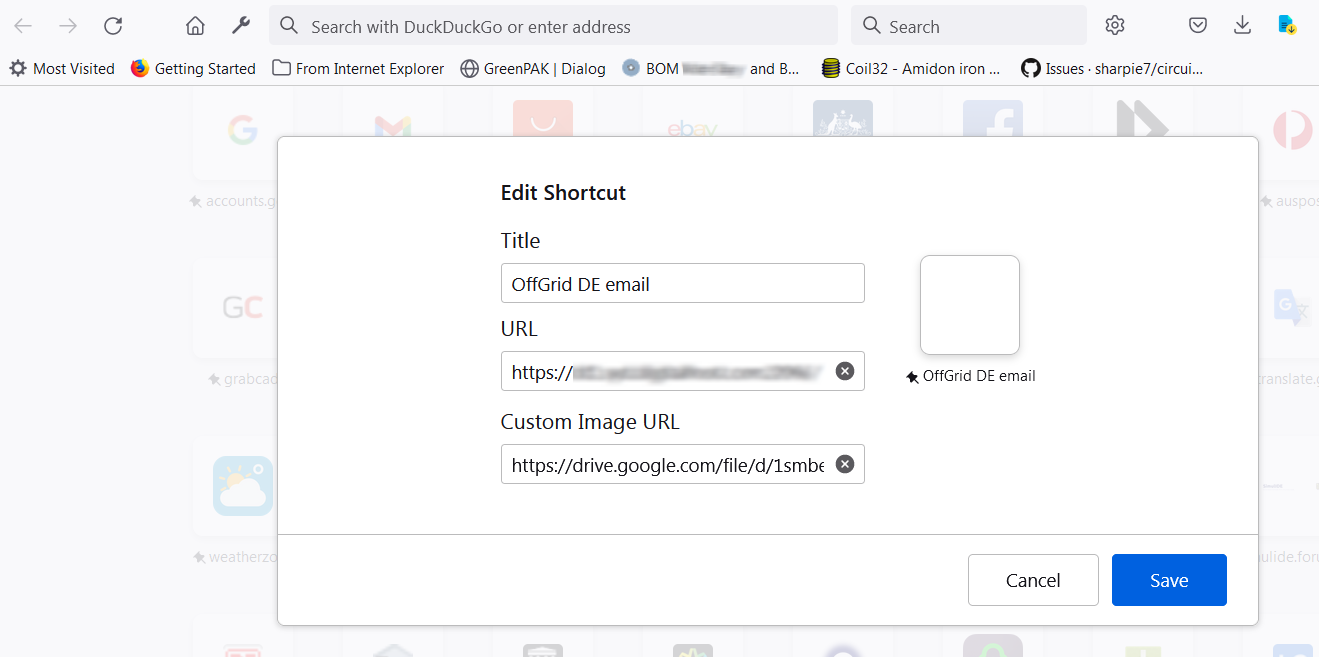
I have read https://support.mozilla.org/en-US/kb/customize-items-on-firefox-new-tab-page?redirectslug=customize-shortcuts-your-new-tab-page&redirectlocale=en-US#w_add-a-shortcut

Win7 x64P , FF110.0 (64-bit) I am trying to change the image for a 'new tab' shortcut so I can recognize it visually , the only option I see is to select a URL for the image. (local image would be handy) I uploaded image to drive.google & shared, inserted the link & save. But is shows just blank. It shared it properly & tested when logout. but its a share link & not really an image link. https://drive.google.com/file/d/1oSFN1-mUW1_bt229I_1zgAEtcw31LLvF/view?usp=sharing I have read https://support.mozilla.org/en-US/kb/customize-items-on-firefox-new-tab-page?redirectslug=customize-shortcuts-your-new-tab-page&redirectlocale=en-US#w_add-a-shortcut
Keppele skermôfbyldingen

Bewurke troch Tonigau op

Alle antwurden (1)

I tried a local file address...

file:///D:/Data/__DesignElectronix/Firefox_NewTab_shorcut/webmail_logo.png

                       or

d:\Data\__DesignElectronix\Firefox_NewTab_shorcut\webmail_logo.png

but get a red message "Valid URL required"

Tried... https://drive.google.com/uc?id=1oSFN1-mUW1_bt229I_1zgAEtcw31LLvF

Get red message "Image failed to load. Try a different URL."

I also tried inserting the link of an image on the shortcut target website, it's an SVG & displays blank in the shortcut ThumNail .

Bewurke troch Tonigau op