How to get the normal file picker back?
I'm on Fedora Linux and I'm using Thunderbird 68.8.0. A few months ago Thunderbird changed its file picker for the attachment feature. The new file picker is very confusing and I'm having a hard time finding files with it.
It's not a big problem since I've found the workaround of finding the file I want in Dolphin and dragging it to the new message window, but all the same I'd like to know how to get my old, default file picker back.
Alle antwurden (4)
Thunderbird will be using the system file picker. That how it works in Windows and MACOS at least.
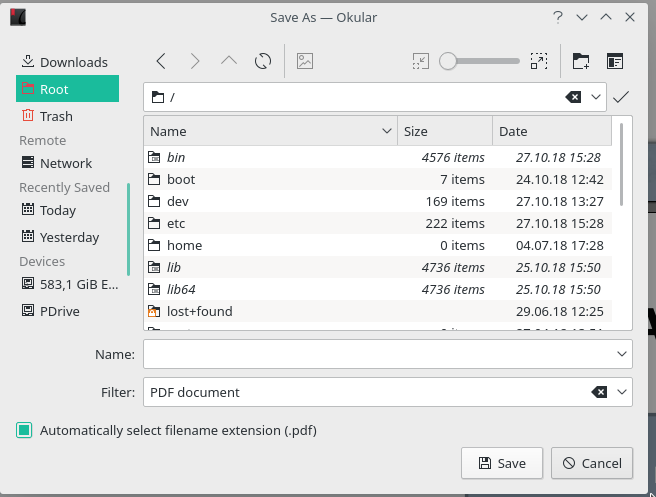
I don't know what it's using but it's not the system file picker anymore. The system file picker that other programs use looks a lot like Dolphin. Tried to put a link to a screenshot but it doesn't let me.
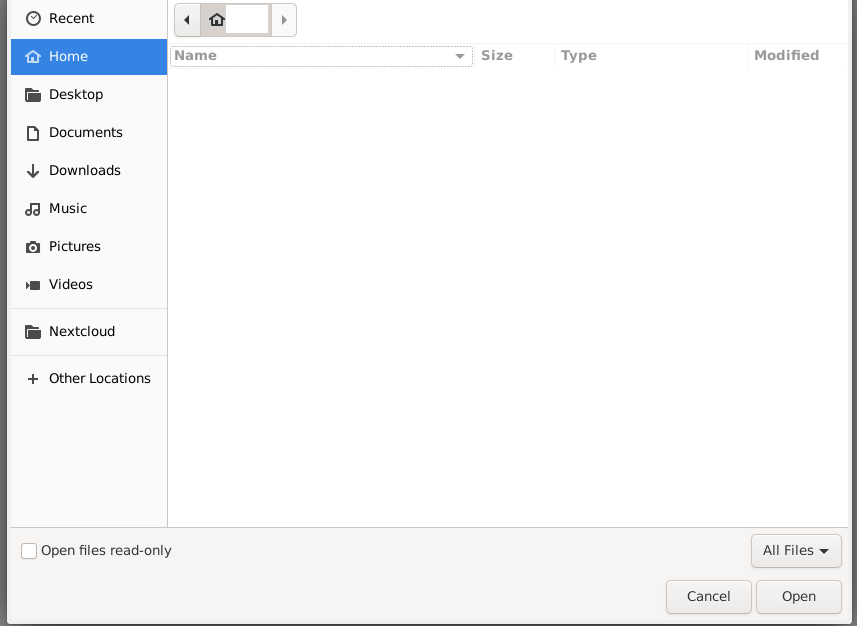
Thunderbird's new file picker looks more old fashioned, doesn't have any of my sidebar shortcuts, and doesn't sort files and folders separately, making it hard to find things. Nothing else on my computer uses that file picker.
Bewurke troch tztz op
Currently, the developers are trying to stop spammers and have caused a load of headache with no ability to add a link, so try to post images instead.
Toad-Hall said
Currently, the developers are trying to stop spammers and have caused a load of headache with no ability to add a link, so try to post images instead.
Didn't realize I could attach images. Maybe there could be a button on the toolbar for this :)
Added a web image of the normal file picker, and my screenshot of the new Thunderbird picker with my username and folder contents redacted.