


Settings for browser.urlbar.restrict

Have the settings listed here been discontinued?
http://kb.mozillazine.org/Browser.urlbar.restrict.tag
I still have those entries in my prefs.js to specify my preferred keys. This used to work back in the day, but now my chosen keys are ignored, and only the built-in defaults seem to apply.
Have these settings been moved to different keys, or is it no longer possible to over-ride the defaults at all?
Alle antwurden (3)

It seems they have been replaced. If you go into the Privacy & Security section of options, and look for address bar, you can settings there. In the backend these are browser.urlbar.suggest.*.
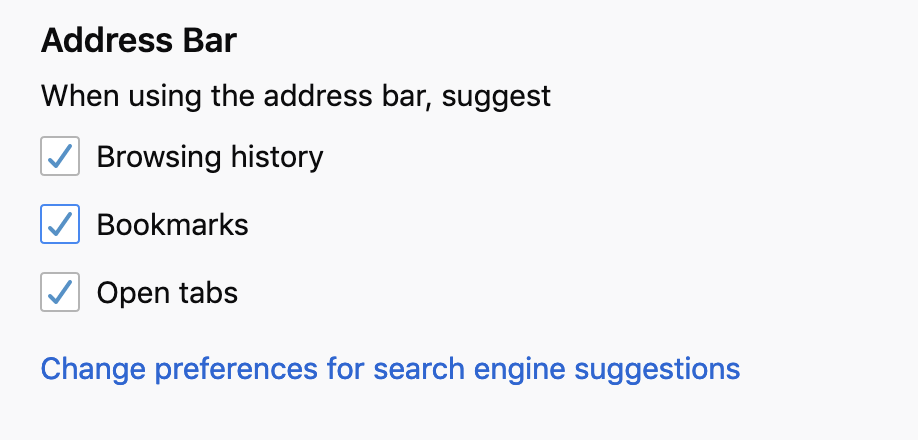
Thanks, but those are not the same settings. They're just for setting what you want to happen in the address bar by default.
The 'restrict' settings that I referred to (as shown in the link provided) allows the user to temporarily over-ride whatever default they've set, so that different criteria can be used on a search-by-search basis.
This is achieved by including one of the characters shown in the table. It used to be possible to change the special characters to those of your own choosing, but not any more it seems.
Well, i don't think so. Those characters are hardcoded in a source, so you can't change it.
 // The special characters below can be typed into the urlbar to restrict
 // the search to a certain category, like history, bookmarks or open pages; or
 // to force a match on just the title or url.
 // These restriction characters can be typed alone, or at word boundaries,
 // provided their meaning cannot be confused, for example # could be present
 // in a valid url, and thus it should not be interpreted as a restriction.
 RESTRICT: {
   HISTORY: "^",
   BOOKMARK: "*",
   TAG: "+",
   OPENPAGE: "%",
   SEARCH: "?",
   TITLE: "#",
   URL: "$",
 },
Bewurke troch TyDraniu op