


Importing (json) bookmarks to current Firefox installation

HDD on Win box crashed irrevocably. The good news is it was largely backed up. I want to recover all the bookmarks from the latest saved profile to another running Win/FF installation. The bad news is that all the avenues I see for converting the json file from the backup assume recovering to a virginal FF installation as they appear to overwrite.
There doesn't seem to be a way to recover the bookmarks in the backup profile file to html or otherwise to non-destructively add them to the "live" machine. I'm already getting a sore head reading all the articles about backup/recover/restore/import but none seem to address this scenario.
Keazen oplossing
Sorry, that's the Session History tool. To work with a bookmark backup, see this page (part of the same mini-site):
https://www.jeffersonscher.com/ffu/bookbackreader.html
Dit antwurd yn kontekst lêze 👍 2Alle antwurden (4)
Try this tools to extract the URLs from a JSON backup.
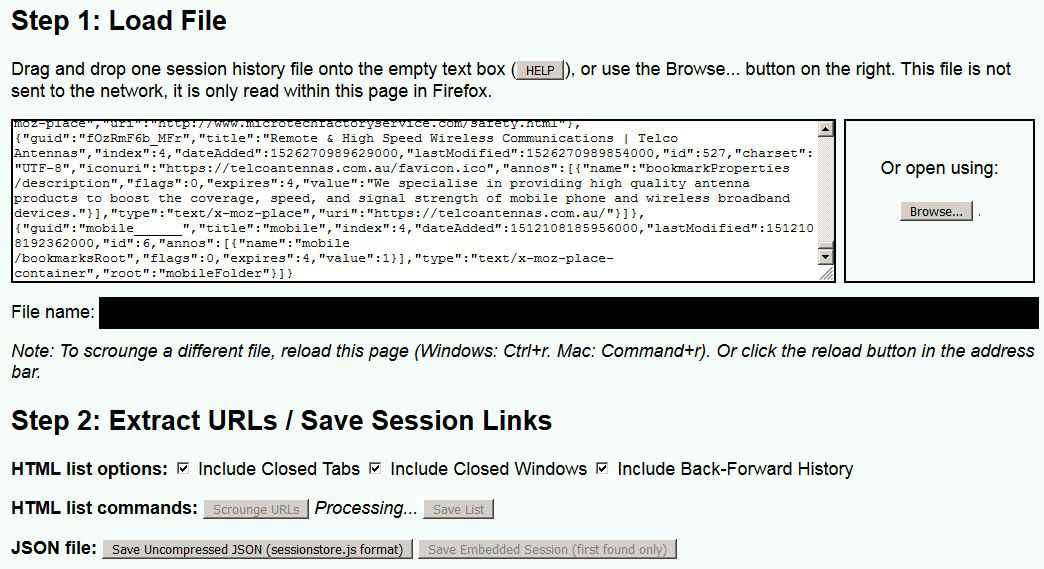
That looked promising, loaded the file (drag'n'drop) and hit the "Scrounge URL's" button. "Processing ..." and still sitting there ten\\\twenty minutes later saying the same. Get the feeling it's not doing anything, just stalled.
Keazen oplossing
Sorry, that's the Session History tool. To work with a bookmark backup, see this page (part of the same mini-site):
Brilliant! Now to work through and re-sort and remove repeats etc. Thank you immensely. The value of saved bookmarks cannot be overstated.