


Windows 10 reached EOS (end of support) on October 14, 2025. If you are on Windows 10, see this article.

Sykje yn Support

Mij stipescams. Wy sille jo nea freegje in telefoannûmer te beljen, der in sms nei ta te stjoeren of persoanlike gegevens te dielen. Meld fertochte aktiviteit mei de opsje ‘Misbrûk melde’.

Mear ynfo
Dizze konversaasje is argivearre. Stel in nije fraach as jo help nedich hawwe.
Oplost Argivearre

Does not honor CSS body margins?

Jamesiv1

Sorry for the duplicate, but I think the first one went to "All Products" and I'm afraid it might get lost.

I have CSS in a stationery file (tried it in a signature also) and Thunderbird recognizes the CSS while I'm editing/composing it, but if I send it to myself, it does not honor it? In other words, correct margins outgoing, no margins incoming.

Makes me wonder if the margins will work for the recipient..?

I am just trying to set some body margins:

body { margin-left:50; margin-right:20; margin-top:20; margin-bottom:0; }

I kinda hate it bumping all up against the side panel... :(

EDIT: It doesn't honor the CSS in the Sent folder, either.
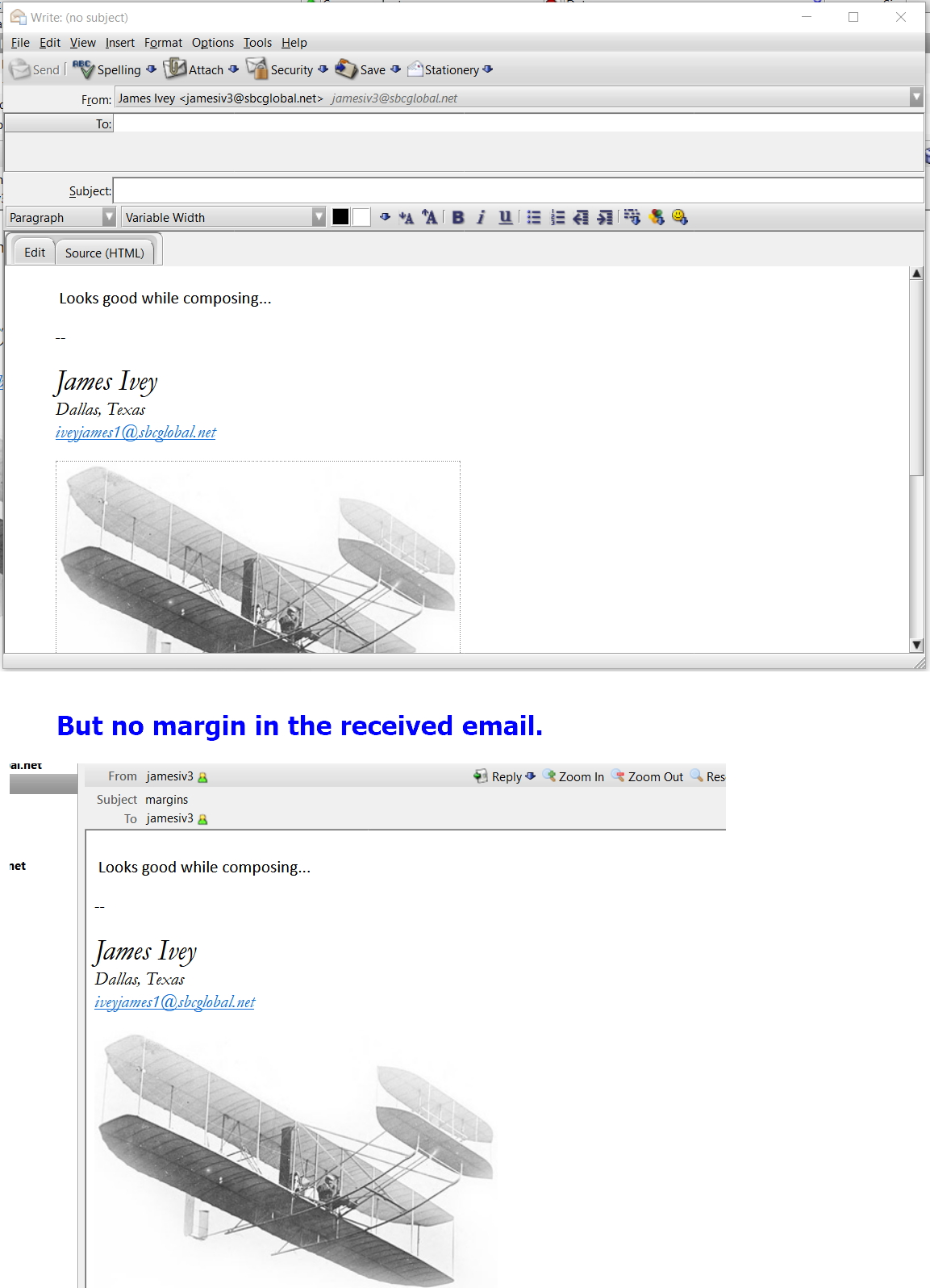
Sorry for the duplicate, but I think the first one went to "All Products" and I'm afraid it might get lost. I have CSS in a stationery file (tried it in a signature also) and Thunderbird recognizes the CSS while I'm editing/composing it, but if I send it to myself, it does not honor it? In other words, correct margins outgoing, no margins incoming. Makes me wonder if the margins will work for the recipient..? I am just trying to set some body margins: body { margin-left:50; margin-right:20; margin-top:20; margin-bottom:0; } I kinda hate it bumping all up against the side panel... :( EDIT: It doesn't honor the CSS in the Sent folder, either.
Keppele skermôfbyldingen

Bewurke troch Jamesiv1 op

Alle antwurden (1)

Keazen oplossing

Interesting. It's the theme's fault! lol

I've been using the Nautipolis theme, and when I switch back to default theme the margins are all there.

Yo, Mr. Alfred Kayser. Your theme is awesome, but you need to beef up the CSS recognizer thingy!

Or just put about 50px left and right, 20px top, and we're all good :)