


Switching dictionaries not working

I wanted to add a new language for the Firefox spell checker. I followed this thread: https://support.mozilla.org/en-US/kb/how-do-i-use-firefox-spell-checker
I added the "Deutsch" German dictionary form here: https://addons.mozilla.org/en-US/firefox/language-tools/
However when I want to Switching dictionaries "Deutsch" German option does not appear for selection :S
Right click on the text-> Languager > No trace of German :(
Does anyone had this problem before?
Thanks
Alle antwurden (4)
Do you see this extension listed under about:addons -> Dictionaries?
Note that dictionaries need to be unpacked in order to function properly.
You can use the button on the "Help -> Troubleshooting Information" (about:support) page to go to the current Firefox profile folder or use the about:profiles page.
- Help -> Troubleshooting Information -> Profile Directory:
Windows: Show Folder; Linux: Open Directory; Mac: Show in Finder - http://kb.mozillazine.org/Profile_folder_-_Firefox
The dictionary is added in
about:addons -> Languages
I attach screenshot.
I didn't find the word "Dictionaries" in about:addons.
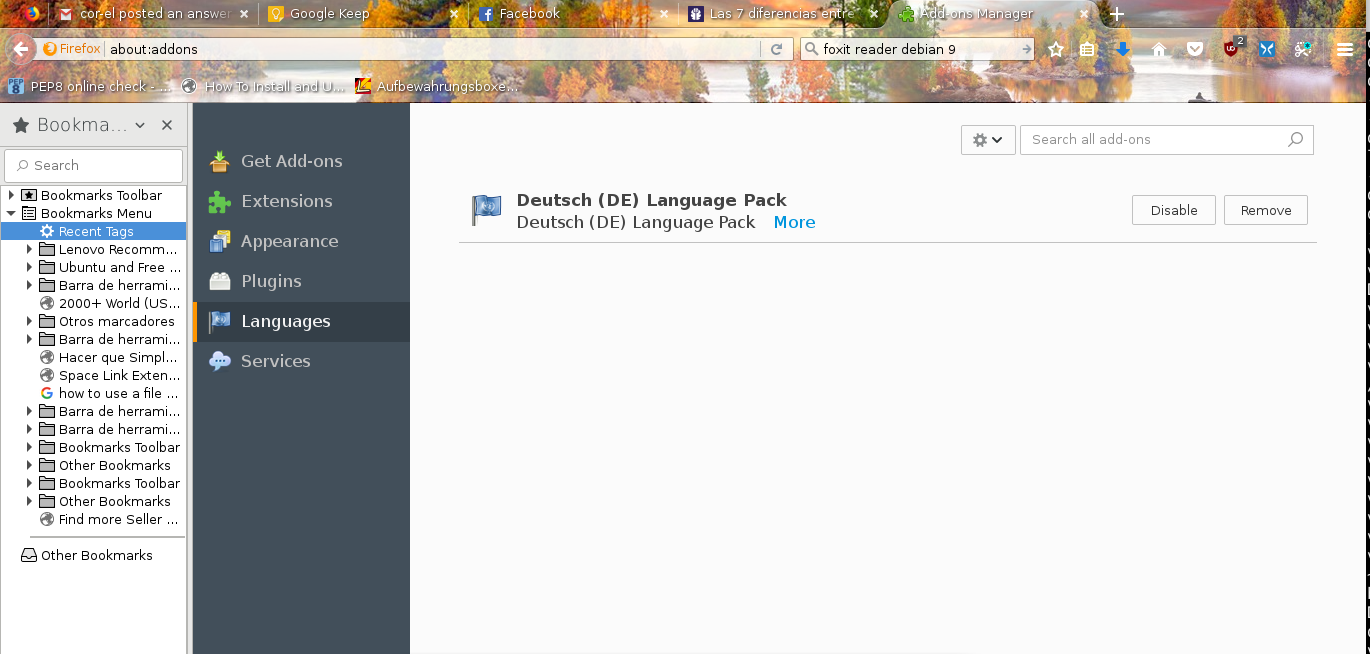
You installed a German Language pack not a Dictionary.
After installing some extensions, you have to change your preferred language to (example) Canadian English by right-clicking on a text box. (Any text box) This adds spell check functions for (Canadian) German.
There are several listed here : https://www.google.ca/search?q=firefox+german+dictionary+plugin&ie=utf-8&oe=utf-8&gws_rd=cr&dcr=0&ei=PLMIWr6jI4ucjwO05YuQDg Make sure it is version 57 compatible.
Once installed it will be in Plugins: Dictionary You will also still need Spell Check ticked.
Note : Firefox 57 Quantum release date Nov 14th https://www.mozilla.org/en-US/firefox/quantum/ Note : Legacy Extensions will be disabled and or removed.
Please let us know if this solved your issue or if need further assistance.
Bewurke troch Shadow110 op
Note that language packs add translated string values and do not include the dictionary.
You can look here for dictionaries: