


Why, after signing in, can I not reply to messages in "tacomaworld.com"?

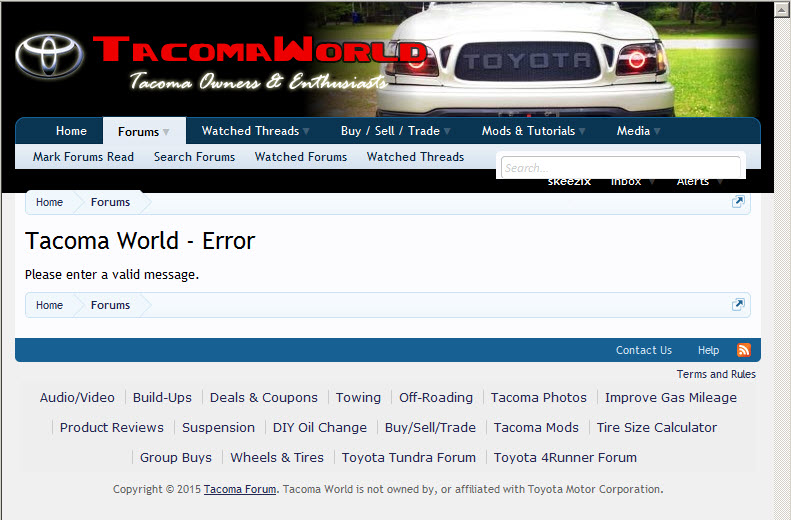
Been using Firefox since version 3.0 on this system. I follow several forums each day. "tacomaworld.com" is the only one that, when I click the "Reply" button I get an error screen. Also, I cannot post a NEW post. This has been occurring for the past 2-3 months. When I use MS Internet Explorer, everything is okay and I can post a reply.
Using FF 39.0.3 on WinVista system.
Alle antwurden (2)

Hi Skeezix, Please contact webcompat.com for help with advocating the site to explore web compatibility for Firefox.
Just to be sure you can try these steps in case of issues with web pages:
You can reload web page(s) and bypass the cache to refresh possibly outdated or corrupted files.
- Hold down the Shift key and left-click the Reload button
- Press "Ctrl + F5" or press "Ctrl + Shift + R" (Windows,Linux)
- Press "Command + Shift + R" (Mac)
Clear the cache and remove cookies only from websites that cause problems.
"Clear the Cache":
- Firefox/Tools > Options > Advanced > Network > Cached Web Content: "Clear Now"
"Remove Cookies" from sites causing problems:
- Firefox/Tools > Options > Privacy > "Use custom settings for history" > Cookies: "Show Cookies"
Start Firefox in Safe Mode to check if one of the extensions (Firefox/Tools > Add-ons > Extensions) or if hardware acceleration is causing the problem.
- Switch to the DEFAULT theme: Firefox/Tools > Add-ons > Appearance
- Do NOT click the Reset button on the Safe Mode start window