


Windows 10 reached EOS (end of support) on October 14, 2025. If you are on Windows 10, see this article.

Sykje yn Support

Mij stipescams. Wy sille jo nea freegje in telefoannûmer te beljen, der in sms nei ta te stjoeren of persoanlike gegevens te dielen. Meld fertochte aktiviteit mei de opsje ‘Misbrûk melde’.

Mear ynfo

Dizze konversaasje is argivearre. Stel in nije fraach as jo help nedich hawwe.

Enabling directwrite causes text in certain applications to disappear

  • 2 antwurd
  • 1 hat dit probleem
  • 190 werjeftes
  • Lêste antwurd fan impy
  • Argivearre

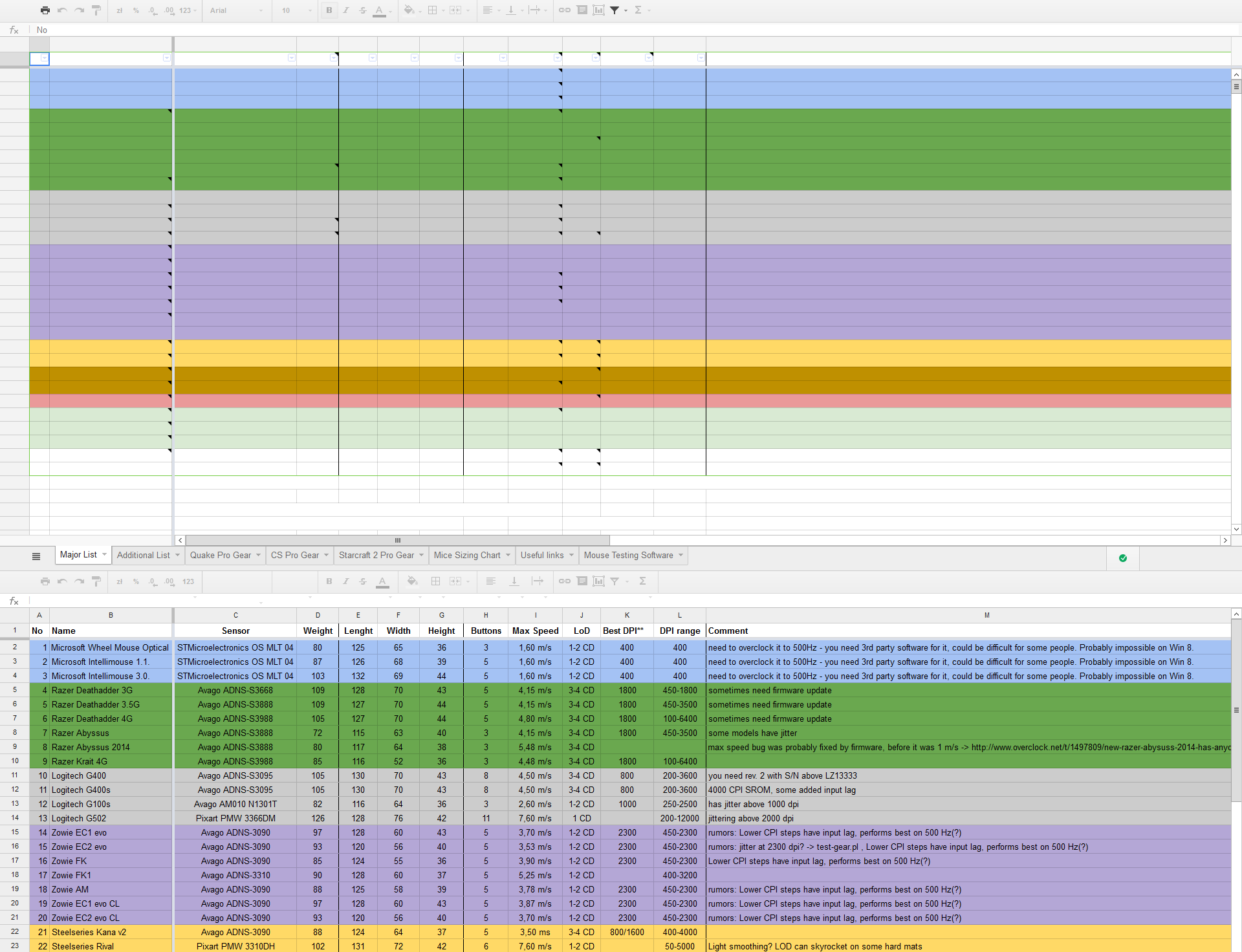
As in title. I have gfx.font_rendering.directwrite.enabled set to true, hardware acceleration disabled (as it causes some problems), and pdfs and google spreadsheets show no text, or invisible text.

Strangely, google spreadsheets will display text while they are still loading, but after the page has fully loaded the text disappears.

Setting gfx.font_rendering.directwrite.enabled to false fixes the text, but leads to ugly text elsewhere, so I'd like to keep it on.

Graphics drivers were just updated yesterday, so I don't believe that's the problem.

Attached picture shows on top how the text disappears after loading, and on the bottom how it looks while it's still loading.
As in title. I have gfx.font_rendering.directwrite.enabled set to true, hardware acceleration disabled (as it causes some problems), and pdfs and google spreadsheets show no text, or invisible text. Strangely, google spreadsheets will display text while they are still loading, but after the page has fully loaded the text disappears. Setting gfx.font_rendering.directwrite.enabled to false fixes the text, but leads to ugly text elsewhere, so I'd like to keep it on. Graphics drivers were just updated yesterday, so I don't believe that's the problem. Attached picture shows on top how the text disappears after loading, and on the bottom how it looks while it's still loading.
Keppele skermôfbyldingen

Alle antwurden (2)

Could be a problem with the font that is used.

What comes up on the Font tab in the Inspector (Firefox/Tools > Web Developer)?

Looks like Arial. Arial on every website otherwise displays fine.