Dizze konversaasje is argivearre.
Stel in nije fraach as jo help nedich hawwe.

Argivearre
change color of bookmark selections

When I'm looking through firefox bookmarks, I can barely see the light blue against white selections in the dropdowns. How do I change this? I've looked on the Mozilla site and all I see are ways to add featured themes, which I have no interest in. Thanks.
When I'm looking through firefox bookmarks, I can barely see the light blue against white selections in the dropdowns. How do I change this? I've looked on the Mozilla site and all I see are ways to add featured themes, which I have no interest in. Thanks.
Alle antwurden (2)
Please post a screenshot, as I am on WinXP which uses a different Firefox theme than Win7 does.
https://support.mozilla.org/en-US/kb/how-do-i-create-screenshot-my-problem
It is best to use a compressed image type like PNG or JPG to save the screenshot and make sure that you do not exceed a maximum file size of 1 MB.
Then use the Browse .... button below the Post a Reply text box to upload the screenshot.
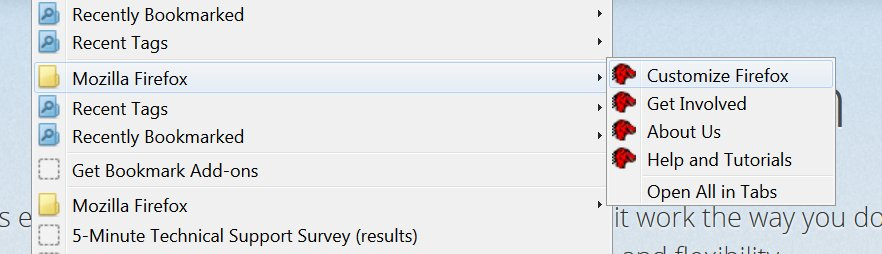
Here's a screenshot. I wonder if it's a Windows 7 setting... though I don't know which element to change if that's the case. Thank you.