


Windows 10 reached EOS (end of support) on October 14, 2025. If you are on Windows 10, see this article.

Rechercher dans l’assistance

Évitez les escroqueries à l’assistance. Nous ne vous demanderons jamais d’appeler ou d’envoyer un SMS à un numéro de téléphone ou de partager des informations personnelles. Veuillez signaler toute activité suspecte en utilisant l’option « Signaler un abus ».

En savoir plus
Ouvert

Urgently need help transferring Thunderbird...

Larysa

Hello fellow Thunderbirds,

I have been using Thunderbird for years and had thousands of emails in quite a few folders, with a shit-tonne of filters etc. My emails were running pretty well. I only use two addresses, but the folders help manage everything.

I just got a new computer last week. Prior to switching over to the new computer I read through the 'Export your Thunderbird Profile' help page, and the 'Move Thunderbird data to a new computer' pages. I've tried to follow all the info there (with a glitch, explained below).

I am using a Windows system and have gone from Win10 to Win11.

I have the following data:

  • Mozilla Maintenance Service (in Program Files (x86) ).
  • Mozilla Thunderbird (in Program Files (x86) )
  • Thunderbird (In Users/Username/AppData/Local/Thunderbird) (Contains 'profile' and 'updates'

I tried to swap the above data into the same spots on the new computer, but alas, it's not working. I *may*, however, have fucked it up myself...

So... When I got the new computer, I immediately downloaded Firefox, but, alas, I entered my email's details before closing it down. It did download a few off the server, but only a day's worth (before I realised I screwed up).

As soon as I realised I'd mucked up, I uninstalled Thunderbird and deleted the files on the new computer (you know how when you download it doesn't always remove all the stuff, so I tried to do this).

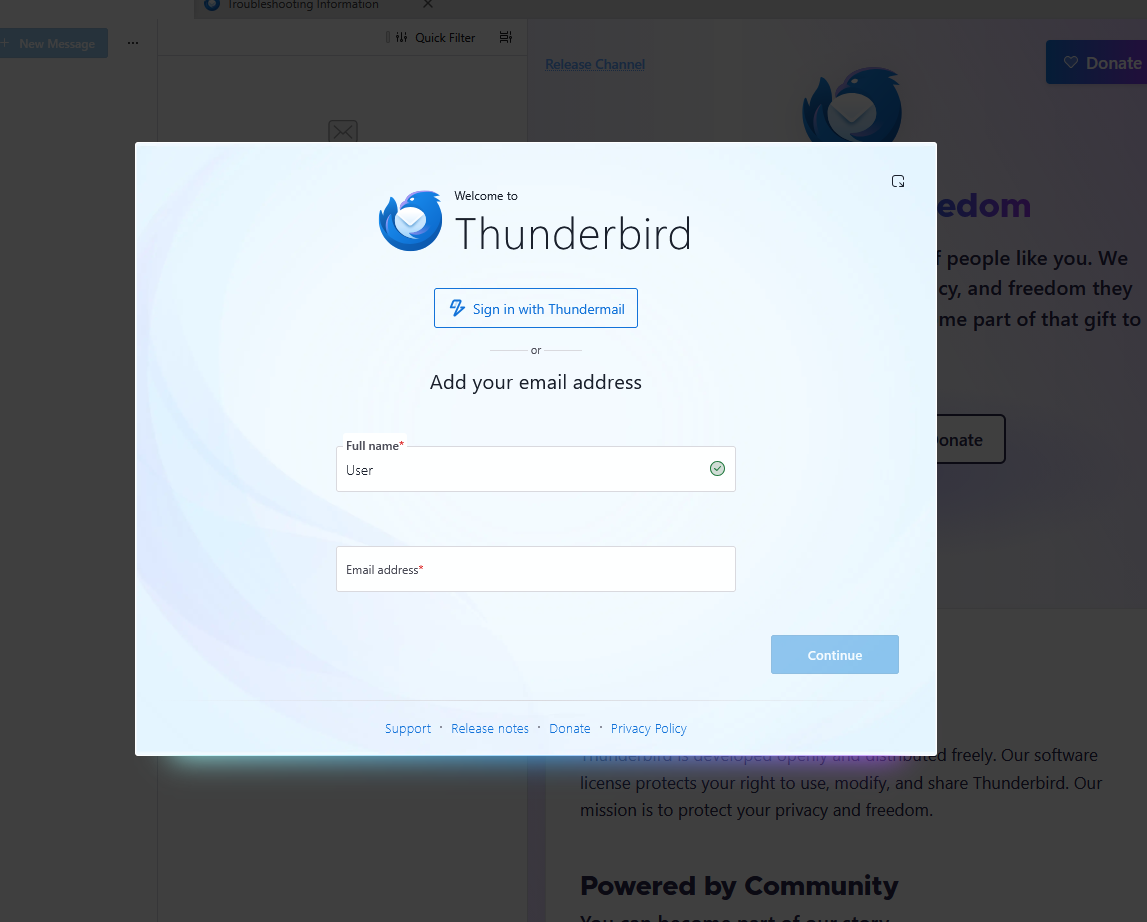
I reinstalled Thunderbird, but closed it prior to loading the email addresses on (as instructed). I then transferred all the above data into the corresponding file areas on the new computer. However, everytime I try to run the program it just goes to the standard open screen (with the popup that prompts you to enter your email addresses and details into it - see image, below, in case I'm not explaining it right).

Anyway, I'd appreciate any help you might be able to give me as I'm desperate to get my emails running again and have access to all the saved emails which were in my system. Kindly. Larysa.
Hello fellow Thunderbirds, I have been using Thunderbird for years and had thousands of emails in quite a few folders, with a shit-tonne of filters etc. My emails were running pretty well. I only use two addresses, but the folders help manage everything. I just got a new computer last week. Prior to switching over to the new computer I read through the 'Export your Thunderbird Profile' help page, and the 'Move Thunderbird data to a new computer' pages. I've tried to follow all the info there (with a glitch, explained below). I am using a Windows system and have gone from Win10 to Win11. I have the following data: * Mozilla Maintenance Service (in Program Files (x86) ). * Mozilla Thunderbird (in Program Files (x86) ) * Thunderbird (In Users/Username/AppData/Local/Thunderbird) (Contains 'profile' and 'updates' I tried to swap the above data into the same spots on the new computer, but alas, it's not working. I *may*, however, have fucked it up myself... So... When I got the new computer, I immediately downloaded Firefox, but, alas, I entered my email's details before closing it down. It did download a few off the server, but only a day's worth (before I realised I screwed up). As soon as I realised I'd mucked up, I uninstalled Thunderbird and deleted the files on the new computer (you know how when you download it doesn't always remove all the stuff, so I tried to do this). I reinstalled Thunderbird, but closed it prior to loading the email addresses on (as instructed). I then transferred all the above data into the corresponding file areas on the new computer. However, everytime I try to run the program it just goes to the standard open screen (with the popup that prompts you to enter your email addresses and details into it - see image, below, in case I'm not explaining it right). Anyway, I'd appreciate any help you might be able to give me as I'm desperate to get my emails running again and have access to all the saved emails which were in my system. Kindly. Larysa.
Captures d’écran jointes

Toutes les réponses (1)

Hello,

"Thunderbird (In Users/Username/AppData/Local/Thunderbird) (Contains 'profile' and 'updates' "

The Thunderbird folder in "Local" contains only the cache data. By default Thunderbird stores your account and message data in .... Users/Username/AppData/Roaming/Thunderbird/

Poser une question

Vous devez vous identifier avec votre compte pour répondre aux messages. Veuillez poser une nouvelle question, si vous n’avez pas encore de compte.