With version 153: Unable to send from gmail account. And cannot create a new gmail account - spun forever.

After the last update of Thunderbird, we lost the ability to send gmail messages from our pop gmail account. We only got incoming messages when we restarted thunderbird. We've worked for 6 hours with Claude Opus and it finally gave up. Out AOL account and our comcast accounts still work. We tried to create a new imap account in gmail and that spins forever. Account does not get created. the last error message was " Error Creating Account - Incoming server already exists."
Then we tried deleting the pop account and then creating a imap account and that also spun forever failing to create an account. Webmail works.
Modifié le par Wayne Mery
Toutes les réponses (3)
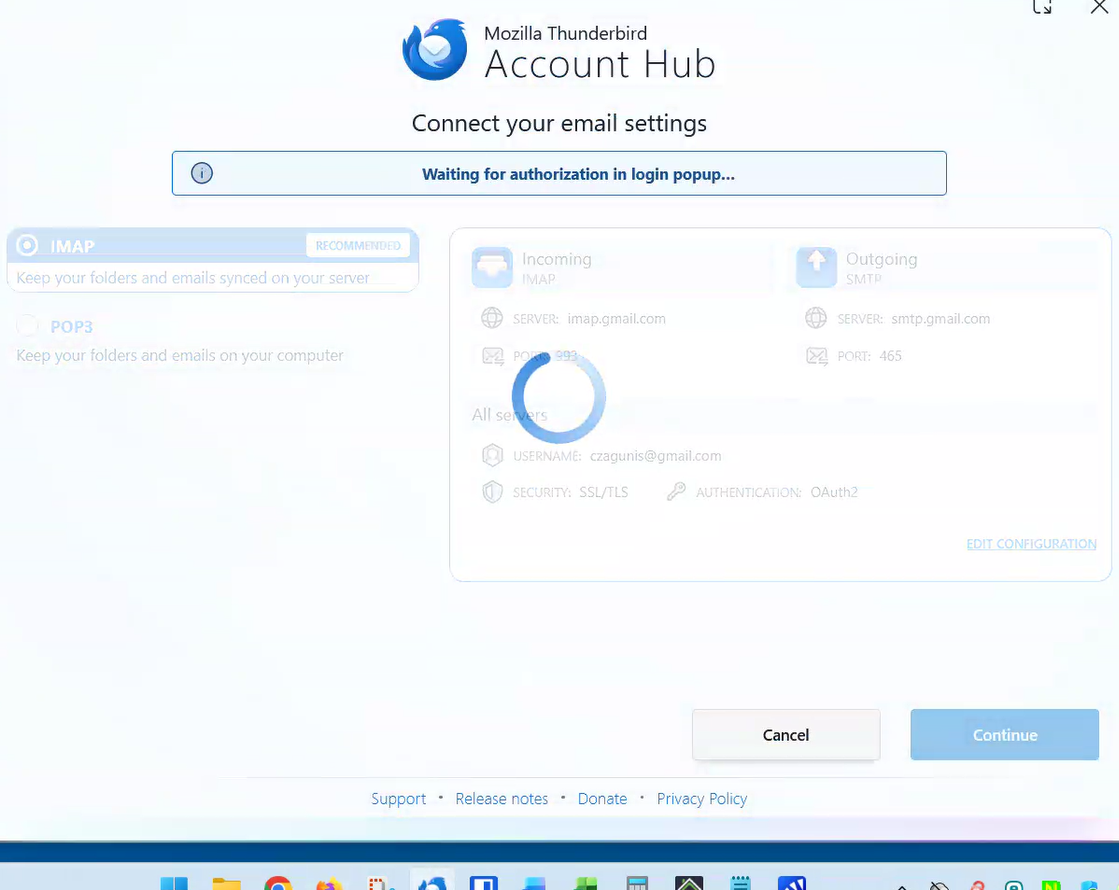
Please post a screen shot of where the account creating is spinning. Do you have a VPN?
After obtaining screen shot, also try ...
In Thunderbird > Settings > Config Editor make mailnews.oauth.usePrivateBrowser=true, mailnews.oauth.useSchemeRedirect=false Adding the mailnews.oauth.usePrivateBrowser=true
Please post your results.
OK. Both mailnews.oauth.usePrivateBrowser=true, mailnews.oauth.useSchemeRedirect=false were there, but with the opposite values. Switched them both and it made no difference. Here is what the screen looks like when we attempt to setup an IMAP Gmail account using the same username as our current POP account.
My current theory is that our problem comes from many years of accumulated crud. The woman has been my client for 20 or 30 years. We get a new computer every 5 to 7 years. Each time, I grab the profile from the old computer and copy it onto the new computer an point to it, so all her accounts (aol, comcast, multiple gmails when she was working, comcast and yahoo), were all transferred with her emails. So, I'm thinking after doing that for probably 3 computers and 20 years, the personal config files are just filled with crud.
1. Does my theory make sense? Is the smartest thing to do to wipe out the configuration files and all accounts settings and passwords, but leave the data. Then recreate the accounts from blankness, but retain all our emails. All the acounts are IMAP except her Gmail account which is POP. All important emails are in Local folders. I've done an archive with MailStoreHome. 2. If the above approach of wiping everything except the emails is reasonable at this point, then what files need to be renamed?
Obviously, I'm open to any suggestions.