


Thunderbird/Lightning Calendar on Desktop - problem displaying monthly repeating events

Thunderbird Version 152.0 Manjaro KDE Plasma 6.6.5 Kernel 6.18.36-1-MANJARO (64-bit) Graphics Platform Wayland ThinkPad T420
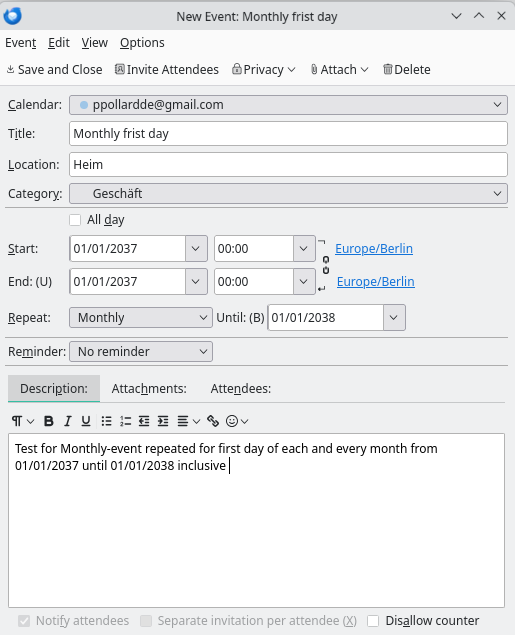
Successfully added monthly-repeating event for the first day of each month beginning at 00:00 hour with duration 0:00. These events correctly appear in another calendar (Google). This also shows there is no confusion between 'monthly' and '4-weekly'.
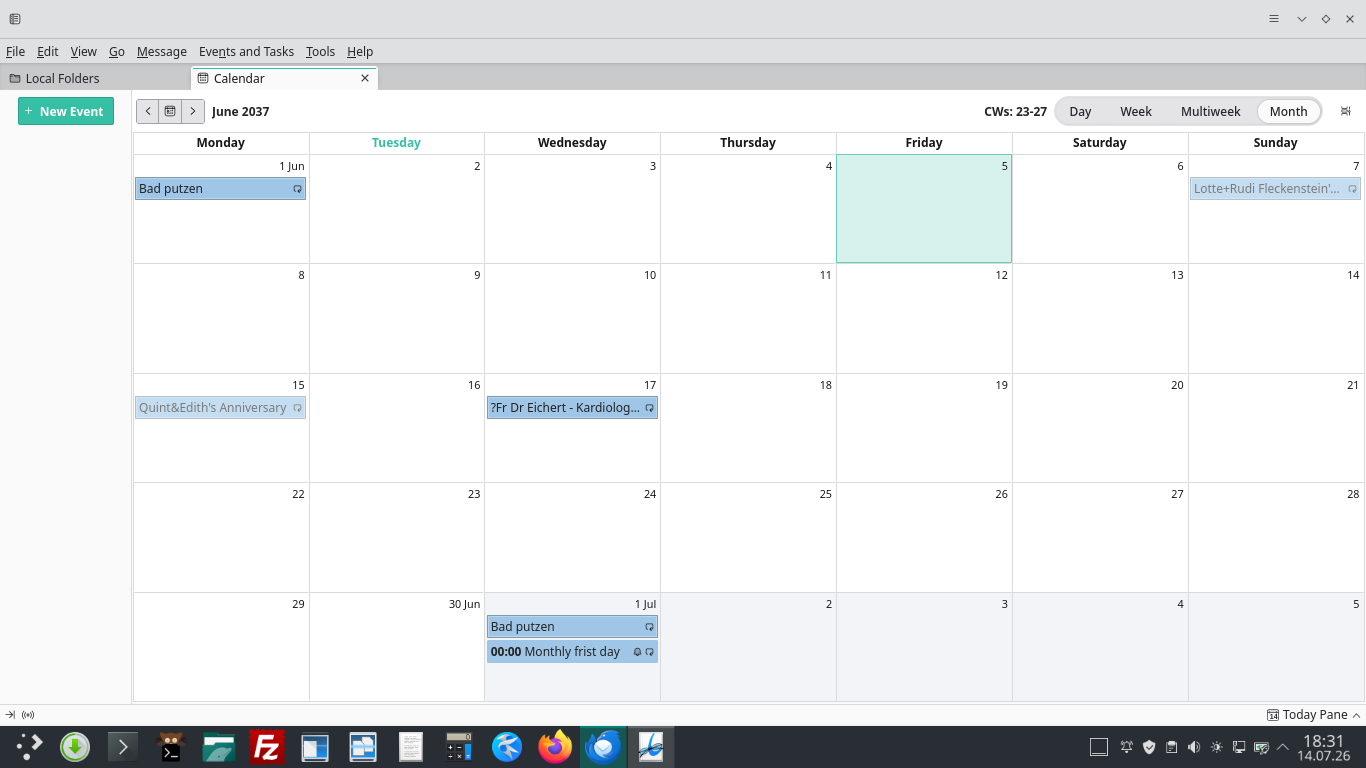
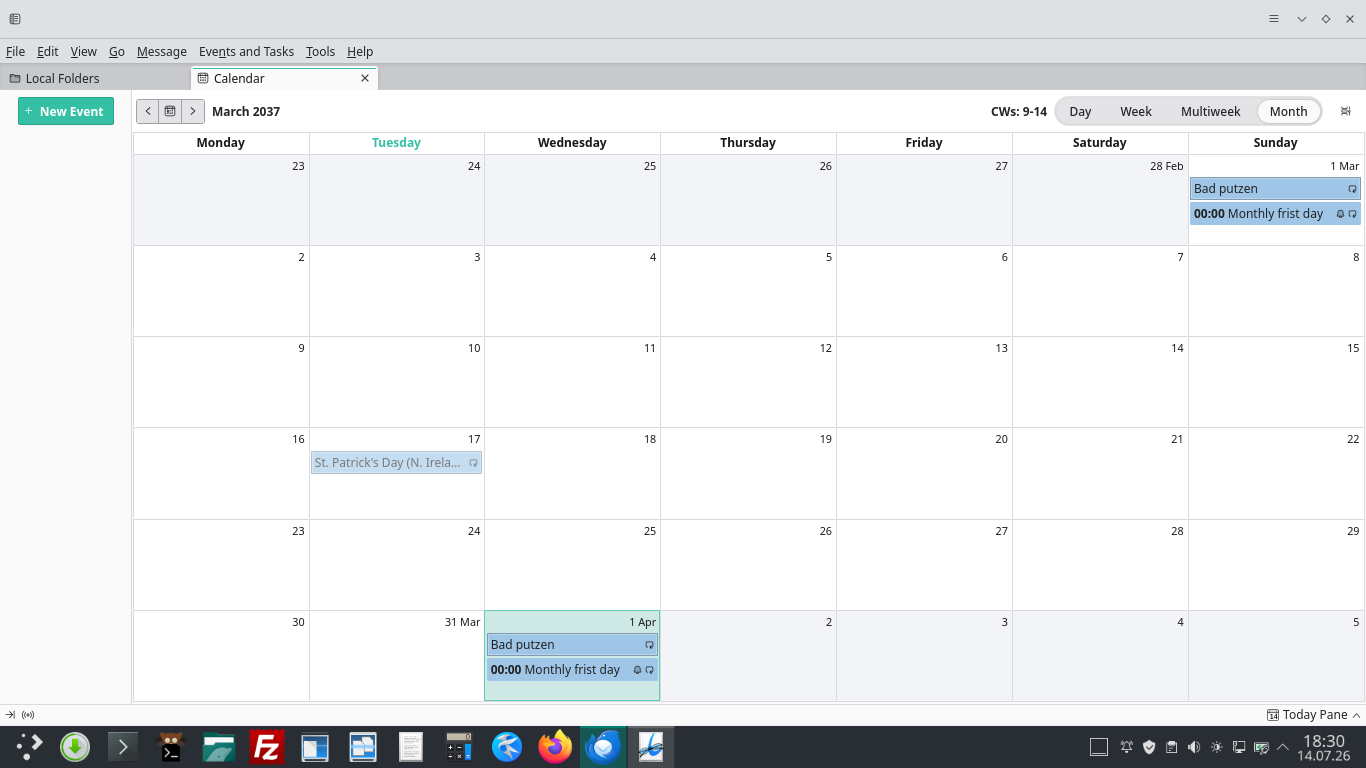
In Thunderbird's Calendar display, these events do not appear in day, week- and month-view modes, when the first of the month is the first day to be displayed. When the first of the month is positioned further into that view-mode's display then that repeating-event is correctly displayed.
The above happens in Thunderbird's Safe Mode with all add-ons disabled.
Many thanks PS. I am unable to report a bug in Bugzilla due to having lost login-credentials.

Solution choisie
I'm able to reproduce the problem on windows : it's the time : 00:00 to 00:00
If you can create another test event ( or modify your existing event ) with time : From 00:00 to 00:01 , it will show the Event correctly for the first day of the Week
This should "solve" your problem.
Toutes les réponses (9)
Can you please take a screen shot when it works and when it doesn't work and post it here.
@Michel T
Note in replying to the "Reply to" address resulted with the warning from Thunderbird "The reply address (no-reply@mozilla.org) does not appear to be a monitored address. Messages to this address will likely not be read by anyone."
In "send it anyway"... my Email Server reported " Address not found - Your message wasn't delivered to no-reply@mozilla.org because the address couldn't be found, or is unable to receive mail."
I wish to further add...
In being requested to provided screenshots: Most, if not all Calendars are either very private/personal or very commercially sensitive. The request for a screenshot was not expected and caused concern.
However, a test-calendar can provide suitable screenshots.
Alas, a local calendar for testing purposes could not be instantiated. "Left-clicking in the left-hand panel in the calendar-tab view" does not present any option at all, let alone "add new calendar" option. Neither did the right-/centre-/wheel-clicking produce any response in the left-hand panel.
Please advise.
You should not reply to those emails : they are intended to inform you only, all replies must be posted in this forum.
The only reason I asked for screen shot is to better understand the problem. I've tried to reproduce the problem as I understood but I could not.
I created a test Event with a Start Date : 01-01-2027, Repeat Monthly, For Ever . And I was able to see them regardless where the first day of the Month is in Thunderbird. I have Thunderbird 152 on Windows 11.
If you could post screen shot from a Test Calendar , that might help.
I thank you for your information, understanding and patience.
The problem is very real, and a screenshot would certainly help!
Unfortunately, I cannot find the add calendar option and thus no way to produce a test calendar.
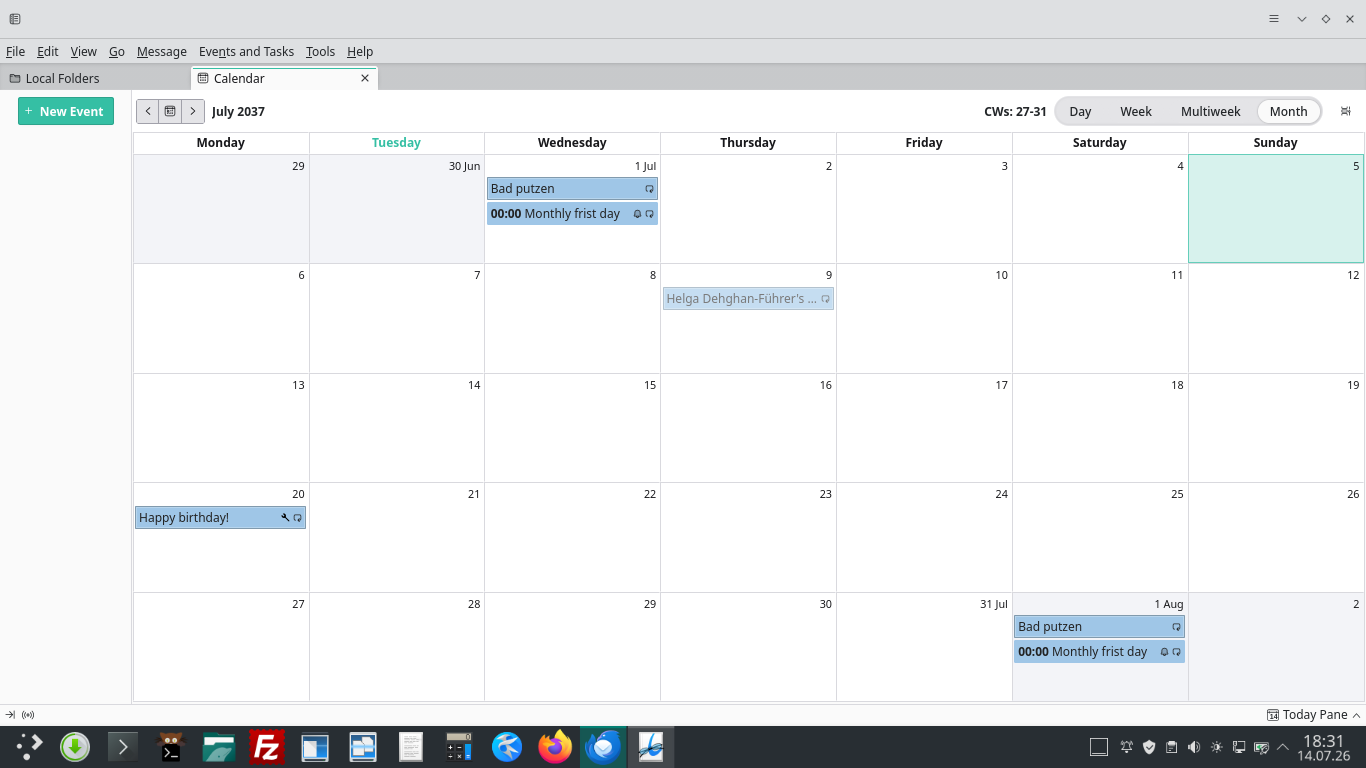
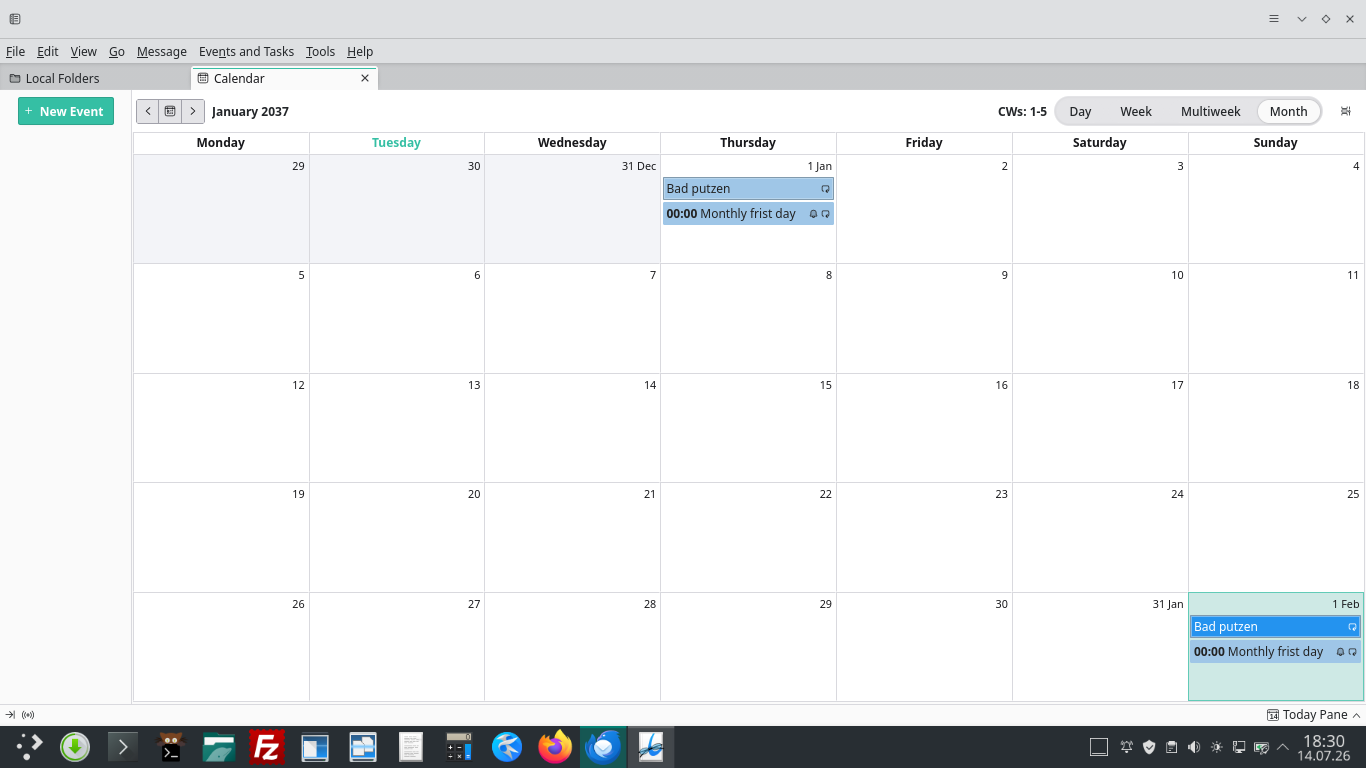
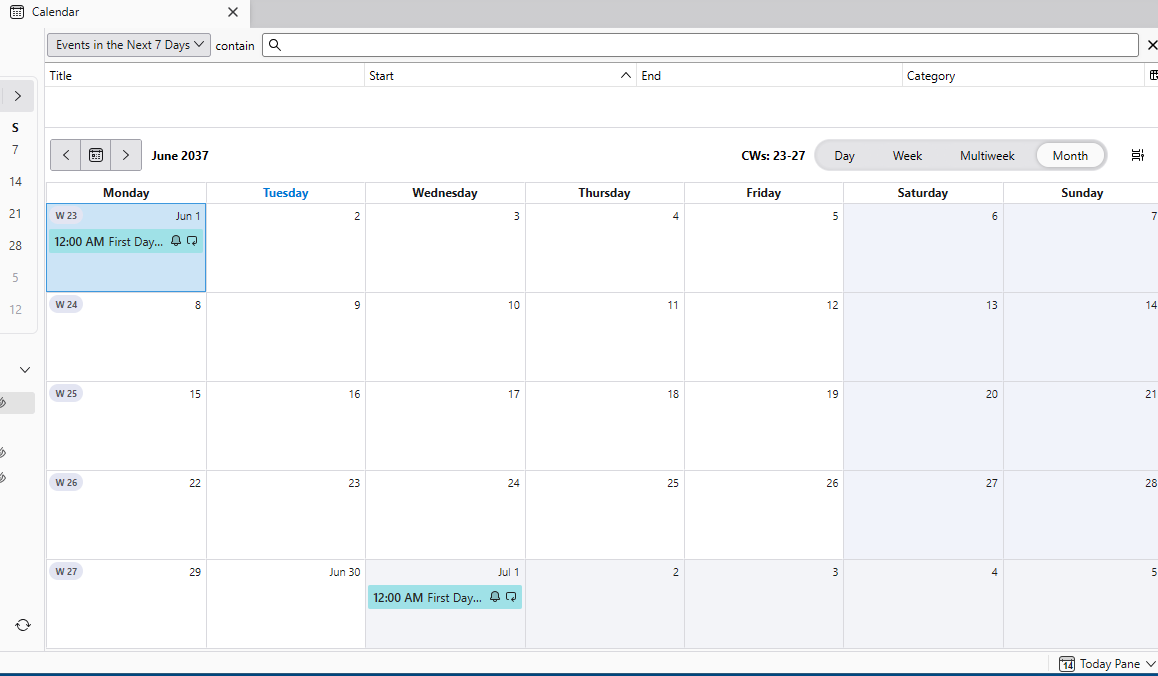
Screenshots available Modified personal calendar adding test repeat example for later less sensitive period (year 2037) in calendar screenshots show; new event definition, resultant correct monthly display and June display where June 1st is first day displayed and does not show test event.
First of all I'm not able to reproduce the problem using the same event definition that you used. Please see my Screen Shot.
We both have Thunderbird 152, yours is on Linux, mine is on Windows 11 ( first difference here ).
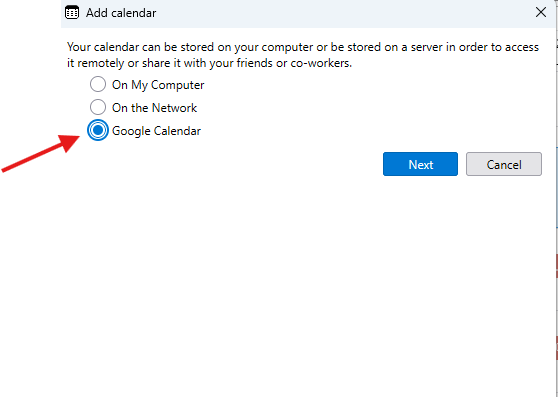
Here is my other question : how did you create your calendar was it as Network Calendar or a Google Calendar ? ( I created my Calendar with Add on "Google Calendar Provider" - Specify Google Calendar )
I attached 2 screen shots. The first one is my test calendar showing Event on Jun 1st 3037. The second screen shot show my calendar "definition" and creation.
Remarks ; I don't have Manjaro anymore but I have linux Parrot OS, if I have time, I will try to do a test on it later on to see if I could reproduce the bug.
Solution choisie
I'm able to reproduce the problem on windows : it's the time : 00:00 to 00:00
If you can create another test event ( or modify your existing event ) with time : From 00:00 to 00:01 , it will show the Event correctly for the first day of the Week
This should "solve" your problem.
Your test example
I use my Google calendar. This was created long, long ago, and for many of those years Thunderbird has been linked to and synchronizing with it using Provider for Google Calendar version 128.5.12 updated 01/07/2026
I note your time format gives 12am whereas mine uses 24-hour notation.
In my calendar properties the calendar's location field begins with https://apidata.googleusercontent.com/caldav/v2 and appended with what looks like my calendar name. Calendar Username is my Google account name, but Calendar Email uses a non-Google email account.
I will try this under Ubuntu (under VBox)
Many thanks again for the support
PS Manjaro recently went under a full re-install using unchanged home partition.
"... it's the time : 00:00 to 00:00"
Well done!
The entries are being used as a reminder - so not 'events' as such. Hence the zero-time duration. The 'fix' is quite acceptable. Practical! This will now be marked as solved. Many thanks!