


Windows 10 reached EOS (end of support) on October 14, 2025. If you are on Windows 10, see this article.

Rechercher dans l’assistance

Évitez les escroqueries à l’assistance. Nous ne vous demanderons jamais d’appeler ou d’envoyer un SMS à un numéro de téléphone ou de partager des informations personnelles. Veuillez signaler toute activité suspecte en utilisant l’option « Signaler un abus ».

En savoir plus
Ouvert

Funny text with colours on Thunderbird

Lin a répondu
mike_bcd

Hello Thunderbird. I have used the product for years across Win95, Win7. I have graphics trouble with Win10 after an update last year. Some times the email text has strange colours and the odd missing character. Opening an attachment always has funny yellow or green chunky background. Zoom +/- cures this. See attachments. The display driver is AMD Radeon graphics. 504MB used. Single screen. The processor is AMD A10-9700 Radeon R7, 10 Compute cores. 8GB RAM The machine is a standard out of the box HP Pavilion PC 570. ON thunderbird no extensions or themes. Hope you can help! Thanks Mike
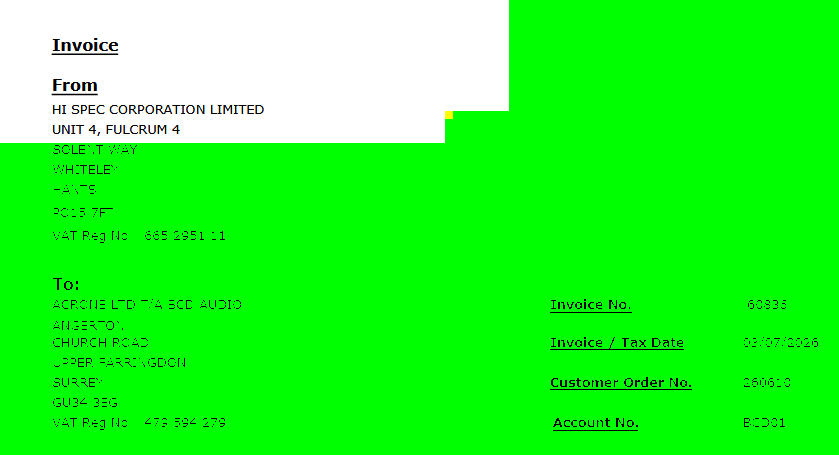
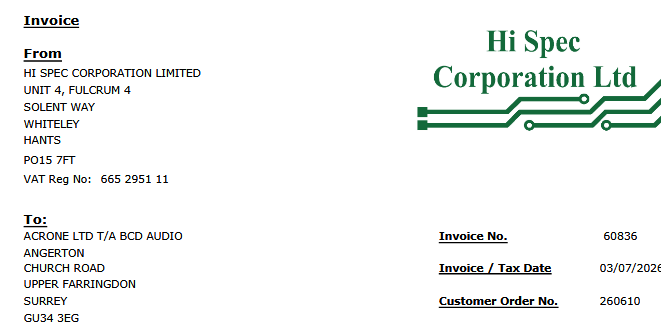
Hello Thunderbird. I have used the product for years across Win95, Win7. I have graphics trouble with Win10 after an update last year. Some times the email text has strange colours and the odd missing character. Opening an attachment always has funny yellow or green chunky background. Zoom +/- cures this. See attachments. The display driver is AMD Radeon graphics. 504MB used. Single screen. The processor is AMD A10-9700 Radeon R7, 10 Compute cores. 8GB RAM The machine is a standard out of the box HP Pavilion PC 570. ON thunderbird no extensions or themes. Hope you can help! Thanks Mike
Captures d’écran jointes

Toutes les réponses (1)

I think this is probably more a problem with your graphics system than with Thunderbird specifically. One Thunderbird setting that might help would be to disable its use of hardware acceleration. That setting can be found at <Settings | General>, scroll all the way to the bottom and disable the "Use hardware acceleration when available" option.

You might try playing around with the system graphics driver settings, in particular, any hardware acceleration settings, even if only for a temporary test. And check for updated drivers.

Poser une question

Vous devez vous identifier avec votre compte pour répondre aux messages. Veuillez poser une nouvelle question, si vous n’avez pas encore de compte.