


How to enlarge the font in the message list in Thunderbird email software

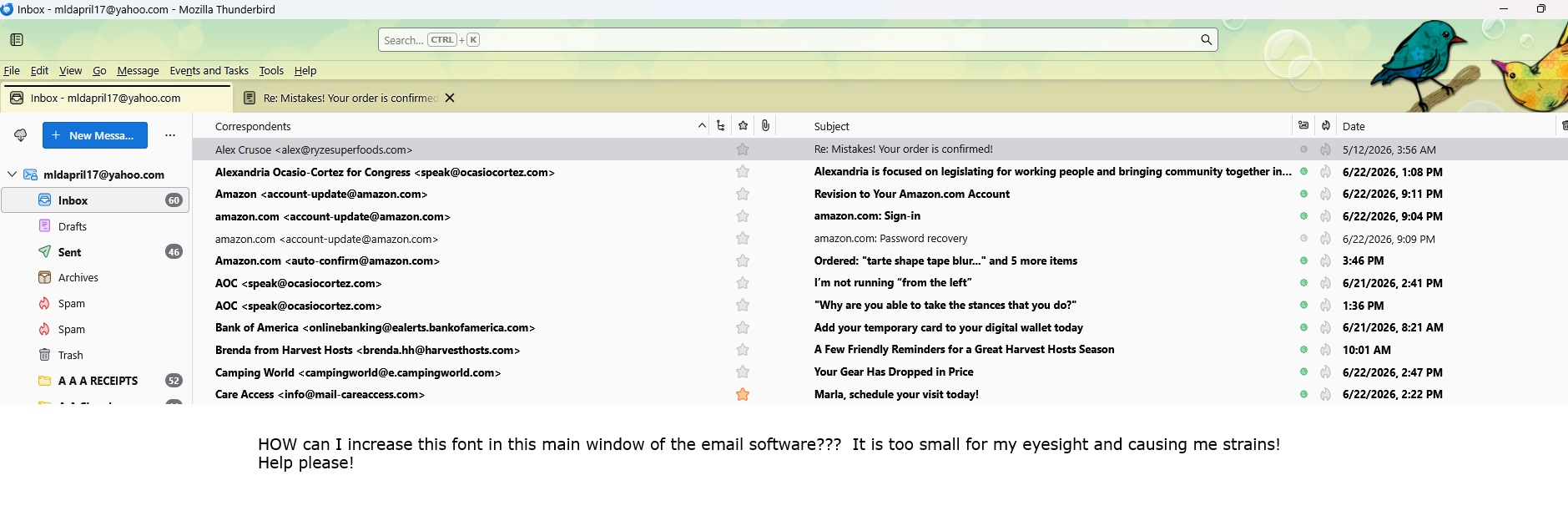
I searched throughout Thunderbird's settings to see where I could enlarge the font in the main screen where the list of emails are. I can't even Ctrl+ in this screen to enlarge it! Help! Eye Strains... Please see the paint screenprint.jpg. for illustration. Thank you! Marla
Toutes les réponses (3)

See the menu option <View | Font Size> and choose "Increase Font Size", "Decrease Font Size", or "Reset Font Side" until you like how it looks.
Thank you!!! I was going into settings - general - fonts and changing it there. Nothing happened. I did not think to look at the top row's drop down menu! I truly appreciate you help! Marla
It's confusing, I know. I think some of Thunderbird's menus and options are not well-organized. The ones in the Settings area are for message creation and display, though the descriptions don't make it very clear.