


Windows 10 reached EOS (end of support) on October 14, 2025. If you are on Windows 10, see this article.

Rechercher dans l’assistance

Évitez les escroqueries à l’assistance. Nous ne vous demanderons jamais d’appeler ou d’envoyer un SMS à un numéro de téléphone ou de partager des informations personnelles. Veuillez signaler toute activité suspecte en utilisant l’option « Signaler un abus ».

En savoir plus

How do you open multiple tabs?

Can someone describe to me how you can open multiple tabs from the Browser starting page? All I see is the top search bar which takes me to Google. But what do I do if I wanna do another search in another tab? Most other browsers simply have a clearly visible button to open another tab but I can‘t find it on Firefox Focus. Online it says there‘s supposed to be a + in the top right corner but it isn‘t there on the picture below and it also doesn‘t appear once I do a search.
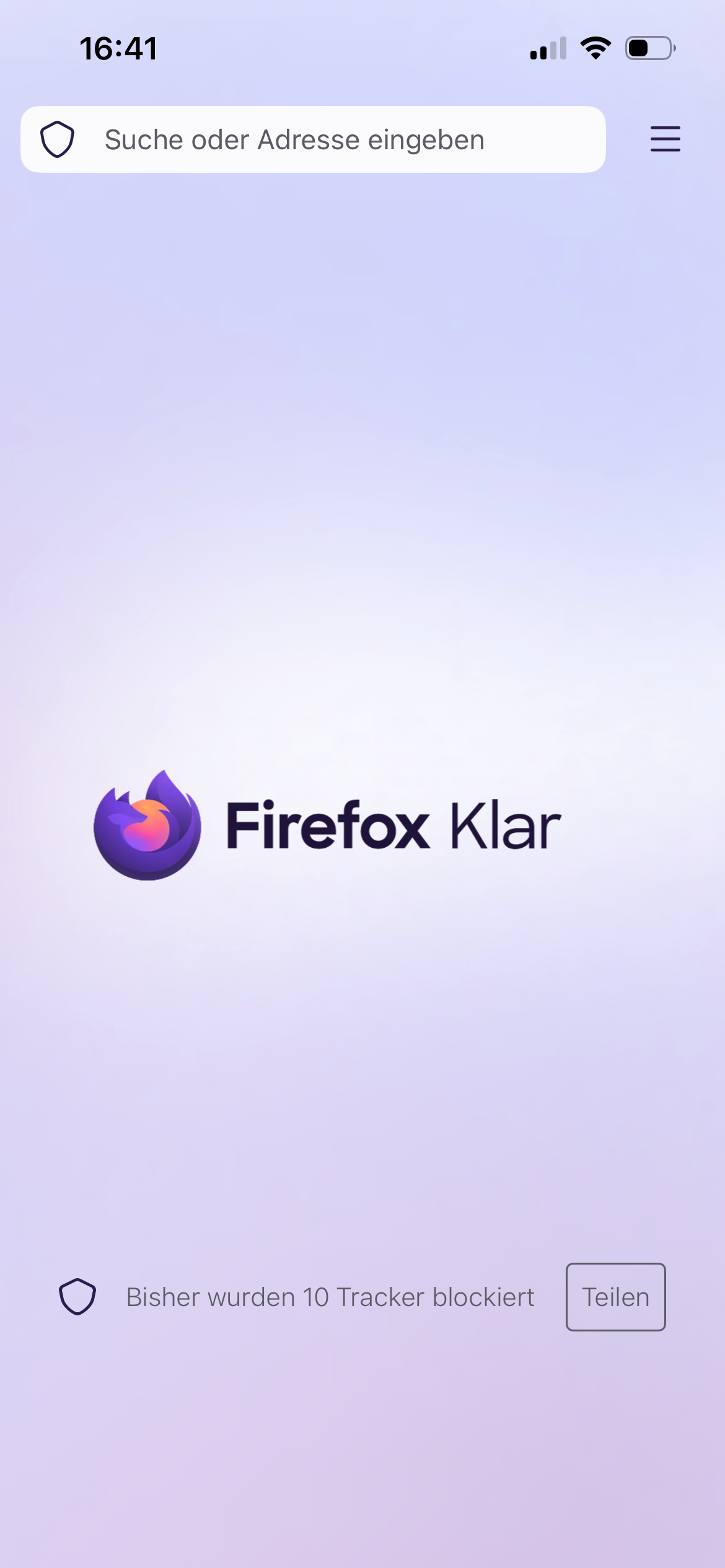
Can someone describe to me how you can open multiple tabs from the Browser starting page? All I see is the top search bar which takes me to Google. But what do I do if I wanna do another search in another tab? Most other browsers simply have a clearly visible button to open another tab but I can‘t find it on Firefox Focus. Online it says there‘s supposed to be a + in the top right corner but it isn‘t there on the picture below and it also doesn‘t appear once I do a search.
Captures d’écran jointes

Toutes les réponses (1)

Hi

Is that Firefox Focus on iPhone (iOS)?

If you want the privacy of Focus but need multiple tabs for searching, use the Standard Firefox App and opening a "Private Tab" there. That version has the "+" button you are looking for.

The guide mentioning a + or a tab number, check the title of the article, maybe is "for Android." ?

Poser une question

Vous devez vous identifier avec votre compte pour répondre aux messages. Veuillez poser une nouvelle question, si vous n’avez pas encore de compte.