


sidebar (bookmarks and history) with Firefox 146

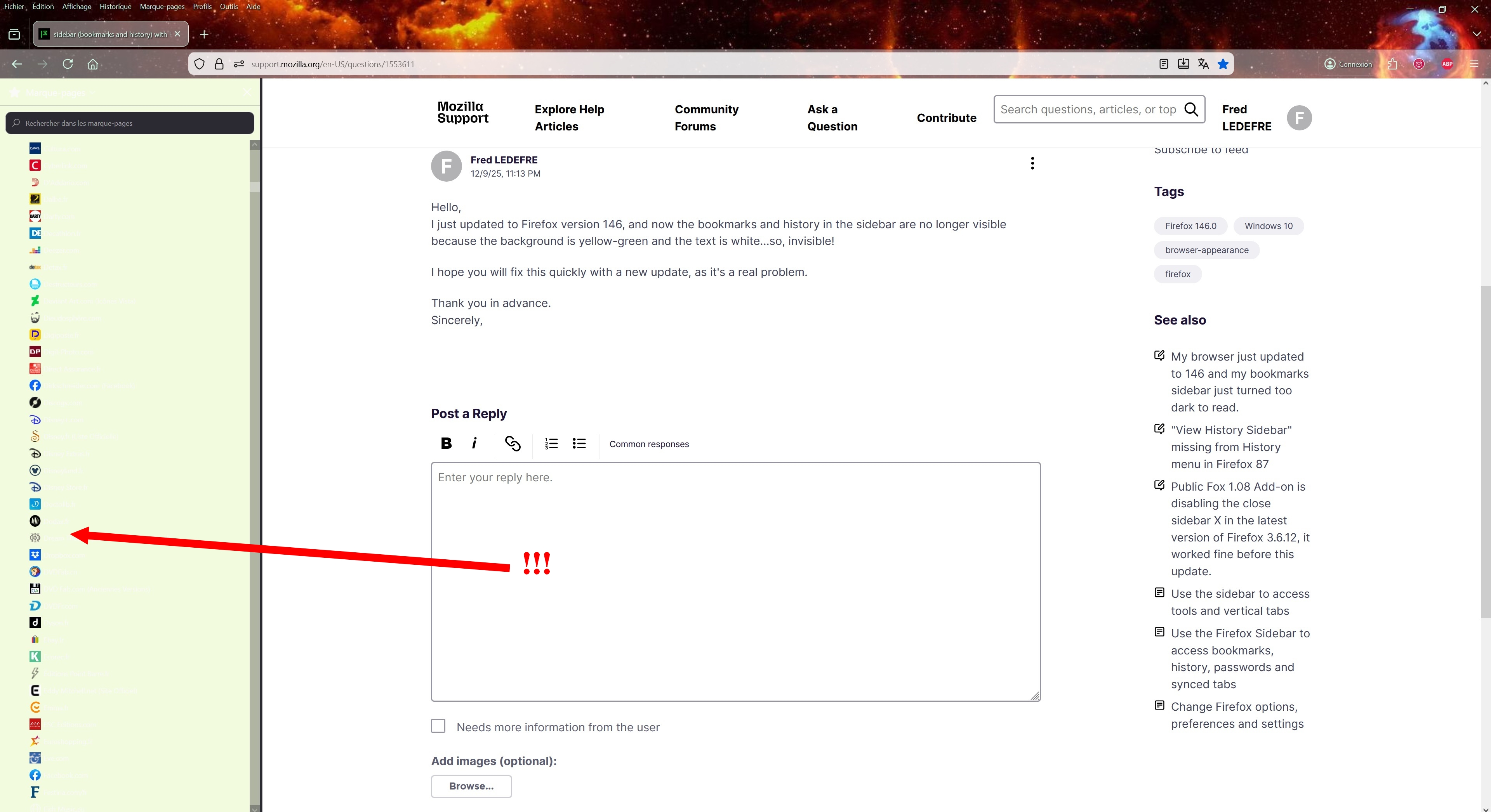
Hello, I just updated to Firefox version 146, and now the bookmarks and history in the sidebar are no longer visible because the background is yellow-green and the text is white...so, invisible!
I hope you will fix this quickly with a new update, as it's a real problem.
Thank you in advance. Sincerely,
Solution choisie
Note for contributors: See also this post for the screenshot.
Hi Fred,
I suppose it's because of your theme, which needs to be updated by its developers. Could you please disable it and see if the problem persists?
In the v146 update, there were some changes around informing add-ons about light/dark themes, and I suspect that may be the cause.
Lire cette réponse dans son contexte 👍 0Toutes les réponses (4)
Solution choisie
Note for contributors: See also this post for the screenshot.
Hi Fred,
I suppose it's because of your theme, which needs to be updated by its developers. Could you please disable it and see if the problem persists?
In the v146 update, there were some changes around informing add-ons about light/dark themes, and I suspect that may be the cause.
Hi Denys,
First of all, thank you for your quick reply!
You were right, it's definitely the theme that's causing the problem.
I tried several other themes and found one that restored the black sidebar to its original white text.
Now, perhaps the next update will fix the issue, regardless of the theme chosen.
In any case, thanks again, you're the best!
Fred
I believe the theme developer is supposed to ship an update here... You may want to let them know (as there's as chance they are not aware) by finding the theme on addons.mozilla.org, clicking Support site/Homepage and filing a report as described on the opened website. If those links are not available, you can click Report this add-on to report directly to the Mozilla Add-ons team.