


Thunderbird very slow to send emails (Fedora) starting with 143.0. 142.0 and 140esr do not have this problem.

Hi I was using TB 142 without problems. When upgrading to 143 ou 144.B4 I have problems sending mails to all users after some times. Usually the first mails are sent immediatly but after around 10 mails, I have very slow response (varies from 5 sec to more than 1 minute and sometimes timeout). Usually quitting TB solves the problem but this is very annoying. I went back to 140LTS and sems to have no longer this problem. This was tested on many diffrent networks. I am running under Fedora release 42
Thanks
Modifié le par Wayne Mery
Toutes les réponses (17)
Do https://support.mozilla.org/en-US/kb/profiling-thunderbird-performance and PM me the profile link or file.
Thanks for the answer. I still had the problem with my TB 143 profile last friday. After 7 mails sent it took 30 seconds to send mails. Today I set up the profiling parameters and tested more than 50 mails with no problem. I'll check further today and start the recording if problem occurs again
Th
Hi again as soon I wrote the message the problem occured agan. More than 1 minute and ficnished with timeout to the mail server. Juste resent it and worked as expected. When finishing the record session I got en arror message in attached screen shot.
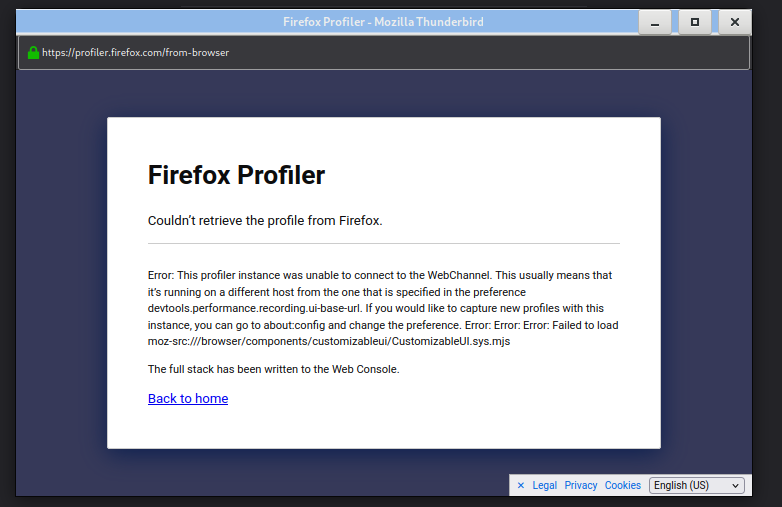
Restarted the process with daily 145.0a1 (2025-10-12) (64 bits) I soon had the problem of slow sending, ending with a timeout. The link of the capture is: https://share.firefox.dev/3WzgKkl
Thanks for help
Restarted the process with daily 145.0a1 (2025-10-12) (64 bits) I soon had the problem of slow sending, ending with a timeout. The link of the capture is: https://share.firefox.dev/3WzgKkl
Thanks for help
Also, what happens if you disable the send progress?
Settings > General > Config Editor > paste in mailnews.show_send_progress > change it to false
Hi, I am using IMAP (with SSL) With mailnews.show_send_progress option to false, it took 24 seconds to send the mail and give me back a hand
Received: from [134.158.18.50] (marmth.in2p3.fr [134.158.18.50]) (authenticated bits=0) by cczrelay02.in2p3.fr (8.14.4/8.14.4) with ESMTP id 59FEwPrM012104 (version=TLSv1/SSLv3 cipher=AES128-GCM-SHA256 bits=128 verify=NO) for <mouthuy@cppm.in2p3.fr>; Wed, 15 Oct 2025 16:58:48 +0200 Message-ID: <c49834c8-efc6-4bad-8cb1-274820cfaca7@cppm.in2p3.fr> Date: Wed, 15 Oct 2025 16:58:24 +020
@mouthuy,
Question from the developers - does the slowness OR high memory still occur if you use a current Daily or 145.0b2 (after bug 1994411)?
Modifié le par Wayne Mery
Sorry I was out of business for few days. I download 146.0a1 The 6 first messages were sent immediately. The number 7 took 7 seconds and the number 8, 25 seconds. So I guess problem is still there
Modifié le par mouthuy
I wouldn't expect it to help, but does settings preference accessibility.force_disabled to value 1 help?
No this does not change anything. The 5 first mails go fast, and the 6th one took 30 seconds.

mouthuy said
No this does not change anything. The 5 first mails go fast, and the 6th one took 30 seconds.
Same here, it started when I upgraded to 144.01 from my previous version of about 140.0 Very slow and some timeouts
Hopefully later versions will work better, I'll try a beta release and see if it's better I'm also using I am using IMAP (with SSL)
Was always super fast till the upgrade Other than that it's all good !

This might be a google mail issue - if you post an update, may I suggest you mention if it is a google imap account or some other imap account
Hi The Imap account that causes problem is my institutional ZIMBRA account. Zimbra version 10.1.13_GA_4837.NETWORK. I do have more and more colleagues which are using a more recent version than the 140ESR and fall in the same trap.
Hi TB 145 became official in Fedora distrib.
After may tests, I found out that browser.cache.disk_cache_ssl was true in my profile. I changed it to false, and I could send a sequence of 15 mails without significant delay/timeout (before I had 30 sec to 60 sec delay after the 6th mail). Other colleagues seem to have the same problem (including on Mac OS). I'll continue testing with them.
Unfortunately the previous message is wrong. A new session causes approx delays of 3 to 5 seconds till mail number 6. The seventh took 53 seconds. Sorry for noise