


Thunderbird screen presentation

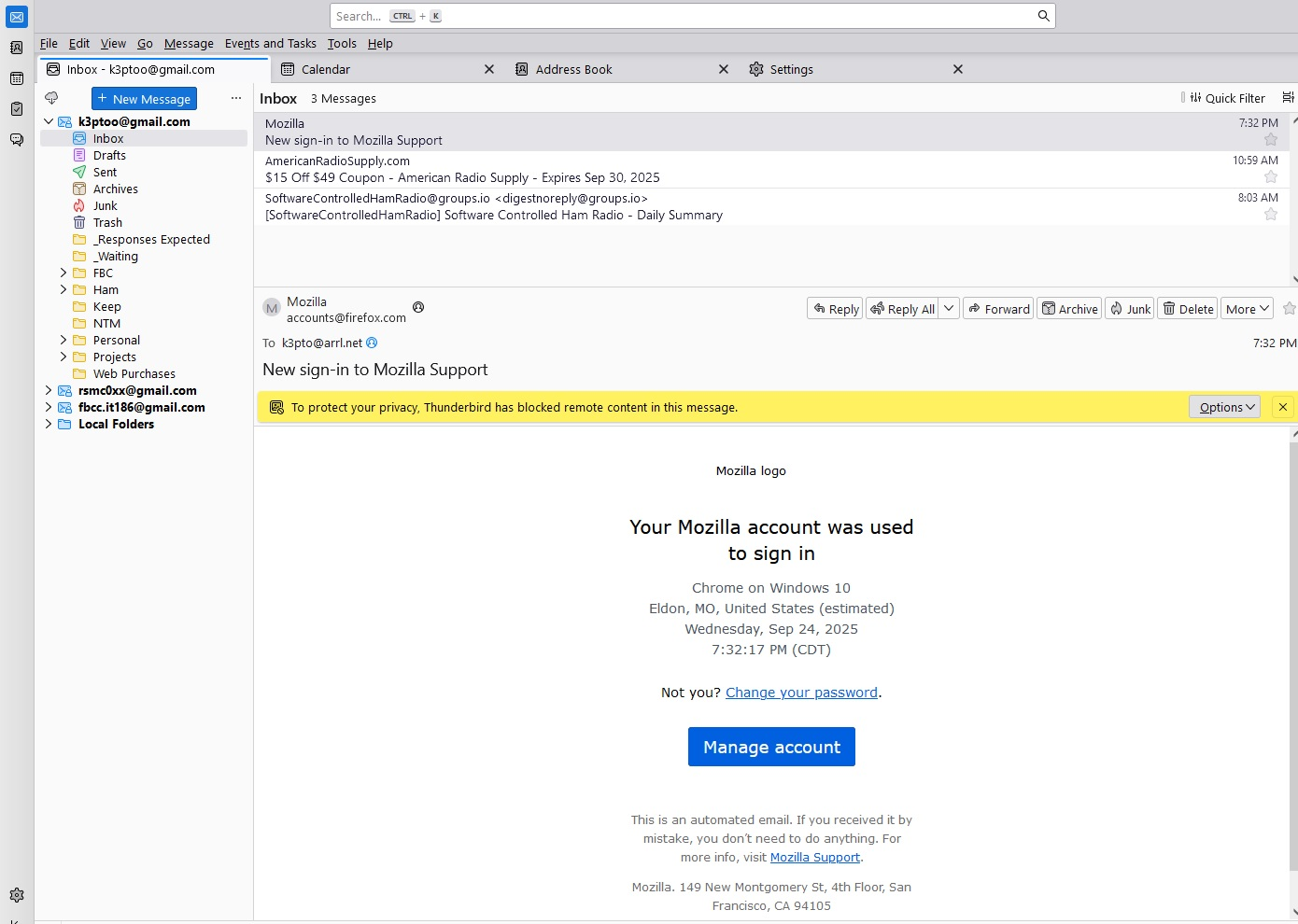
Windows 10 Pro went to a black screen while I was editing a file. Thunderbird was running in the background. I had to do a hard re-boot. When I restarted Thunderbird, the Inbox presentation was different. See the attached file. How do I get the correct presentation back?
I tried bringing back a backup version of my profile (the whole folder tree). The presentation was OK this time but emails were lost. So, I brought back the corrupted(?) profile in order to get my recent emails.
Toutes les réponses (3)

What do you consider the correct presentation to be? Table view instead of cards? Click on the icon that looks like a film roll at top right and see your options. Something else?
There are many layout options. I don't see a reason to think that your profile is bad.
Hi Rick, Thanks for the quick response. The commands for "write" and "get messages" used to be on the toolbar. Now they are missing. I can still do those commands using the cloud icon and the +New Message control. Those two were not present previously.
Right click next to the search bar at the top, select "Customize", put your preferred functions on it.