Media Player Support

To whom it may concern,
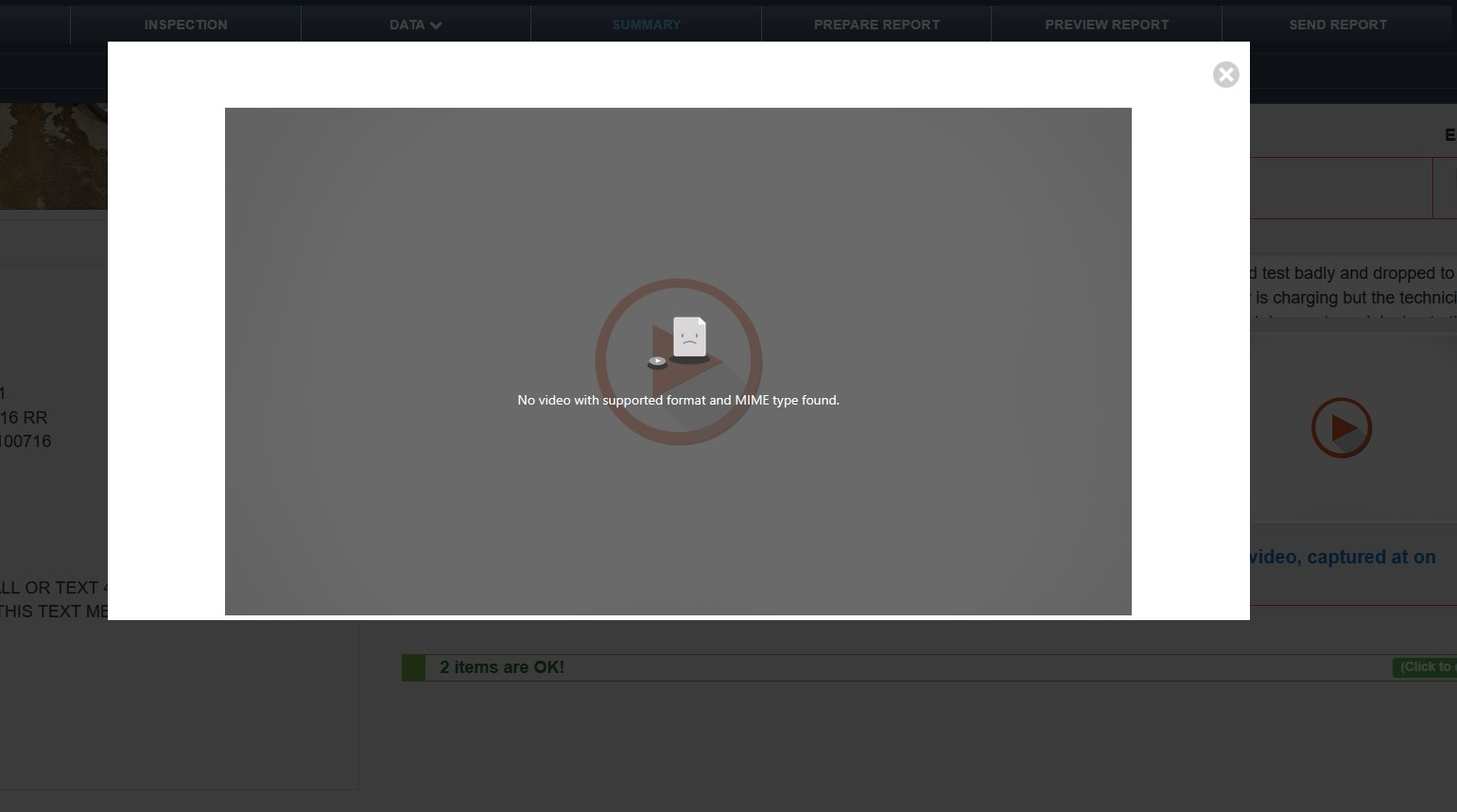
I have attached a picture of the error message I get when trying to play a video. I know the website is not at fault as I can use your competitors browser (Chrome) and the videos play with no issue. I have also tried a few media player extensions with no success. Please help me find a solution so I do not need to use another browser. Thanks
Sam [email address]
Modifié le par Paul
Solution choisie
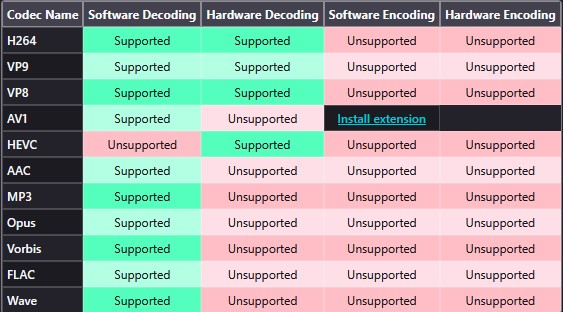
This is HEVC file under the hood and it's not supported everywhere by default. Firefox rely on OS codec to play it (and we all here have this codec, so it was difficult to troubleshoot it :) ).
- Go to about:support and check if HEVC is green in Media section.
- Most likely you’ll need to install one of these codecs manually from the Microsoft Store:
- HEVC Video Extensions from Device Manufacturer (Free)
- HEVC Video Extensions (Not available for free)
- Go to about:config and confirm that media.hevc.enabled is true.
- Restart the browser.
Toutes les réponses (8)
Hi Sam
I have removed your email address from your question for your privacy and security as this is an open forum.
Are you able to share a link to that video so that we can look into this further for you?
Thank-You! This is an automotive inspection and it contains the customers information so I cannot share it. I will create a fake ticket, have my technician upload videos, and then share the inspection link. Some more information, my technicians that use iphones to upload videos, we can view them without issues. When the videos are uploaded from a samsung we cannot view them and get the error message.
I have created a fake inspection that has no personal information. All the information is fabricated. I got one of my techs that use an android, and one that uses a iphone, to upload videos for you to view. After clicking on the link, maximize a red line item to view the videos. The iphone video works on mozilla firefox and the android video will not.
The link to your report is: https://app.autoserve1.com/report/2mic5xpA8xPtb7fTH

Sam Rietmann said
I have created a fake inspection that has no personal information. All the information is fabricated. I got one of my techs that use an android, and one that uses a iphone, to upload videos for you to view. After clicking on the link, maximize a red line item to view the videos. The iphone video works on mozilla firefox and the android video will not. The link to your report is: https://app.autoserve1.com/report/2mic5xpA8xPtb7fTH
They're mp4 files, which FF should have no trouble with, and they play for me. Try these:
See if clearing cache helps:
- press Ctrl-Shift-Delete (Mac: Cmd-Shift-Delete)
- set 'Time range...' to 'Everything'
- untick all items except 'Temporary cached files and pages'
- clear, then restart FF
Try turning off hardware acceleration:
Go to FF Menu > Settings and enter 'hardware' (no quotes) in the search box
- uncheck 'Use recommended performance settings'
- uncheck 'Use hardware acceleration when available'
- close the tab and restart FF
Thank you very much for your response. I have completed your recommendations and the video still does not work. I get the same error message.
Solution choisie
This is HEVC file under the hood and it's not supported everywhere by default. Firefox rely on OS codec to play it (and we all here have this codec, so it was difficult to troubleshoot it :) ).
- Go to about:support and check if HEVC is green in Media section.
- Most likely you’ll need to install one of these codecs manually from the Microsoft Store:
- HEVC Video Extensions from Device Manufacturer (Free)
- HEVC Video Extensions (Not available for free)
- Go to about:config and confirm that media.hevc.enabled is true.
- Restart the browser.
TyDraniu said
This is HEVC file under the hood and it's not supported everywhere by default. Firefox rely on OS codec to play it (and we all here have this codec, so it was difficult to troubleshoot it :) ).
- Go to about:support and check if HEVC is green in Media section.
- Most likely you’ll need to install one of these codecs manually from the Microsoft Store:
- HEVC Video Extensions from Device Manufacturer (Free)
- HEVC Video Extensions (Not available for free)
- Go to about:config and confirm that media.hevc.enabled is true.
- Restart the browser.
This seems to be correct as HEVC is disabled (see attached photo) however the codecs from the Microsoft Store do not seem to work for me. Does anyone know of any other way to enable HEVC on my browser? FYI I am running windows 10 pro version 22H2. OS build is 19045.6332. For Firefox I am using version 143.0.1 (32-bit). Thanks!
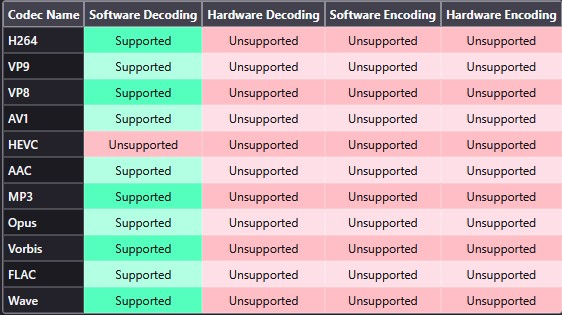
I found a different extension in the microsoft store. Installed it and restarted firefox. The videos still would not work. I then reactivated hardware acceleration in firefox settings and restarted firefox. Now the videos work and HEVC is enabled. Thank you all for your assistance to solve this problem!