


I can’t add my Outlook account to Thunderbird. (accounthub)

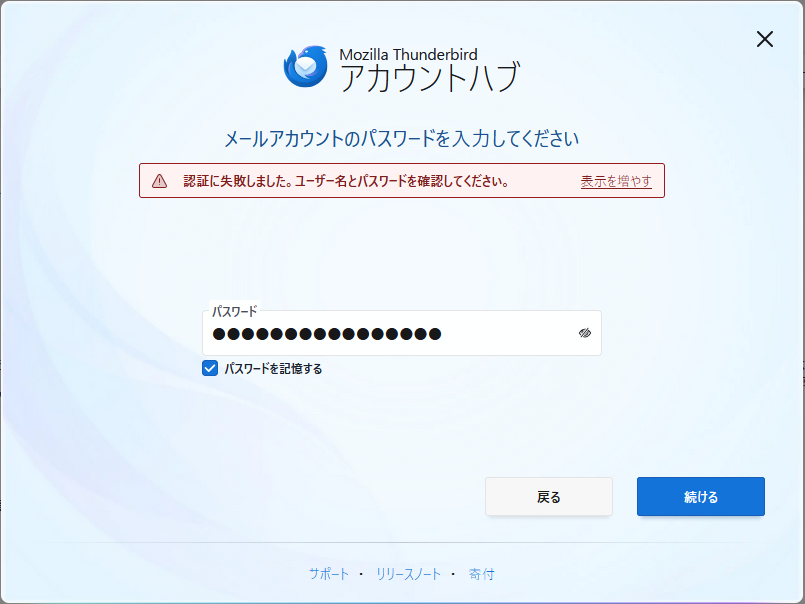
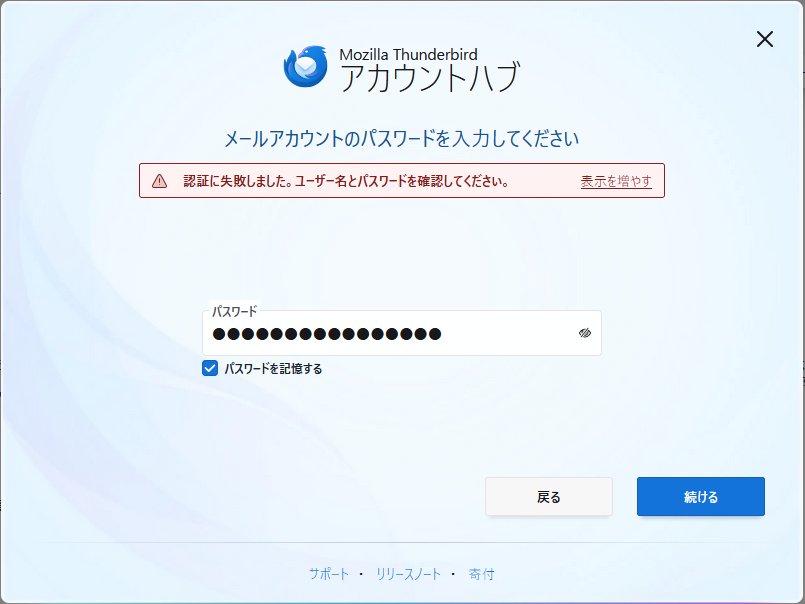
I’m using the Windows 11 version of the Thunderbird app, but when I try to add my Outlook account and enter my password, it shows “Authentication failed. Please check your username and password,” and I can’t complete the Outlook setup. I’ve tried changing my Microsoft account password and entering an app password, but neither worked.
Modifié le par Wayne Mery
Solution choisie
Check settings>general to see if your setup has checked the experimental setup option. See attached screenshot. If it is ticked, UNtick it and restart the setup process.
Lire cette réponse dans son contexte 👍 9Toutes les réponses (9)

Outlook requires OAuth authentication; app passwords no longer work for third-party mail clients, including Thunderbird. You will need to change the authentication type to "OAuth2" and then sign in to Microsoft when prompted. This support article should help as well.
Thank you for your reply. I’m unable to register my Outlook email account itself, so I cannot change the authentication method. I tried entering my regular password instead of an app password, but it didn’t work.
Did you click on the "Edit Configuration" button when registering the Outlook email account? You should be able to specify OAuth authentication in there. See the attached images if needed.
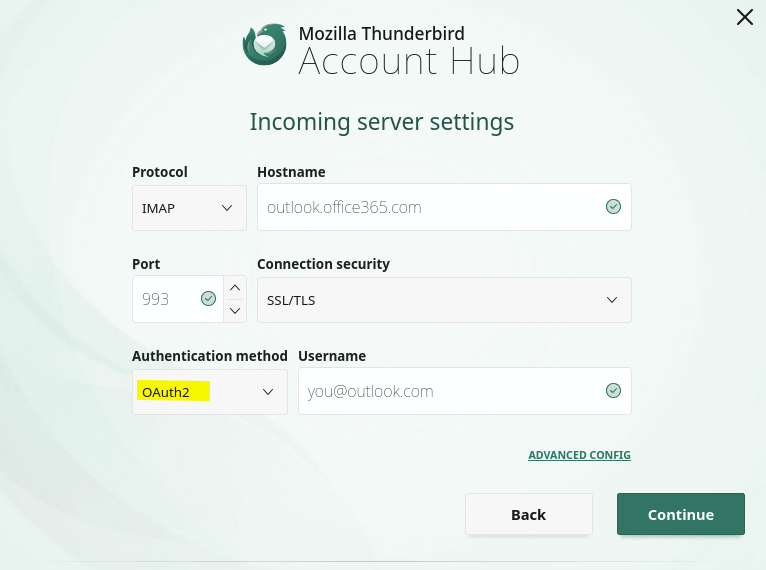
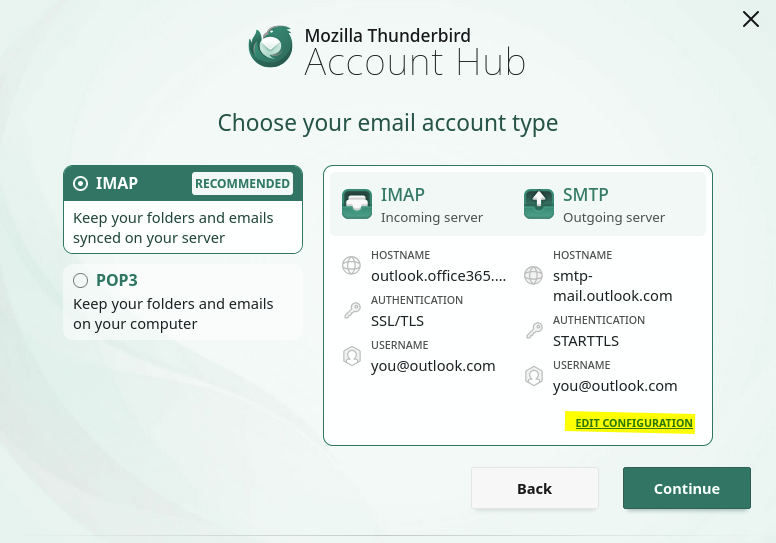
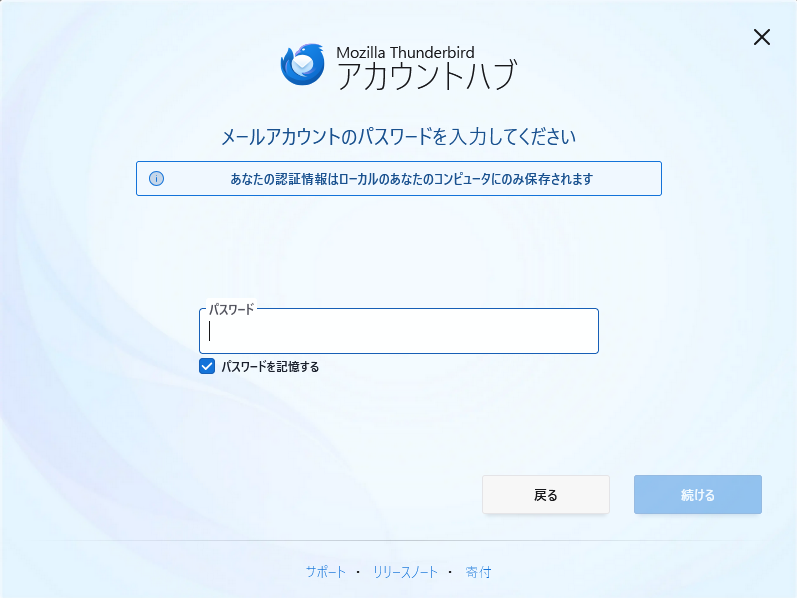
When registering Outlook, before I reach the "Edit Configuration" step, it says "Authentication failed" and I am unable to set it up. The order of the attached images causes an error.
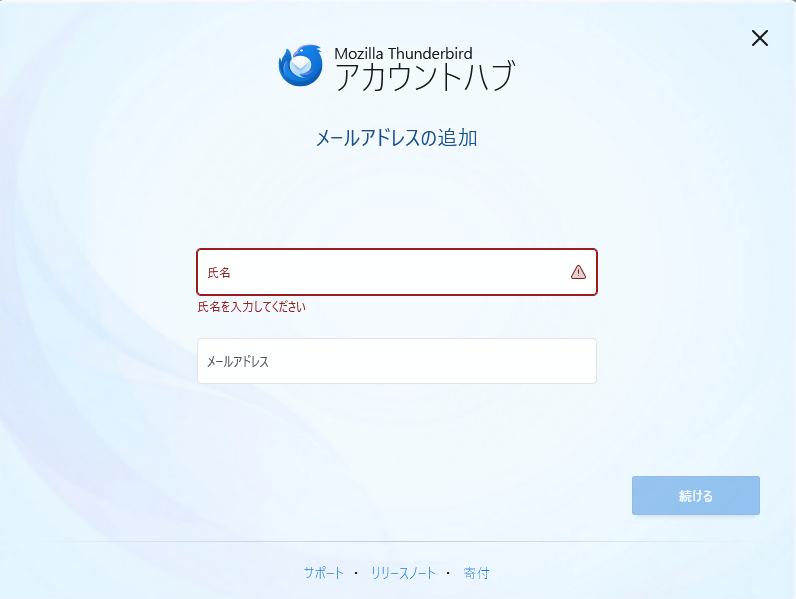
Solution choisie
Check settings>general to see if your setup has checked the experimental setup option. See attached screenshot. If it is ticked, UNtick it and restart the setup process.
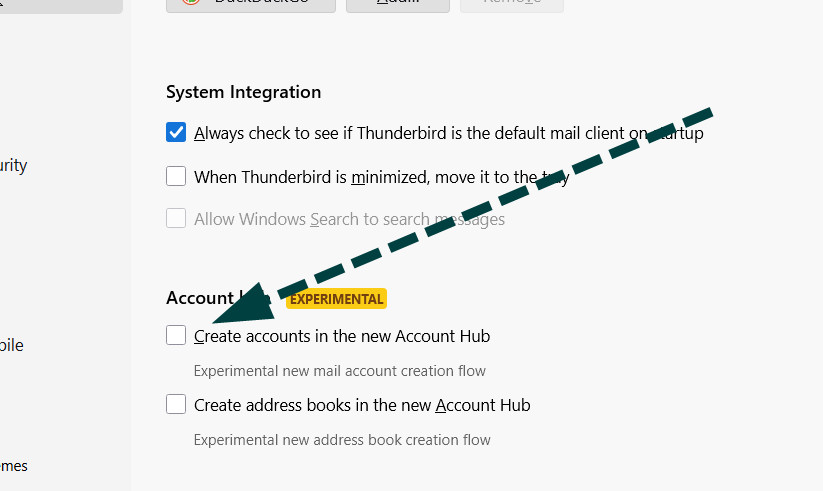


i was this close to uninstalling, i could add one account and then no more because this error.
why does the app enable experimental features by default when installed if it doesn't work?
i thought ms was dumb with this stuff...