


Encountered hacker pop up
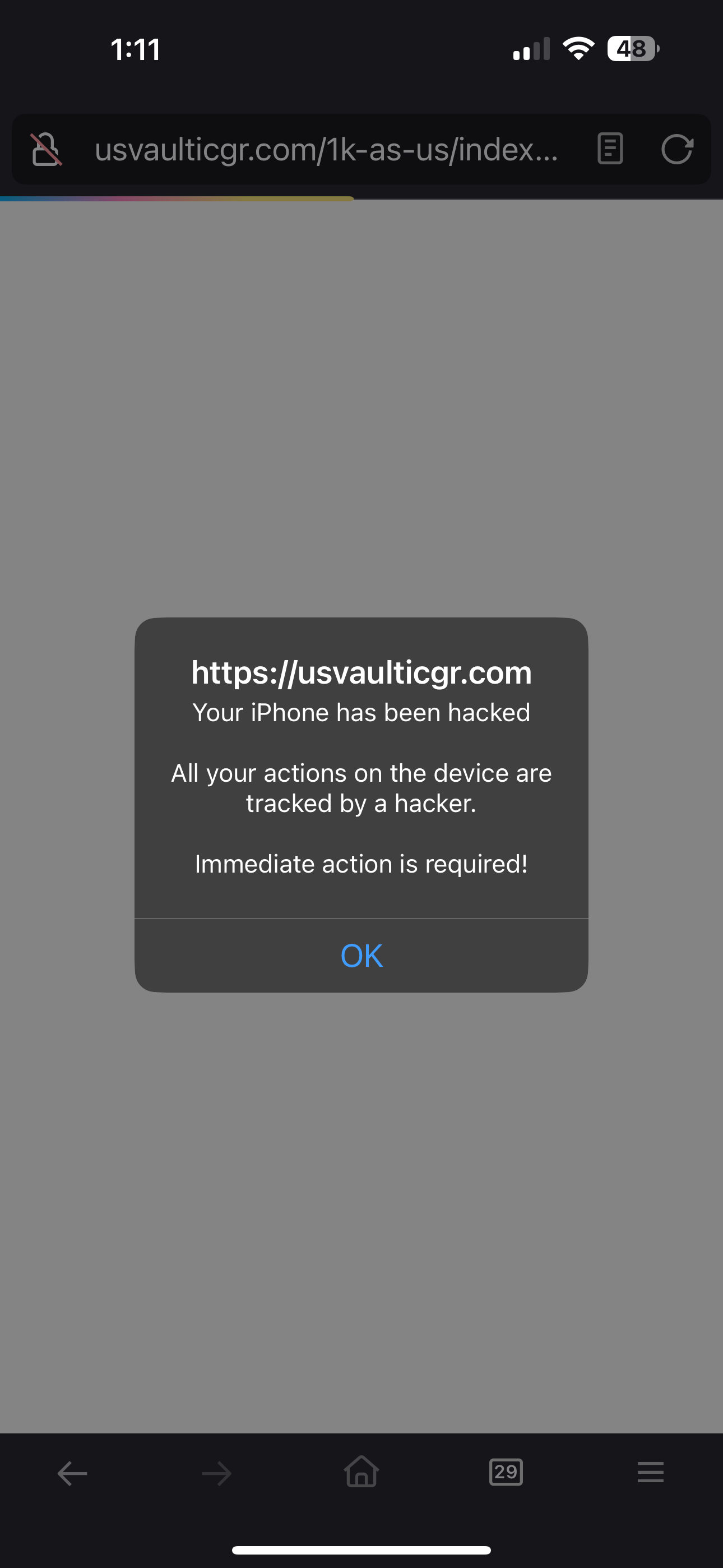
I was searching on Firefox and encountered a pop up “your iPhone has been hacked” and an ‘OK’, which you are encouraged to use based on immediate attention being required.
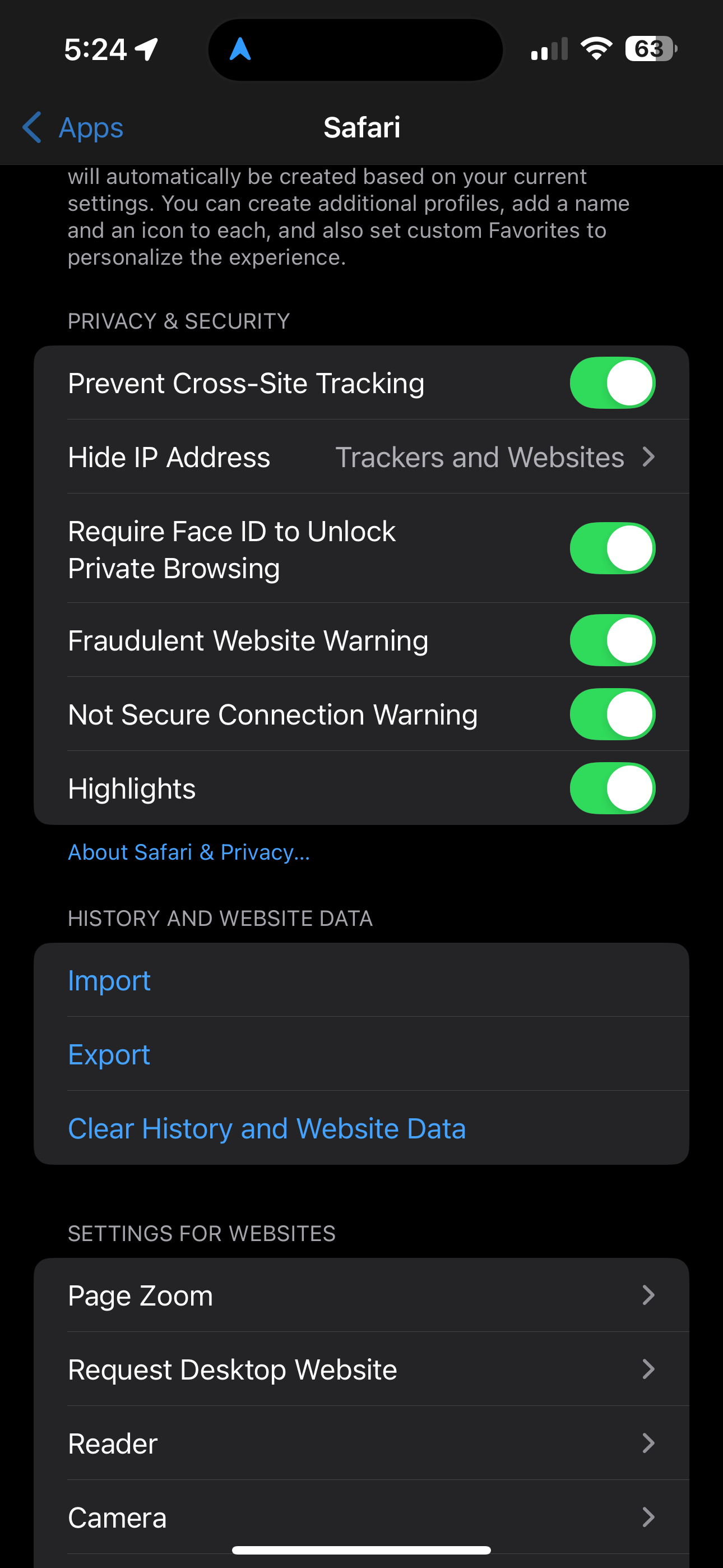
This pop up has frozen my app and I cannot close this tab nor can I access any other tabs I have in use. Troubleshooting tried- closed the app several times and also turned my iPhone off and back on and get the same result. I cleared my website search history and use the following security’s settings: Prevent cross tracking, Hide IP address: (from) trackers and websites, Fraudulent Website Warning, Not Secure Connection Warning. I am using the iPhone 14 Pro Max and am running on the most current iOS: 18.5. These settings are for Safari.
Has anyone experienced this situation and know how to close the hacker message tab and what else one might need/want to do in response to this pop up?
Any advise would be most appreciated! Kindly, LaL
Modifié le par NoahSUMO
Toutes les réponses (1)
Hello,
Sorry for responding that late. Although I'm not an iOS user, I'll do my best to help you.
First, the pop-up is definitely scam (and your iPhone has NOT been hacked). It can't influence your device if you don't interact with it.
Second, does the pop-up appear only in Firefox?
Third, you stated: "I cleared my website search history and use the following security’s settings... These settings are for Safari". So, in what app did you clear your history?
Finally, if the pop-up appears only in Firefox and prevents you from interacting with the browser, would you consider reinstalling Firefox? In that case, it seems to be the only way to get rid of the pop-up without interacting with it (but you will lose you unsynced data).
Note, however, that I personally believe clicking OK in a default pop-up will not cause any consequences except closing the pop-up. So, you may try just doing that.