


Windows 10 reached EOS (end of support) on October 14, 2025. For more information, see this article.

Rechercher dans l’assistance

Évitez les escroqueries à l’assistance. Nous ne vous demanderons jamais d’appeler ou d’envoyer un SMS à un numéro de téléphone ou de partager des informations personnelles. Veuillez signaler toute activité suspecte en utilisant l’option « Signaler un abus ».

En savoir plus

HELP!!!! WTF is "synch"? I'm blocked from signing into my own email.

  • 3 réponses
  • 0 a ce problème
  • 11 vues
  • Dernière réponse par markwarner22

options supplémentaires

So. I fired up the computer this morning. A new one, just got it in September. I have used saved passwords for many years. You have to use the primary password (was master password) to get to that file.

Except now I can't. I get a blurry screen with a banner across the top telling me to log in. But when I click on the "log in" button, nothing happens. If I click the X to close that banner, it does close. And there's various links left on the blurred screen. "Learn more", "passwords support", "import passwords from another browser" or "from a file". But none of those links work. Nothing happens when I click them.

When it says "Log in", I don't even know what I'm supposed to log in to. I don't get a chance to give the primary password. Logging onto Mozilla hasn't made a difference.

So now, I don't have access to ANY of my passwords. WTF Firefox? Can anybody help me? Will anybody help me?

I managed to get to my password because I'm on a new laptop and have not discarded the old one yet. But that's hardly a solution - keeping an extra computer around to look up passwords. I have a few passwords which I put in an old fashioned Rolodex. Maybe I better do that for everything.

I'm elderly. I rarely use my computer away from home. I don't want or need this "sync" feature. After all these years, am I going to have to look for a new browser because of this FAIL? Or is there some way out of it? As it stands now, I have no idea how to get into sync, even if I did want it.

Where did this come from? It's totally out of the blue. WTF? Can I get past this problem? How?
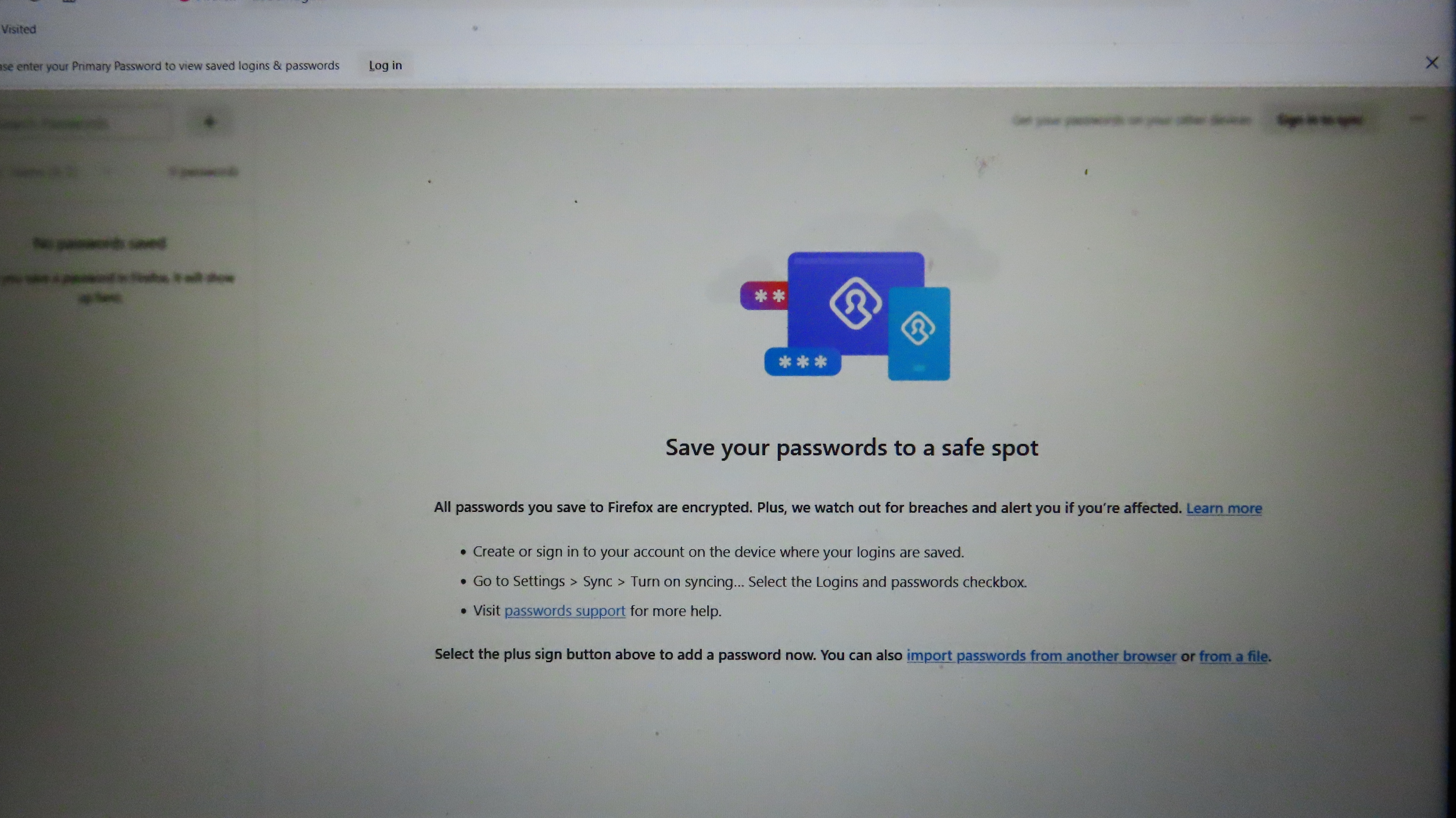
So. I fired up the computer this morning. A new one, just got it in September. I have used saved passwords for many years. You have to use the primary password (was master password) to get to that file. Except now I can't. I get a blurry screen with a banner across the top telling me to log in. But when I click on the "log in" button, nothing happens. If I click the X to close that banner, it does close. And there's various links left on the blurred screen. "Learn more", "passwords support", "import passwords from another browser" or "from a file". But none of those links work. Nothing happens when I click them. When it says "Log in", I don't even know what I'm supposed to log in to. I don't get a chance to give the primary password. Logging onto Mozilla hasn't made a difference. So now, I don't have access to ANY of my passwords. WTF Firefox? Can anybody help me? Will anybody help me? I managed to get to my password because I'm on a new laptop and have not discarded the old one yet. But that's hardly a solution - keeping an extra computer around to look up passwords. I have a few passwords which I put in an old fashioned Rolodex. Maybe I better do that for everything. I'm elderly. I rarely use my computer away from home. I don't want or need this "sync" feature. After all these years, am I going to have to look for a new browser because of this FAIL? Or is there some way out of it? As it stands now, I have no idea how to get into sync, even if I did want it. Where did this come from? It's totally out of the blue. WTF? Can I get past this problem? How?
Captures d’écran jointes

Toutes les réponses (3)

options supplémentaires

Is that from Firefox or the site your using?

options supplémentaires

Definitely Firefox. When I go to Settings -> Privacy & Security -> Saved Passwords, I used to get a pop-up asking for my Primary Password. Now I get that blurry screen - with no way out.

options supplémentaires