


No more tag colors after update

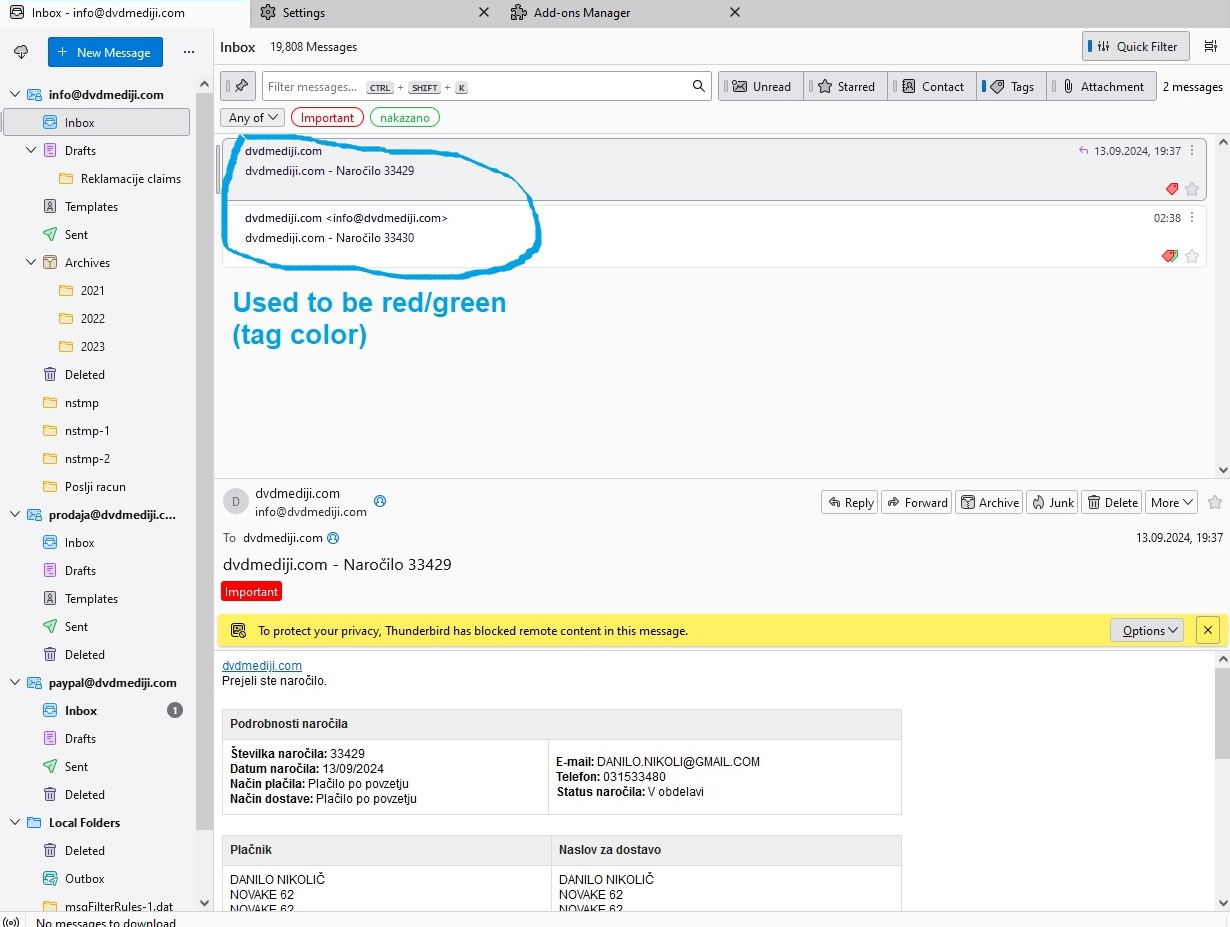
Hy, after the last update the emails I marked them with tags are no more in colors (title, sender etc...). I have no addons in my Thunderbird. I have tried suggested solutions I have read (restard in safe mode, clear cache, disable addons etc...).
Thank you for your help!!
Hy,
after the last update the emails I marked them with tags are no more in colors (title, sender etc...).
I have no addons in my Thunderbird.
I have tried suggested solutions I have read (restard in safe mode, clear cache, disable addons etc...).
Thank you for your help!!
Toutes les réponses (2)
The text is still coloured in Table View (click the icon next to the Quick Filter button to switch), but for Cards View, it can be done with userChrome.css:
https://support.mozilla.org/en-US/questions/1462837#answer-1673571
It worked thank you!!! Update changed somehow the view from table to cards view. And I prefer table view, so now both is working great.
Thank you!!!