

Ce sujet de discussion a été archivé.
Veuillez poser une nouvelle question si vous avez besoin d’aide.

Archivé
Credit card info
I went to settings and then to privacy and security and tried to find auto fill to remove credit card info. I couldn't find the setting the browser told me to find.
I went to settings and then to privacy and security and tried to find auto fill to remove credit card info. I couldn't find the setting the browser told me to find.
Toutes les réponses (2)

What country are you in? https://support.mozilla.org/en-US/kb/credit-card-autofill?as=u&utm_source=inproduct
Post a similar screenshot.
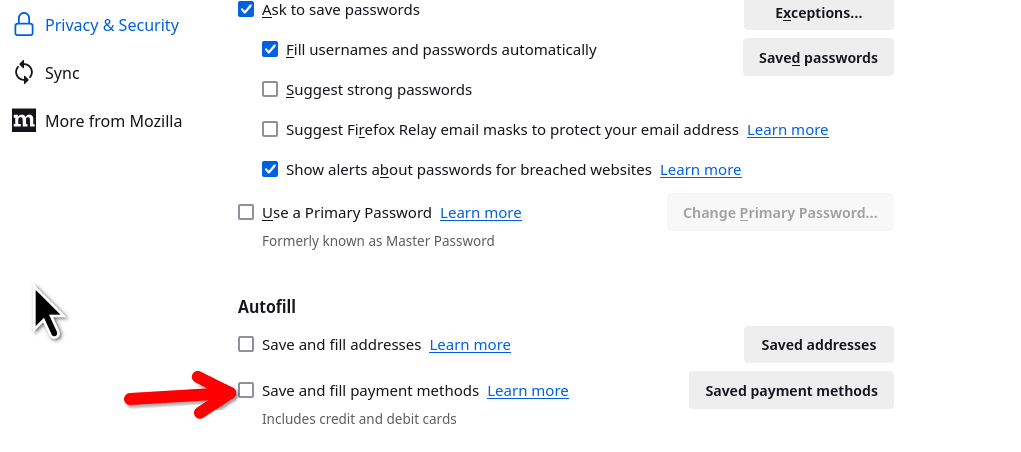
Modifié le par jonzn4SUSE
For me that was indeed a problem of country (I'm in Thailand). I opened a tab with the url "about:config", and then added "TH" (Thailand) to the following parameter: extensions.formautofill.availableRegions Then I restarted Firefox. Note: what matters is the country you're in, not the country your credit card is from.